Check the acquisition promise
Read the store headline, screenshots and description. What problem is the app promising to solve?
Study the storefront ↗
Diversion Marketing Inc · iOS
Explore the ad evidence, study the storefront, and build your next acquisition hypothesis.
01 / Creative research
Read the store headline, screenshots and description. What problem is the app promising to solve?
Study the storefront ↗Explore apps with direct store-link matches. Compare their hooks and formats without assuming the same approach works here.
Browse observed advertisers ↗Store rankings and revenue estimates describe market context. They do not establish ad spend, conversions or ROAS.
Review the market context ↗02 / Storefront & product
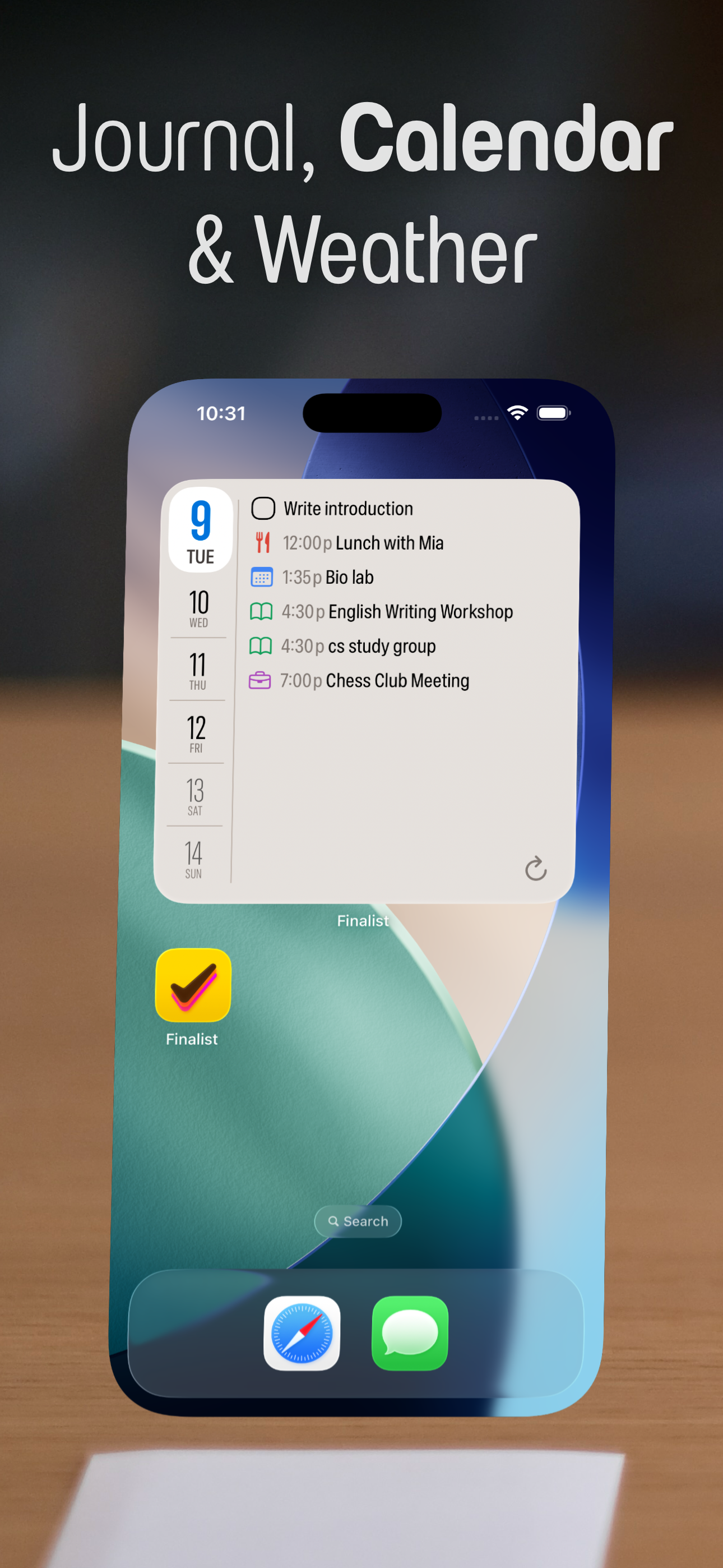
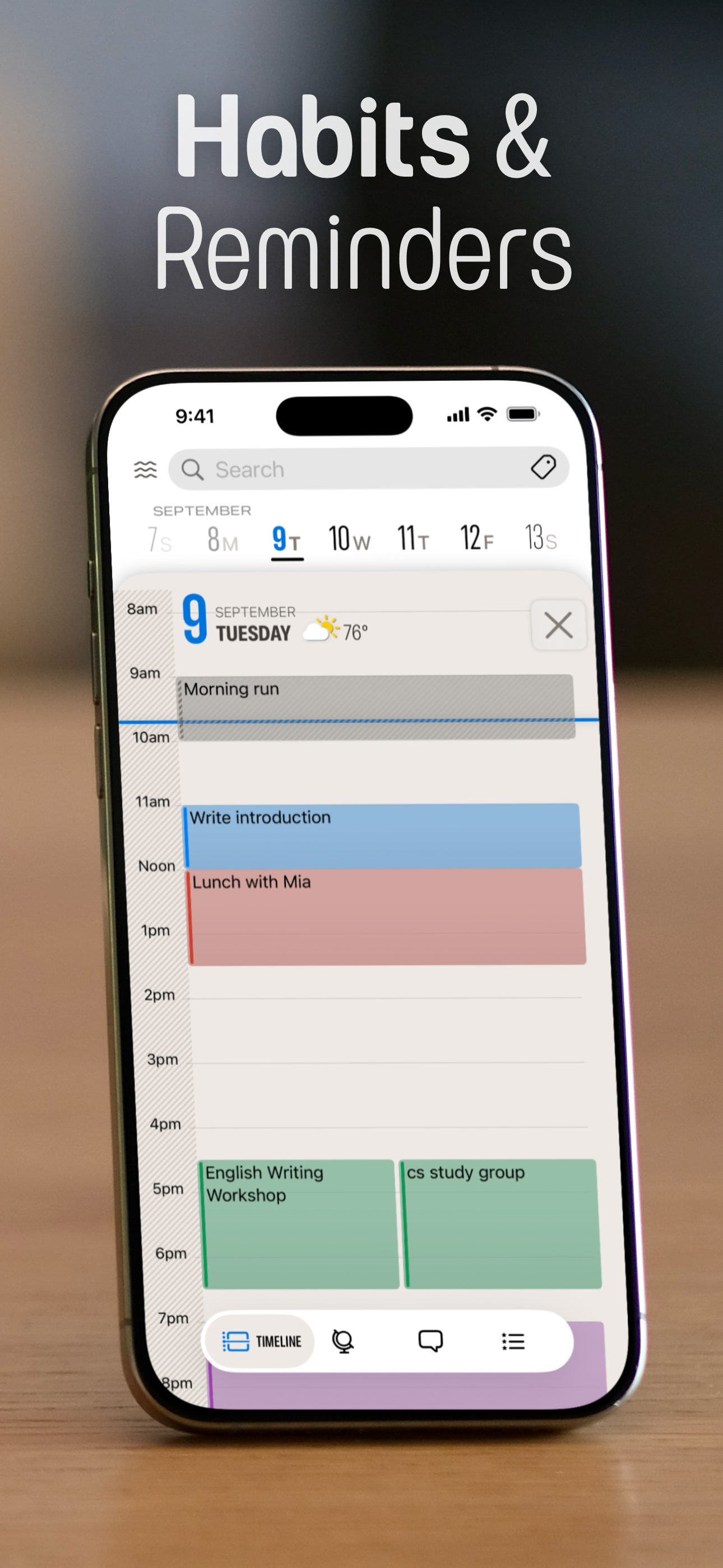
Study the product story and store experience behind the acquisition funnel.






03 / Market context
Keep revenue, downloads and store rankings separate from advertising performance.
The main reason I found this app was for a habit streak tracker. But I’m so glad I found an app as functional and well-displayed as this one. I very much enjoy the view and interface of the main daily page. I also love being able to add photos and daily goals on top of habit tracking. I use the Apple heal to connect how many hours of sleep I got. It’s truly a nicely functional command center for a visual spatial person like myself, while being not too busy and not to overwhelming because you only see the parts you use. I love it.
A firm believer in this app and its potential with future updates. The design language is clean, analog-almost, and feels like a digital extension of a physical planner, with the peace of mind of digital remembrance and continuity between your Apple devices. The two-way seamless sync between this app and the native iOS Calendar and Reminders apps is a game changer. After taking a day to learn it, the investment in finding out about its workings and quirks makes daily planning so much more delightful as your time spent in the day becomes more meaningful. This app is going to change the way people value their time and how they plan their lives. Absolutely love it!
I’ve explored quite a few calendar and planner apps, especially those with a classic calendar look. Lately, I’ve been drawn to agenda-style planners, so I was thrilled to check out Finalist. After a couple months of use it’s become my go to app. I can confidently say Finalist strikes the perfect balance. It’s an amazing app that offers a lot of flexibility to suit different needs. Finalist draws inspiration from traditional paper planners and really embraces the Day Planner feel. Its standout feature is the Daily tab, which organizes all your calendar events and tasks. You can customize it to only show the information that matters most to you. The design is incredibly detailed, with great typography and color choices that help draw attention to the important stuff. Plus, Finalist works well with Apple’s Reminders in addition to its own tasks function. Between the two, I’ve been able to manage my to-do list very well. Finalist is so beautiful and thoughtfully designed that it makes me want to use it. It’s simplified my planning and made it easier to manage my day and get things done. Highly recommended!
Inspired by paper planners, Finalist shows your calendar, tasks, notes, reminders and weather forecast in one beautiful timeline. It even pulls in you...
| Name | Price | Type |
|---|---|---|
| Finalist Pro Weekly | $2.99 | Weekly |
| Finalist Pro Monthly | $4.99 | Monthly |
| Finalist Monthly | $4.99 | Monthly |
| Finalist Yearly | $29.99 | Yearly |
| Finalist Pro Yearly | $29.99 | Yearly |
| Finalist Lifetime | $59.99 | One-time |
| Finalist Pro Lifetime | $59.99 | One-time |