Check the acquisition promise
Read the store headline, screenshots and description. What problem is the app promising to solve?
Study the storefront ↗
Furkan Simsir · iOS
Explore the ad evidence, study the storefront, and build your next acquisition hypothesis.
01 / Creative research
Read the store headline, screenshots and description. What problem is the app promising to solve?
Study the storefront ↗Explore apps with direct store-link matches. Compare their hooks and formats without assuming the same approach works here.
Browse observed advertisers ↗Store rankings and revenue estimates describe market context. They do not establish ad spend, conversions or ROAS.
Review the market context ↗02 / Storefront & product
Study the product story and store experience behind the acquisition funnel.



03 / Market context
Keep revenue, downloads and store rankings separate from advertising performance.
Dude, yes. This is what I’ve been searching for 2+ years for. A note taking app that just gets it. No less, no more. Prioritizes simple idea capture with minimal friction and distractions. Does not try to be your “all in one productivity life system”. Just does a simple function for a simple lifetime price. Simple but still designed well. Does not compromise on the UI by making an overall low quality app. But also does not throw in excessive over the top features that kill the entire purpose of the app in the first place. Kudos to you, developer!
I’ve been using this app for a while now and I can honestly say it has exceeded my expectations. Everything about it feels well thought-out, from the smooth performance to the clean, easy-to-navigate design. It doesn’t overwhelm you with unnecessary features or clutter — instead, it focuses on what matters and does that exceptionally well. Because of that, it’s become something I rely on daily. What I appreciate most is how consistent it is. No random glitches, no frustrating slowdowns, just a solid experience every time I open it. It’s clear that the developers care about the user experience because the little details are done right, and that makes a big difference. The only thing I find myself wishing for is an Apple Watch app. Having the same functionality available on my wrist would take this from great to perfect. Hopefully that’s something that comes in a future update, because it would really round out the whole experience. All in all, this is easily one of the best apps I’ve downloaded in a long time. Highly recommended!
I’ve been waiting years for an app like this to come along, and although I’m not using it to its fullest ability, it does exactly what I need it to do, and I do mean exactly. I rarely have anything saved in the app for more than a couple of days. I’m constantly saving things to it from Safari, Reddit, X, etc…, then I move them to their permanent homes in Anybox, GoodLinks, Files, Tresorit, etc…, a few days later. The app is the perfect bridge with its saving/sharing capabilities. I’m no longer getting things lost in Notes, Photos, and everywhere else. I have the app installed on my iPhone, iPad, and MacBook, and the iCloud sync works flawlessly. I had a question about the Mac app and reached out to the developer, and received a response a few hours later. The lifetime license is a no-brainer. This app has already saved me lots of time, frustration, and has made my daily workflow so much easier.
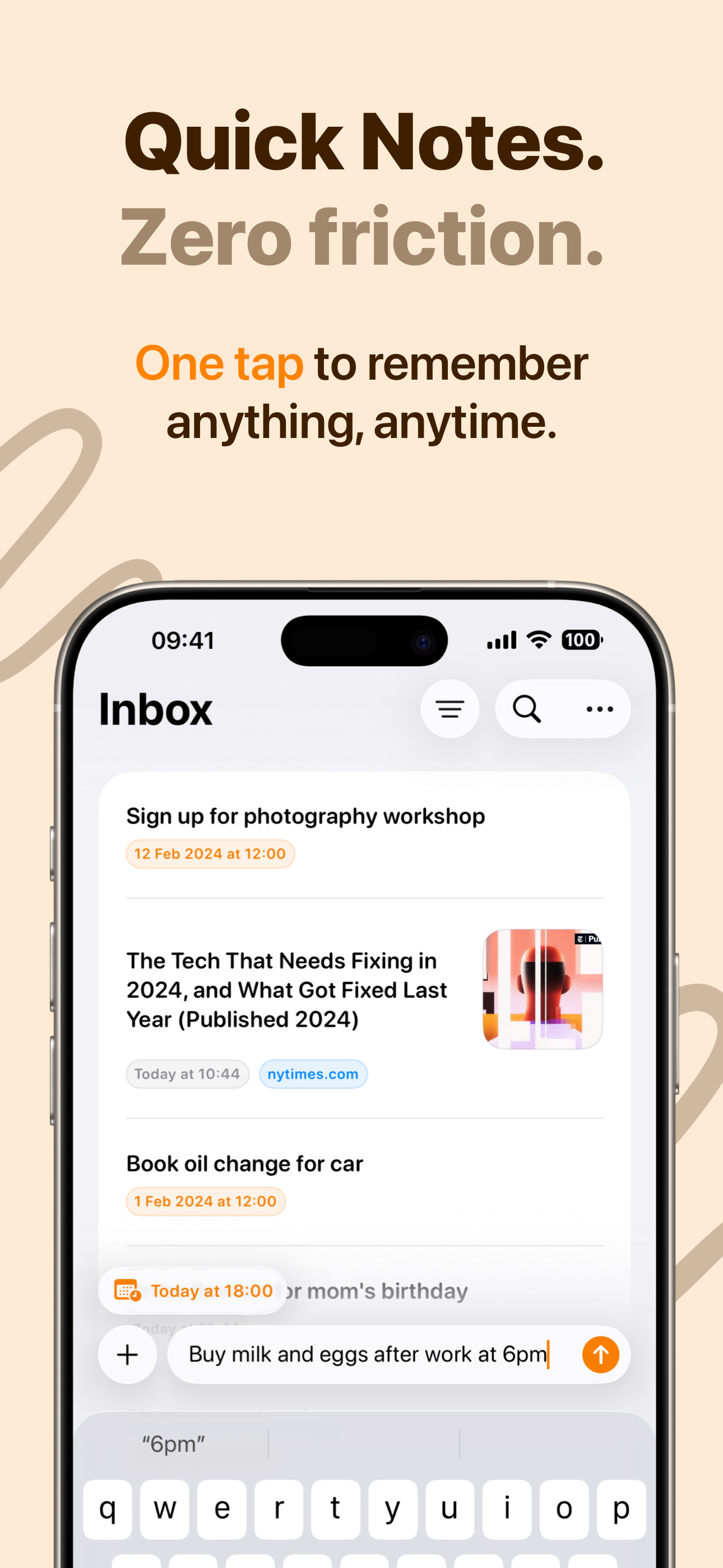
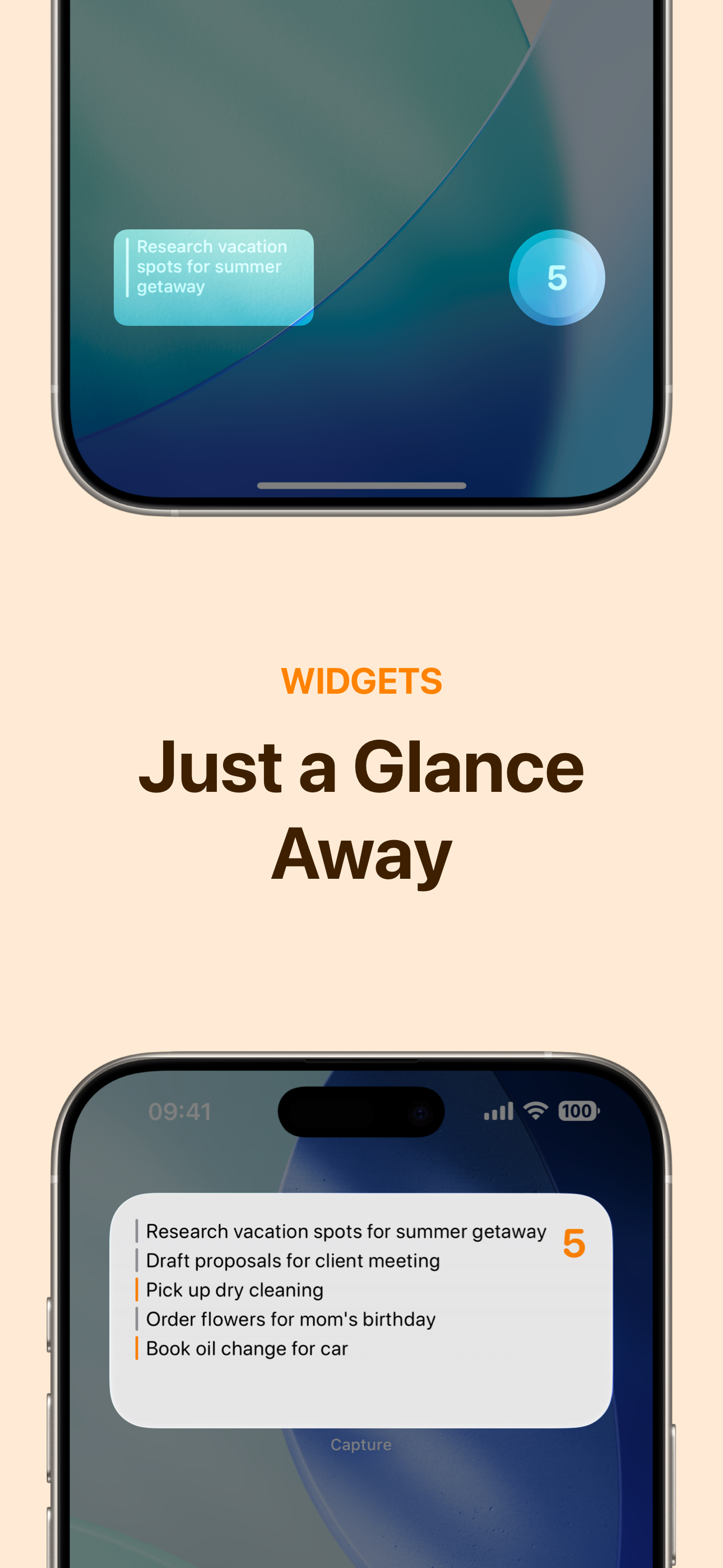
Capture's intuitive interface and smart features turn your mobile device into a powerful thought organizer, letting you seize, sort, and execute your...
| Name | Price | Type |
|---|---|---|
| Monthly | $1.99 | Monthly |
| Yearly | $9.99 | Yearly |
| Lifetime | $19.99 | One-time |