Check the acquisition promise
Read the store headline, screenshots and description. What problem is the app promising to solve?
Study the storefront ↗
Federal Bank · iOS
Explore the ad evidence, study the storefront, and build your next acquisition hypothesis.
01 / Creative research
Read the store headline, screenshots and description. What problem is the app promising to solve?
Study the storefront ↗Explore apps with direct store-link matches. Compare their hooks and formats without assuming the same approach works here.
Browse observed advertisers ↗Store rankings and revenue estimates describe market context. They do not establish ad spend, conversions or ROAS.
Review the market context ↗02 / Storefront & product
Study the product story and store experience behind the acquisition funnel.




03 / Market context
Keep revenue, downloads and store rankings separate from advertising performance.
I have been using the Federal Bank Digital Rupee account for a while. So far the experience has been wonderful. Keep it up The Federal Bank Ltd
I’ve been using the Federal Bank Digital Rupee application recently, and overall, the experience has been quite smooth. The onboarding process was straightforward, and linking my Federal Bank account took only a few minutes. The interface is clean and user-friendly, making it easy even for first-time users to understand how to transact using the Digital Rupee.
The app is showing a message that I’m “not eligible for a full KYC “ in stage 5 of installation process. Don’t understand what exactly is full KYC. Plz do conduct an through internal testing before launching any apps. Almost all the apps are either slow or not working. If you are not using any fed app for example fed book, it won’t give correct statement. Instead we have to reinstall the app. Now I stopped using that app. In case of newly launched boom box, sometimes credit comes after 2-3 days from the date transaction . Over all zero ratings for this app. Also do provide write up about this app so that instead of assuming, people can understand and decide whether this app needs to installed or not.
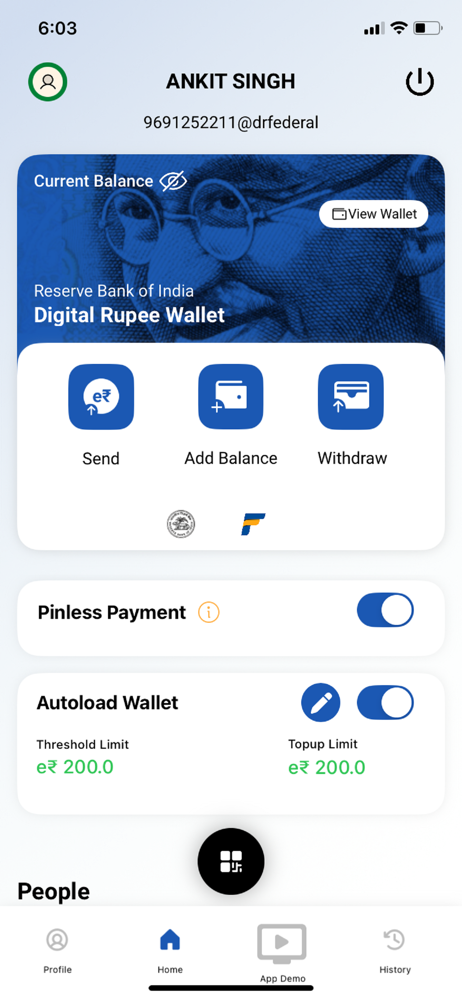
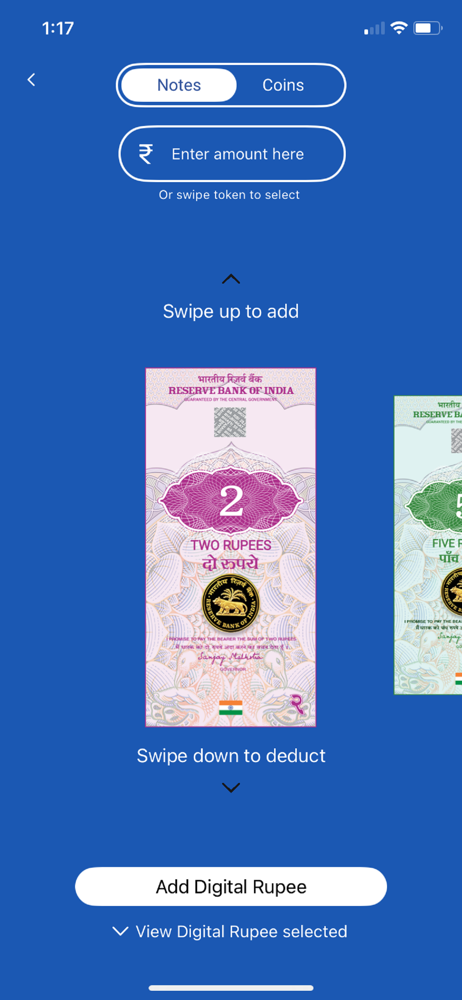
1. Add Balance: Customer can load e₹ in the wallet. 2. Withdraw: Customer’s wallet will be debited and bank a/c will be credited. 3. Send: Customer c...