Check the acquisition promise
Read the store headline, screenshots and description. What problem is the app promising to solve?
Study the storefront ↗
Epiphanie · iOS
Explore the ad evidence, study the storefront, and build your next acquisition hypothesis.
01 / Creative research
Read the store headline, screenshots and description. What problem is the app promising to solve?
Study the storefront ↗Explore apps with direct store-link matches. Compare their hooks and formats without assuming the same approach works here.
Browse observed advertisers ↗Store rankings and revenue estimates describe market context. They do not establish ad spend, conversions or ROAS.
Review the market context ↗02 / Storefront & product
Study the product story and store experience behind the acquisition funnel.




03 / Market context
Keep revenue, downloads and store rankings separate from advertising performance.
As the title states, on iPadOS 26 this app has a few functionality issues, mainly with the new windowing system introduced with the latest iPadOS update. When clicking the undo, redo, or bookmark buttons more than once (which I have to do a lot), the new stoplight menu pops up in its place and it takes the app out of fullscreen. Moving the buttons down from the top of the screen a little bit or even putting them on the bottom instead would solve this problem. Furthermore, when shrinking down the app into a smaller window, the bookmark button becomes fully covered by the stoplight button and clicking on the undo button more than once causes the app to switch back into fullscreen mode. I love this app a lot but the buttons need to be moved around to maintain the app functionality with the new iPadOS update.
Overall, the concept is there. You can make an infinitely zoomable canvas. The part that’s a little disappointing is what doesn’t come with this amazing capability. With so much space to put things wherever you want, it seems an important part would be to be able to move things around as your canvas expands. There is still no lasso tool to grab the stuff you want to move and shift it around. A pretty annoying bug is that the images that I copy into my canvas keep disappearing. The outline remains, but the image is gone, so all I can see is a grey shape on the canvas. I’d love to see something in there for textboxes also. Get this thing to a fully functional app.
Endless Paper is a recent discovery for me. As a Physics teacher, I do a massive amount of calculations. Over time, generally on yellow paper pads, I do my work. The results become disorganized and missing, a lot of wasted time. No more! Now with EP, all my work is now organized, bookmarked, and easy to find and access. If you like to create drawings and artwork, I think you will like it as well, although I am at the stick-figure level. I have contacted app support twice with questions, and both times received a response within 24 hours. The last support response even included a short video clip detailing the answer to my question. AWESOME app support! I highly recommend EP for school notes and mathematical calculations. The work organization, storage, and app support make this my go-to app.
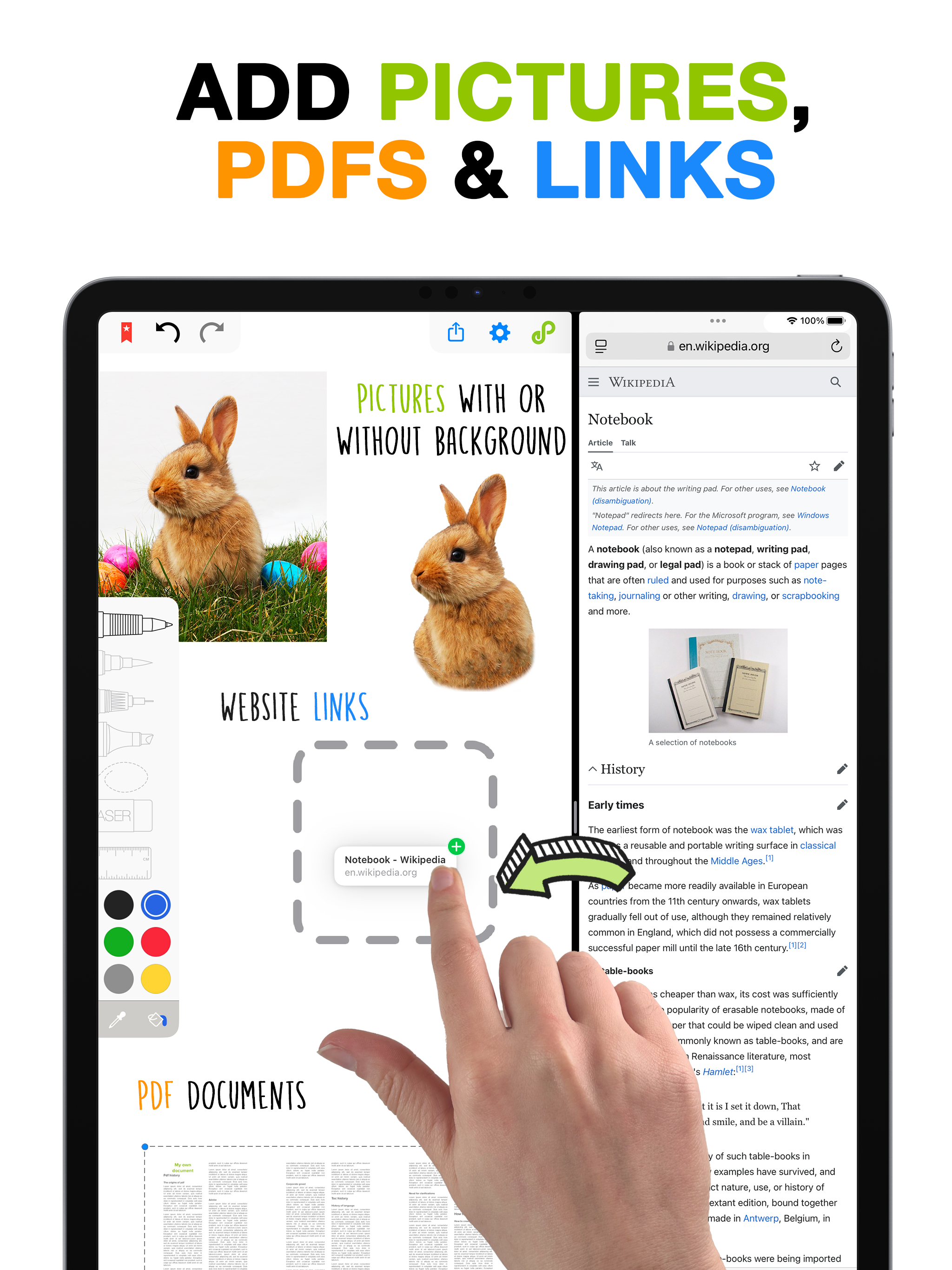
Endless Paper An infinite canvas for thinking, drawing, and storytelling Endless Paper is a creative tool built around a truly infinite canvas. Writ...
| Name | Price | Type |
|---|---|---|
| Coffee | $0.99 | One-time |
| Croissant | $1.99 | One-time |
| Croque-monsieur | $4.99 | One-time |
| Premium Monthly | $5.99 | Monthly |
| Fondue | $9.99 | One-time |
| Premium Yearly | $29.99 | Yearly |
| Pro Yearly | $99.99 | Yearly |