
Check the acquisition promise
Read the store headline, screenshots and description. What problem is the app promising to solve?
Study the storefront ↗
AloaLabs, LLC · iOS
Explore the ad evidence, study the storefront, and build your next acquisition hypothesis.
01 / Creative research
Read the store headline, screenshots and description. What problem is the app promising to solve?
Study the storefront ↗Explore apps with direct store-link matches. Compare their hooks and formats without assuming the same approach works here.
Browse observed advertisers ↗Store rankings and revenue estimates describe market context. They do not establish ad spend, conversions or ROAS.
Review the market context ↗02 / Storefront & product
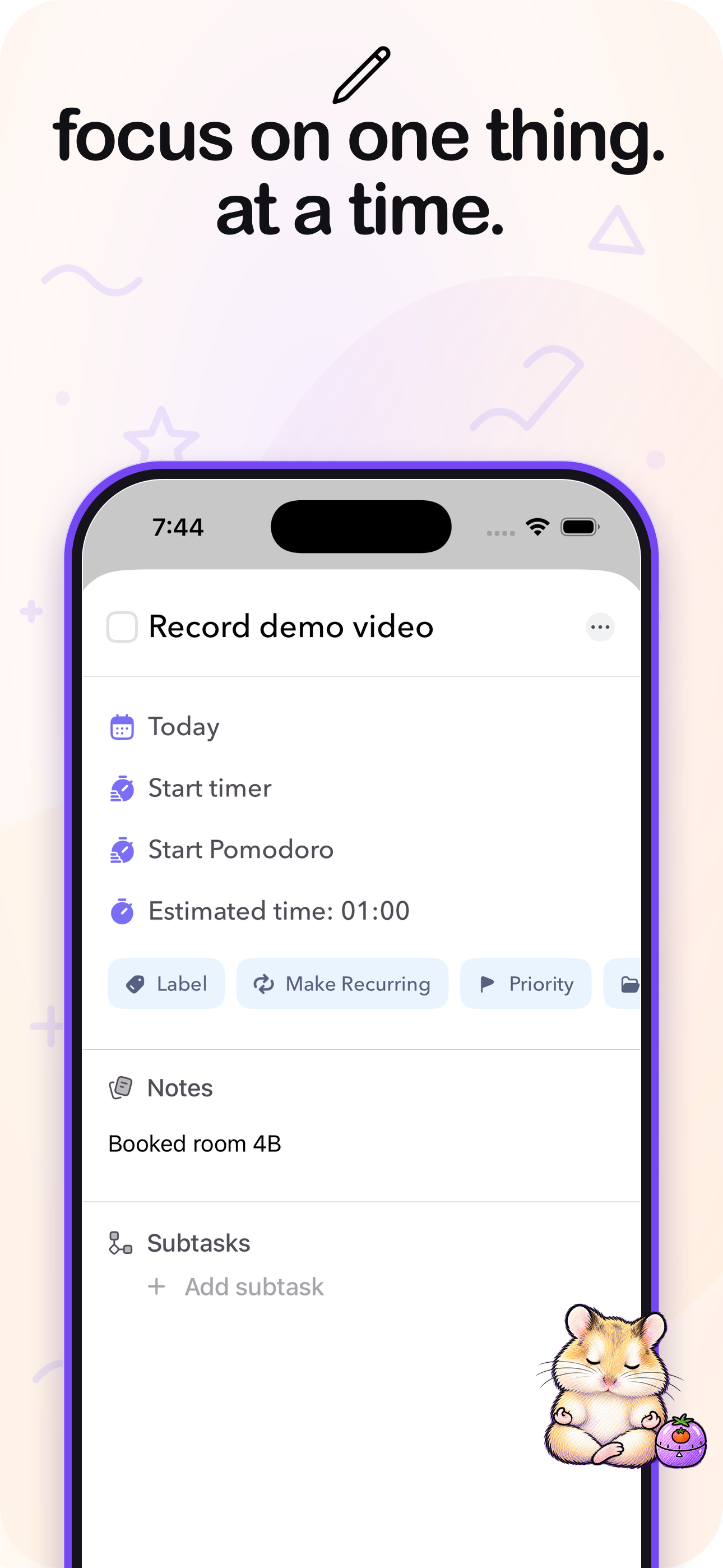
Study the product story and store experience behind the acquisition funnel.




03 / Market context
Keep revenue, downloads and store rankings separate from advertising performance.
This app has been super helpful in allowing me to dump all my tasks from my mind into a list that I can then visually sort into my free time! It was one of the few planner apps that synced with both Apple Calendar and Google Calendar which was paramount for me since I get invites from both sources! The app developer, Chris, has also been super responsive and helpful for the troubleshooting I had! Best experience for this app is definitely on desktop, but iOS is great for jotting down the tasks you need to do while you’re out and about.
I have tried every task/PM app and method I could find. Lots of them have worked well enough, but the thing I actually needed was a way to plan my day AND capture all tasks and organize with labels if needed. The closest things I found were MS ToDo (the my day feature is great, the rest is too clunky) and Amazing Marvin (mobile app was a dealbreaker). I was always adapting my latest app of choice to work better for my neuropicy AuDHD brain. Inevitably, I would find myself searching again for something that fit a little better. Then I stumbled on a Reddit thread where someone asked for recs for an app that does exactly what I was looking for. The developer commented and mentioned he had made an app for just that. I was skeptical, but I checked it out and I was immediately hooked. Ellie is gorgeous (so I like using it), minimalist (no overstimulation or overwhelm), and easy to use (no learning curve). The braindump is a perfect capture tool, and the day planning tool is so intuitive. It has every single feature I need, and none that I don’t. I’ve been using it for a few weeks, and I couldn’t be happier. Chris, if you’re reading this, for the love of god do NOT let this app die. I know you won’t, but if upkeep gets tough I will personally find someone to take over 😂. Thank you!
I tried a bunch of task management apps but this one was my favorite in both features and price and the one I’ve been using for the last 3 months. I love the time boxing/blocking feature. I like that the app integrates with my Google calendar. I like the mobile app so I can time my tasks and I can make it full screen so it can remind me of what I’m supposed to be working on. And whatever task you start timing on your desktop shows up seamlessly onto your mobile app when you open it. Plus Chris, the developer is so nice and responsive to our feedback.
Clear your head. Plan what fits. Get it done. Ellie turns an open-ended brain dump into a realistic plan for your day: • Capture tasks quickly in Br...
| Name | Price | Type |
|---|---|---|
| Ellie Pro (Monthly) | $9.99 | Monthly |
| Ellie Pro (Annual Plan) | $99.99 | Yearly |
| Ellie Pro - Lifetime | $299.99 | One-time |


