
Check the acquisition promise
Read the store headline, screenshots and description. What problem is the app promising to solve?
Study the storefront ↗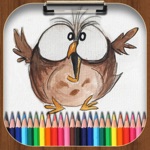
Minh Nguyen · iOS
Explore the ad evidence, study the storefront, and build your next acquisition hypothesis.
01 / Creative research
Read the store headline, screenshots and description. What problem is the app promising to solve?
Study the storefront ↗Explore apps with direct store-link matches. Compare their hooks and formats without assuming the same approach works here.
Browse observed advertisers ↗Store rankings and revenue estimates describe market context. They do not establish ad spend, conversions or ROAS.
Review the market context ↗02 / Storefront & product
Study the product story and store experience behind the acquisition funnel.


03 / Market context
Keep revenue, downloads and store rankings separate from advertising performance.
This app starts out okay. It gives me all of the tools I need to draw, and tells what they do. But then it immediately sells out, and only limits me to making 3 drawings at a time, I can’t use all of the tools, and I have to pay actual money to do anything else. If you want to sell it don’t say it’s free, and then after downloading it give us a half assed demo and ask for money, or make it free, AND accessible for everyone in the future. I hate apps that do this, and for that big gaping hole I can’t rate it five stars... but the app itself is a good software and I recommend it too.
I have using this app for 6 months and I think it is a good drawing app. It has some unique features which only a few of drawing apps in the app store have. Brushes can dynamic custom with a lot different textures and colors and I can see how the brushes is before I decide to use them that very good for painting. The mirror feature help me a lot when I want to sketch a face, I just do a half of face and the app handle the other side for me that best for draw and sketch. Multiple layers, actually It has multiple layers but seem like the developer just limit in 2 layers background and drawing. It would be best if they can let me add more layers, re-order layers as I want. The app also support save the drawing in multiple mode as export layers and final result. One of negative points of this app is the ads but It offer the options for upgrade to pro version with cheap price and I very happy to do that. Hope they can read and upgrade more features as I want.
Ooooooh. Boy, where do I begin? First of all, this app was average. I could draw just fine, but then, they put in an update, which limited the number of times you could draw to three. That is sad. Every time you wanted to draw after that, you would get a screen showing you all the purchase options for the premium version. No thanks, cwapfaces. The same happens if you want to share the picture to your drive, or something, and then you've got an awesome picture just stuck there. Now for the little things. There are ads in the drawing space, that take up a good portion of the screen that you can't get rid of. And another thing, the only brush sizes are itty bitty, one that doesn't work, and enormous. Plus, the logo is really ugly. I don't want to stare at that poorly drawn screaming owl ever again!
Drawing Pad - Drawing Apps Main Features: - Drawing with Pencil, Brush, Eraser, Marker, Pen. - Customize Brushes with texture. - Fill color with buck...
| Name | Price | Type |
|---|---|---|
| Drawing Pad - Pro Version | $3.99 | One-time |


