Check the acquisition promise
Read the store headline, screenshots and description. What problem is the app promising to solve?
Study the storefront ↗
Vertifi Software · iOS
Explore the ad evidence, study the storefront, and build your next acquisition hypothesis.
01 / Creative research
Read the store headline, screenshots and description. What problem is the app promising to solve?
Study the storefront ↗Explore apps with direct store-link matches. Compare their hooks and formats without assuming the same approach works here.
Browse observed advertisers ↗Store rankings and revenue estimates describe market context. They do not establish ad spend, conversions or ROAS.
Review the market context ↗02 / Storefront & product
Study the product story and store experience behind the acquisition funnel.


03 / Market context
Keep revenue, downloads and store rankings separate from advertising performance.
I downloaded this Application based on instruction from my Financial Institutions web application, and the functionality and application don't work as stated in the Apple App Store. I have submitted numerous reviews for other applications including this one that fail to maintain proper instructions for use, Privacy Policies, Terms of Use, Accessibility's just to name a few. Writing to the Development Team's is basically Pointless as they only seem to send canned Automated Responses that never actually resolve reported issues. This seems like a huge game or joke to cause frustration to the App User Community and subject people to YOUR CONTROL!
This app used to work perfectly but, after the latest IOS update, not so much. Like other reviewers I couldn’t get past the instructions page. I finally figured out that I needed to change the DeposZip app settings. Click the Settings icon on your iphone and scroll down to the DeposZip app. Hit the > button and on the next screen uncheck the boxes that say ‘Show Front Instructions’ and ‘Show Back Instructions’. Reboot your phone and sign back in to your bank’s mobile deposit app. You should then be able to take the front and back pictures of your check. It still took me several tries to get the camera/app to accept my pictures but at least I was able to get past the instructions and was ultimately able to make my mobile deposit.
At first, I didn't think that it worked. I tried logging in, but it kept telling me that I was offline. After logging onto My credit union's website on my phone, I clicked on the account that I wanted to make the deposit in. I was automatically logged then. The rest was easy. I think sometimes we get frustrated when we don't understand something. Sometimes we have to take the time to figure it out. But we must understand that sometimes we are the problem. In other words "user error." It really does work! ;-)
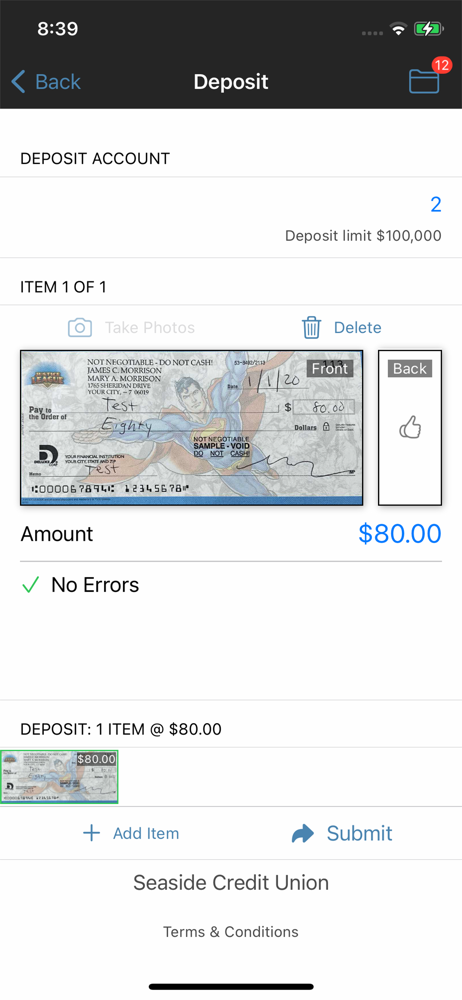
DeposZip Mobile enables customers of participating financial institutions to deposit checks to their accounts using an iPhone. * Make deposits from a...