Check the acquisition promise
Read the store headline, screenshots and description. What problem is the app promising to solve?
Study the storefront ↗
Turtle Beach Controllers · iOS
Explore the ad evidence, study the storefront, and build your next acquisition hypothesis.
01 / Creative research
Read the store headline, screenshots and description. What problem is the app promising to solve?
Study the storefront ↗Explore apps with direct store-link matches. Compare their hooks and formats without assuming the same approach works here.
Browse observed advertisers ↗Store rankings and revenue estimates describe market context. They do not establish ad spend, conversions or ROAS.
Review the market context ↗02 / Storefront & product
Study the product story and store experience behind the acquisition funnel.



03 / Market context
Keep revenue, downloads and store rankings separate from advertising performance.
They advertise this as a cloud gaming controller working on tablets, smart phones and TVs but it does not work like that at all. It requires a masters degree to get the thing to work in the most minimal manner. I could only get the controller to work when I connect a wire to the controller and the Xbox. But when trying to connect to a phone or tablet it shows up in the Bluetooth section but no matter what I do there is no movement on the screen, meaning that it doesn’t work at all. Truly disappointed at how a company can put out a product without testing it what so ever.
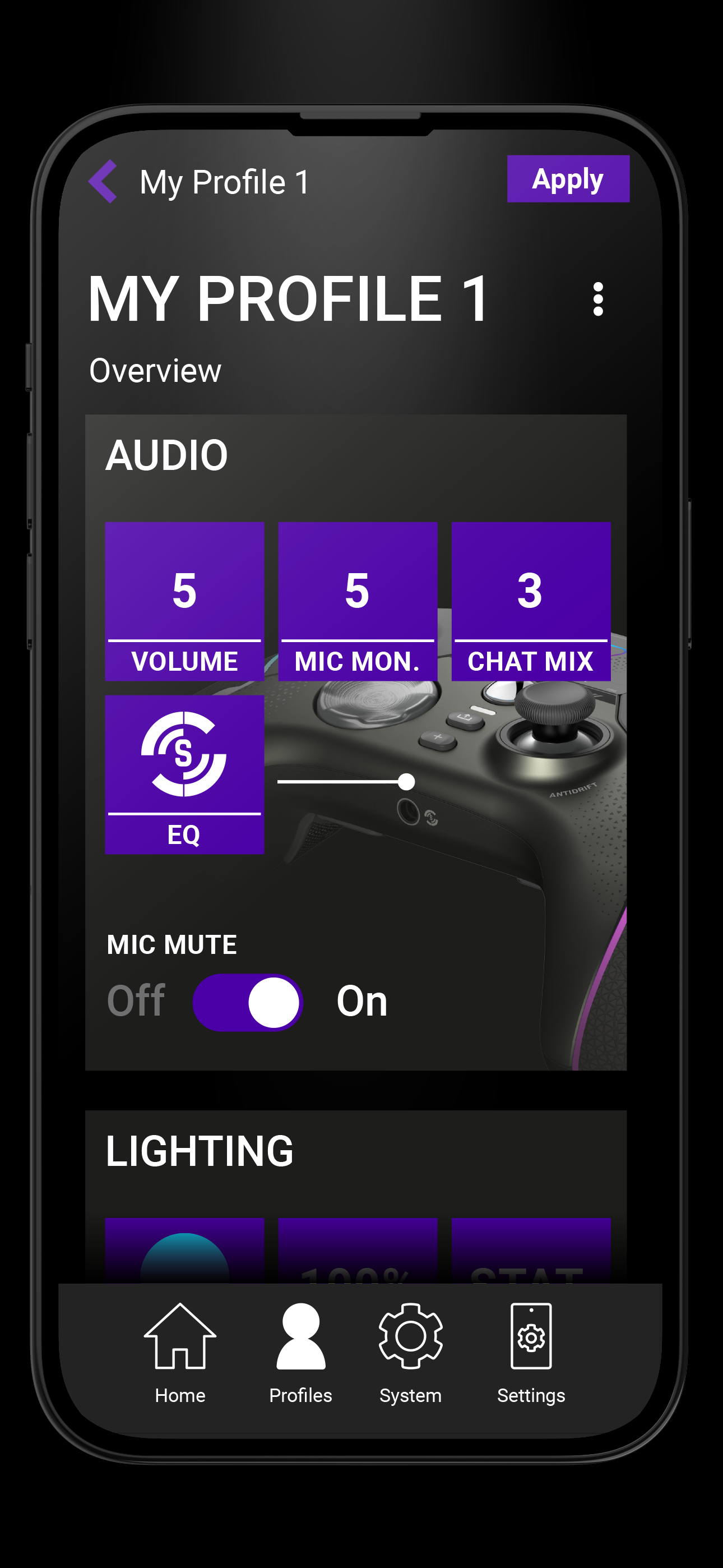
There is absolutely nothing the application does that isn’t already built into the device. Even then, the functions that are there don’t work properly. It’s supposed to update the firmware, but there’s no option for that at all. You can set the power mode in the app, but it won’t stick. The only option available is to change the brightness of the LEDs, and even that reverts to the previous setting. Since the device only connects manually and you have to keep the app open, the social media features are useless. It doesn’t pair with the OS to get updates in real-time Don’t even bother downloading this app! There is no additional functionality that isn’t already on the controller. Keeping the controller connected to your phone takes more effort and is slower than if it did to just using the menu.
Even though the app is still pretty trash and temperamental for turtle beach. In regards to getting the app link working. I’ve found that it doesn’t matter if the dongle is plugged into the dock and the dock is wired to the Xbox or pc. Or if you connect the dongle to the Xbox itself.. when you open the app. Turn on your phones BT but also manually pair you phone to the “STEALTH ULTRA APP” in your BT device list and once paired there go back to the control app and then hit the + and everything should work as intended for the most part including mapping and customizing… if you just open the app and follow the prompts and just turn on your BT but not manually pair. It’ll will refresh the screen and show the controller like it’s connected but will just keep refeeshing. This has worked every time for me so far with purposeful testing to see what worked and didn’t. At least for iPhone this is what happens!
Turtle Beach Control Center 2 allows you to customise your Turtle Beach device for your play style. Compatible Devices: Stealth Ultra Stealth Pivot