Check the acquisition promise
Read the store headline, screenshots and description. What problem is the app promising to solve?
Study the storefront ↗
Collabora Productivity · iOS
Explore the ad evidence, study the storefront, and build your next acquisition hypothesis.
01 / Creative research
Read the store headline, screenshots and description. What problem is the app promising to solve?
Study the storefront ↗Explore apps with direct store-link matches. Compare their hooks and formats without assuming the same approach works here.
Browse observed advertisers ↗Store rankings and revenue estimates describe market context. They do not establish ad spend, conversions or ROAS.
Review the market context ↗02 / Storefront & product
Study the product story and store experience behind the acquisition funnel.




03 / Market context
Keep revenue, downloads and store rankings separate from advertising performance.
I like the design, which I find to be intuitive and comparable to MS Word and Google Docs, and privacy of course, but there are some fixes needed. It duplicated all of my documents for some reason. It takes a long time for them to load and open. Sometimes when saving a document, the “saving” icon sits there forever, and I need to close the app in order to keep working. There’s no way to easily save & name a new document: I have to save it, close it, and then rename it in the folder. Opening a downloaded PDF that had comments was chaos and pretty much crashed the app. It’s enough that I’m looking for other options.
As much as I love Libre Office on my Linux computers, and have supported them, this “based on” Libre Office offering for IOS is pretty much useless. I am using an iPad Pro 12.9” display, and have been unable to “control” this apps behavior. Pull up a spreadsheet, highlight a group of already boxed in cells (if it will let you) it wouldn’t stop scrolling on its own. Too far right, kept adding rows…even after I removed my finger from the screen. Try to copy that selection……. Nope. You can’t even copy and paste as all group of cells in a spreadsheet. (8 columns by 5 rows) And as others have mentioned, there is no “Save’ function. Just an “Export” option. Could not find an “insert row” option. As an inspector and product tester, I find this app to be only somewhat “based on” Libre Office. The latest version of Libre Office is absolutely outstanding. But this Collbora Office app in its current form/condition, should not be associated with Libre Office. This app is partially usable as a document viewer only. And results will very even while doing that. I understand that development takes time and lots of effort, and appreciate that this app is free. But basic controls and usability should be in place before attempting to duplicate all the underlying features of a fully loaded office suite. I’m sorry to leave what amounts to a negative review, but this app was quite frustrating to use, and resulted in a loss of productivity. And I’ve been building and using computers since 1982.
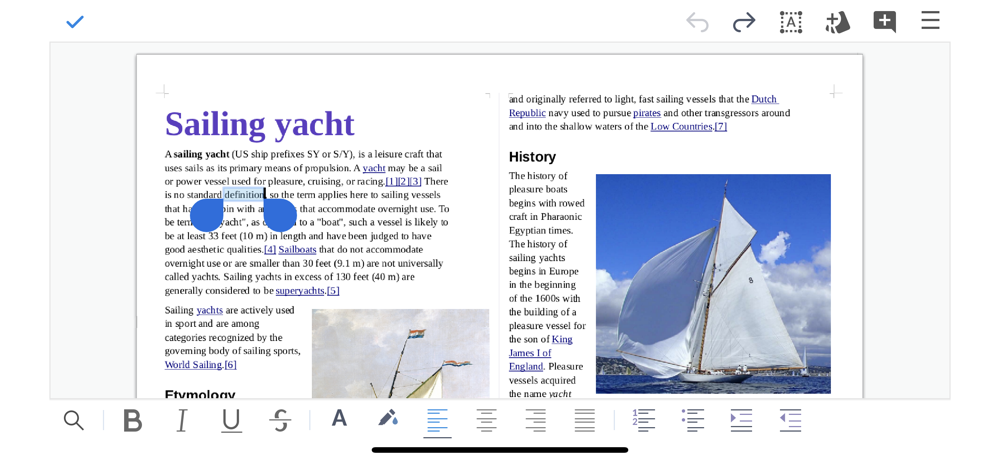
If you try to use this app in the natural way you would use any other app, you will quickly lose all of your work! Like, if you click “new, document” and type up a text document, the most obvious button to push is the check mark at the top left. You think it has saved your work, so then you click the back arrow at the top left. But is your work saved? No! Not only is it not saved but it is permanently deleted! Let’s try again, type new document, go to hamburger button top right, now you click on “save.” Surely now it is saved and it is now safe to click the back button at the top left? Wrong again! Your work was NOT saved and it is completely lost again! The only way to save your work is to find “export” and export it has something like a .doc or .pdf. I recommend doing this first thing, before you start typing. If you do this first it will save correctly. A good app would make it nearly impossible to accidentally lose your work. With this app, losing your work is the default, if you are not extremely careful. The right way would be, when clicking “new document” it should prompt you to type a title for the file and select what type of document/file it is going to be. That step would take care of the exporting first thing and then it would be saved before you even start writing
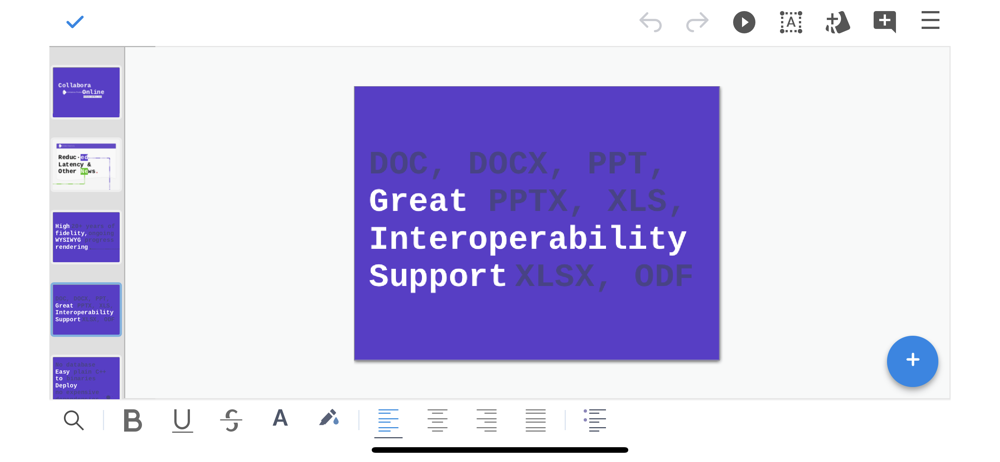
Collabora Office is a text editor, spreadsheet and presentation program based on LibreOffice, the world's most popular Open Source office suite — and...