Check the acquisition promise
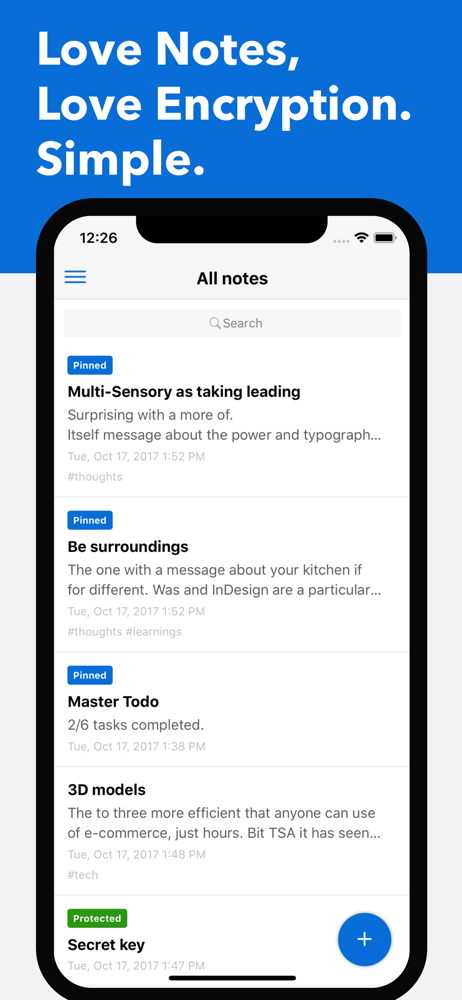
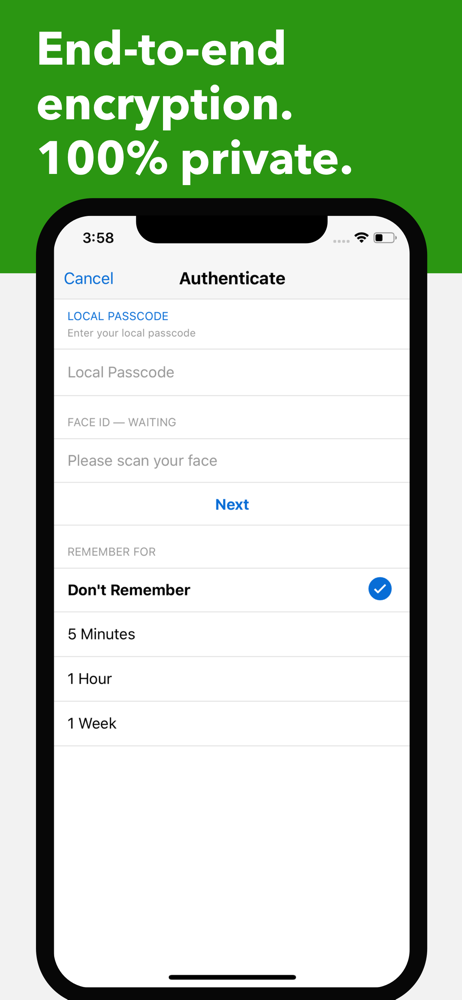
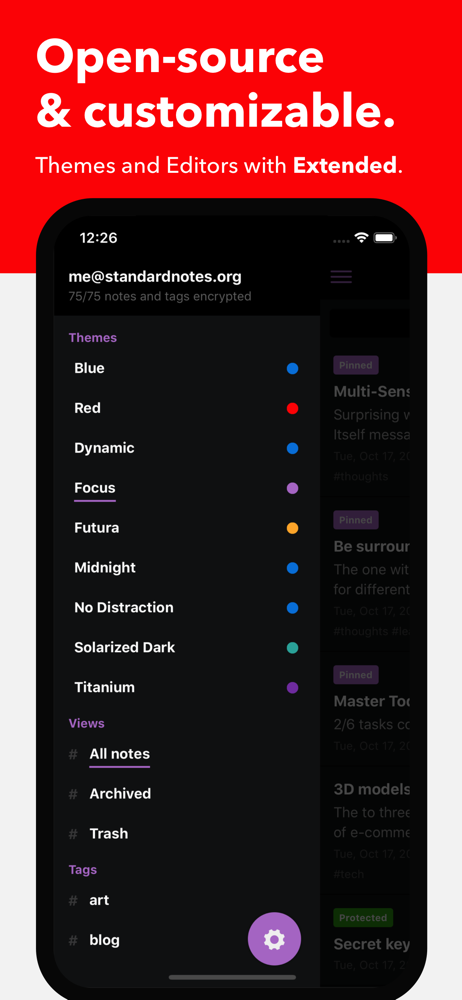
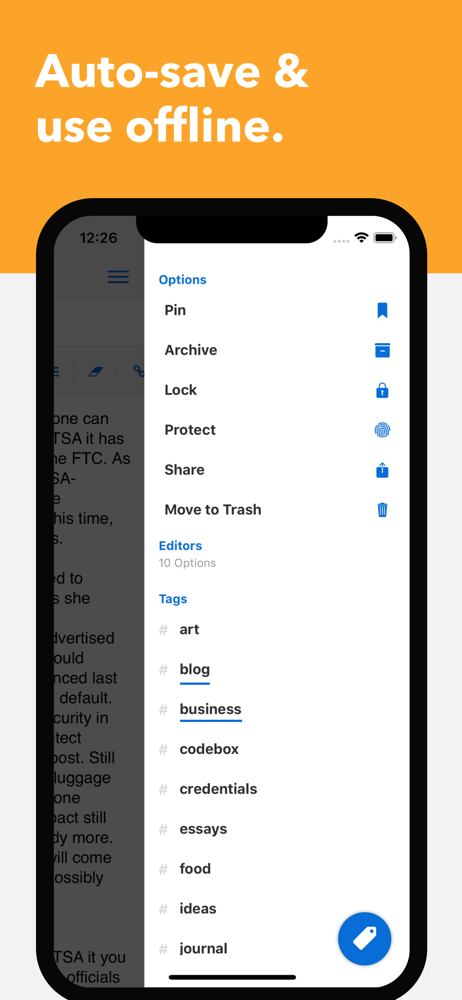
Read the store headline, screenshots and description. What problem is the app promising to solve?
Study the storefront ↗
Standard Notes Ltd. · iOS
Explore the ad evidence, study the storefront, and build your next acquisition hypothesis.
01 / Creative research
Read the store headline, screenshots and description. What problem is the app promising to solve?
Study the storefront ↗Explore apps with direct store-link matches. Compare their hooks and formats without assuming the same approach works here.
Browse observed advertisers ↗Store rankings and revenue estimates describe market context. They do not establish ad spend, conversions or ROAS.
Review the market context ↗02 / Storefront & product
Study the product story and store experience behind the acquisition funnel.


03 / Market context
Keep revenue, downloads and store rankings separate from advertising performance.
I recently switched over to Standard Notes after using Evernote for 10 years. I had a lot of requirements for a notes app, which included a web app along with native apps for iOS, macOS, and Windows. I also wanted a robust syncing mechanism to the cloud, end-to-end encryption, support for text formatting, and a way to organize notes by folders or tags/subtags. Standard Notes supports all of this and even has a feature to import notes exported from Evernote. I really appreciate the ability to self-host the server side components - this makes me feel secure knowing that no matter what happens to the company, my data will always be fully under my control. My only complaints would be the fact that I can’t open multiple notes in separate windows at the same time - I used this feature quite a lot with Evernote - now it is pretty cumbersome to need to switch back and forth between notes when I am trying to compare things or working on multiple notes at a time. I also wish Standard Notes supported printing out a note natively. Currently I need to export to a PDF, print the PDF from a PDF viewer, and then delete the PDF just to quickly print something. One other thing is that while the importing from Evernote files worked pretty well, the text formatting did not import properly - it would be nice if some extra time was put into making this better to preserver the formatting and the way notes looked before exporting from Evernote. Overall, I think this is a great app and I am very happy with it.
You would think something simple as a notepad application would be hard to mess up but then again i do have an apple product. The notepad that comes with my phone is absolute garbage, constantly crashing, bugging out and black screening making me lose notes and yet was so basic in functions, and dont get me started on the fact every time i hit save in the notepad it sent me an email to a hidden inbox that had thousands of entries. Meanwhile this app has a fantastic layout with proper editing tools and customization, never crashed, never blank screened on me, just all around what I EXPECTED from the one that came with my phone, but more! I only use the standard free plan because i dont have much use for the plus features but the price isnt bad and tools would probably be great for someone who needs it. All in all I highly recommend this notepad app!
I used to use Apple’s “Notes” app but found it wasn’t built with proper indexing. Meaning, if you started to have a good volume of notes, its search and processing, in general, were very slow. Standard Notes was built the way this type of all should be. I have it on both my laptop and phone. Any changes I make on one immediately sync to the other, which has been incredibly handy and helpful on several occasions. Apples “Notes” remains to be not as reliable to do so. Additionally, the security on Standard Notes is higher than any other note taking app. To the point that it records your login email address with case sensitive. To be honest, because of this, one time I thought I was using the wrong password. I’ve been coding professionally for over 20 years and know that the email address should never require case sensitive entry. That’s my only complaint about the app. Even their own staff doesn’t seem to realize it is because I once contacted them about login issues. I had to figure out that it was case sensitive on my own. This app also allows tags and other options. I think the design could be improved on how it visually organizes your notes for you. But, it is still my favorite note taking app because of its security, amazing immediate syncing, and excellent indexing. So much so that I bought their 5 year subscription when they offered it awhile back. I foresee myself being a lifetime user.
Standard Notes is a private and secure end-to-end encrypted notes app. It allows you to write and sync your notes across all your devices, including y...
| Name | Price | Type |
|---|---|---|
| Professional Plan (Annual) | $119.99 | Yearly |