
Check the acquisition promise
Read the store headline, screenshots and description. What problem is the app promising to solve?
Study the storefront ↗
WALABOK LLC · iOS
Explore the ad evidence, study the storefront, and build your next acquisition hypothesis.
01 / Creative research
Read the store headline, screenshots and description. What problem is the app promising to solve?
Study the storefront ↗Explore apps with direct store-link matches. Compare their hooks and formats without assuming the same approach works here.
Browse observed advertisers ↗Store rankings and revenue estimates describe market context. They do not establish ad spend, conversions or ROAS.
Review the market context ↗02 / Storefront & product
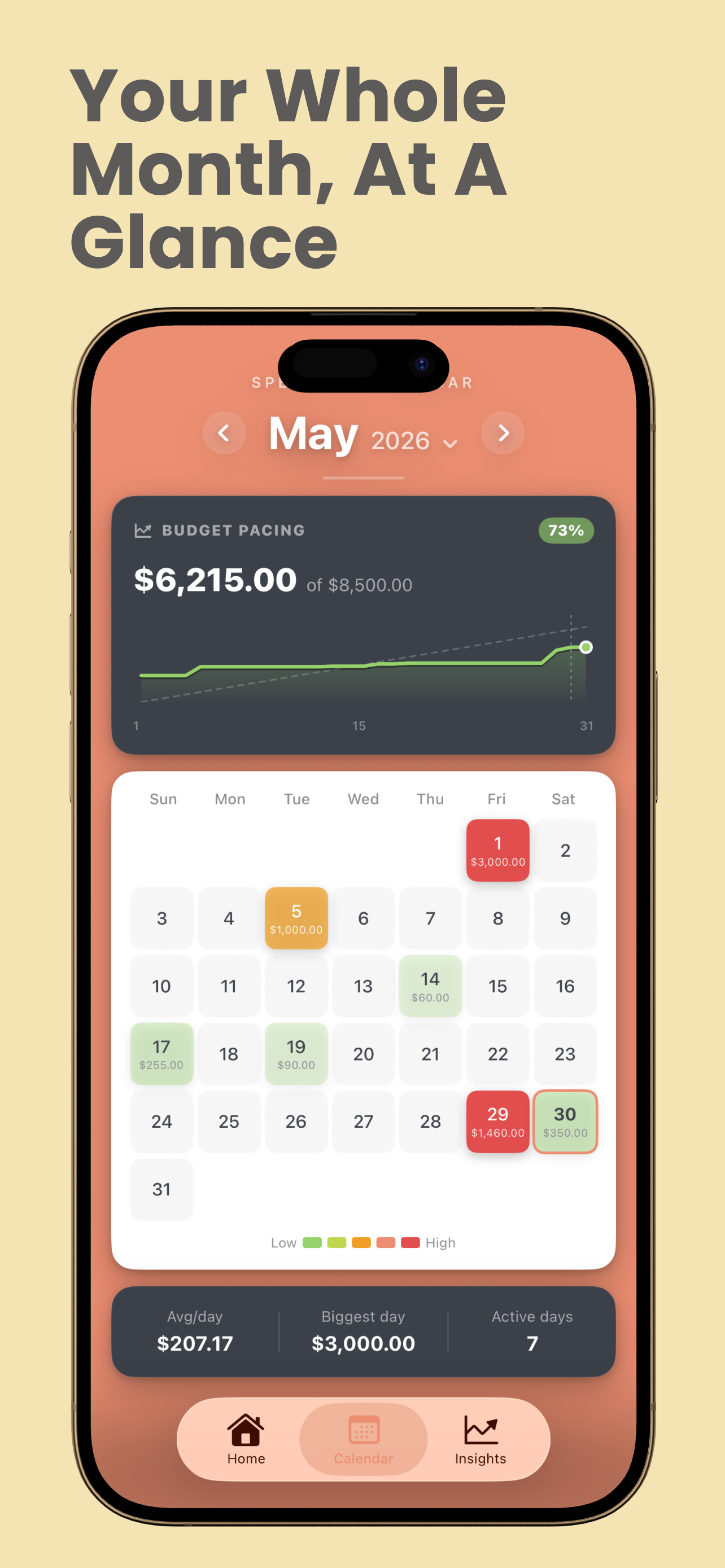
Study the product story and store experience behind the acquisition funnel.



03 / Market context
Keep revenue, downloads and store rankings separate from advertising performance.
It’s so simple and straight to the point. Is there a way for us to creat expenses of our house meaning different labels or names ? Also be able to use Face ID to lock the app in an upcoming update.
After inputting a dollar amount for my phone bill, I hit save without labeling it “phone.” There was absolutely NO WAY to edit the charge so that I could name it. Also, while trying to edit, the advertisement was in the way so I had to watch the video multiple times. With a little more elbow grease, I’m sure it will be great.
This is exactly what I need! Thank you! I wish I could put notes on my expenses to see what was it spent it though! Or add/subtract categories on expenses!
Budget App is the simple, powerful way to budget, track your spending, and finally see where your money goes, no bank logins, no spreadsheets, no lear...
| Name | Price | Type |
|---|---|---|
| Budgetize Premium Weekly | $2.99 | Weekly |
| Budgetize Premium Yearly | $16.99 | Yearly |
| Premium Version | $19.99 | One-time |


