
Check the acquisition promise
Read the store headline, screenshots and description. What problem is the app promising to solve?
Study the storefront ↗
Gianni Carlo · iOS
Explore the ad evidence, study the storefront, and build your next acquisition hypothesis.
01 / Creative research
Read the store headline, screenshots and description. What problem is the app promising to solve?
Study the storefront ↗Explore apps with direct store-link matches. Compare their hooks and formats without assuming the same approach works here.
Browse observed advertisers ↗Store rankings and revenue estimates describe market context. They do not establish ad spend, conversions or ROAS.
Review the market context ↗02 / Storefront & product
Study the product story and store experience behind the acquisition funnel.

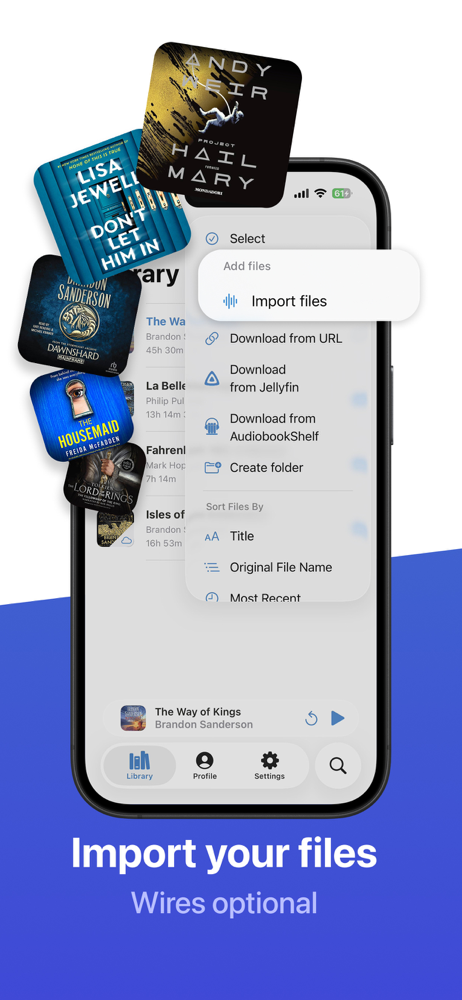


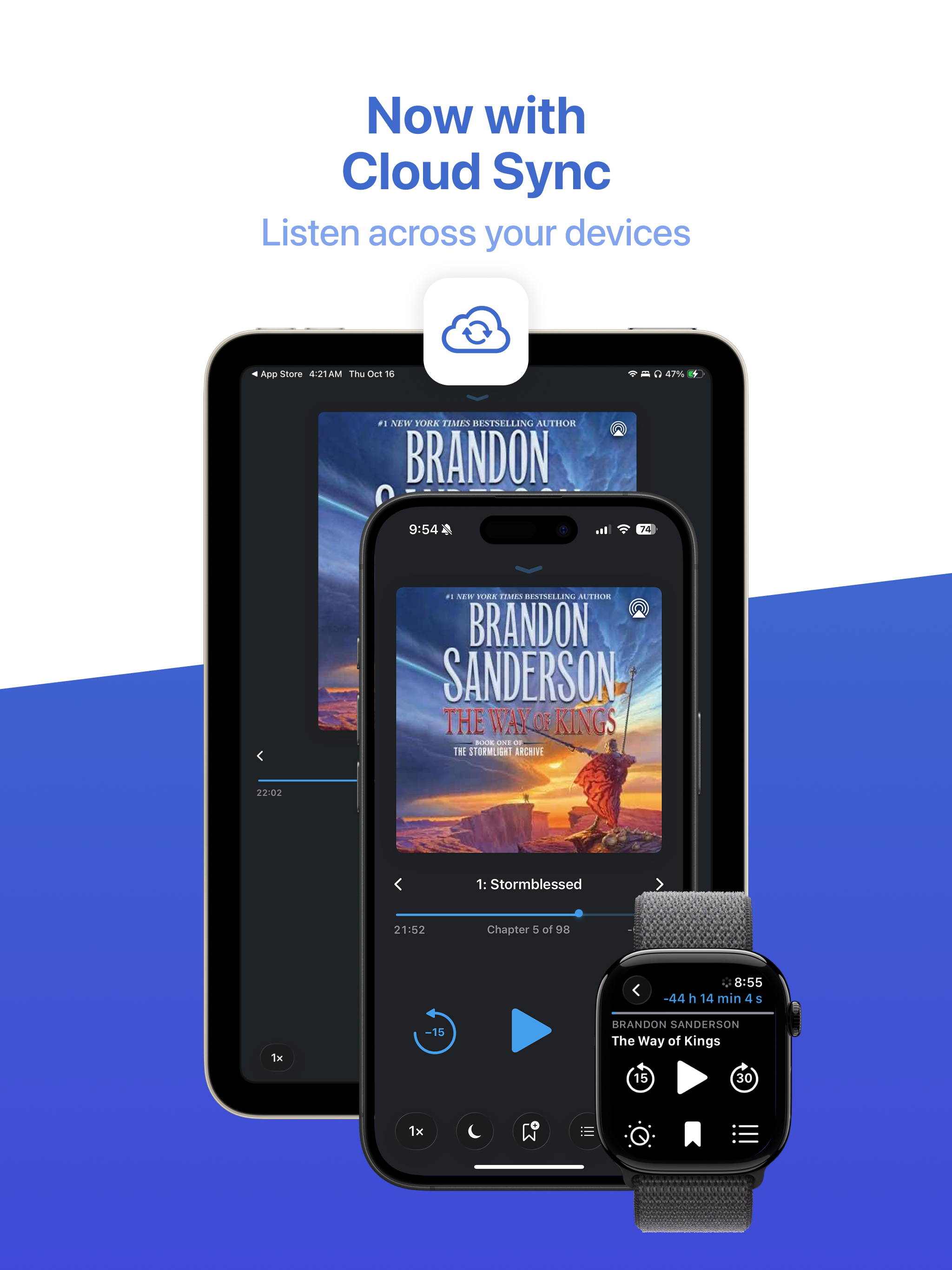
03 / Market context
Keep revenue, downloads and store rankings separate from advertising performance.
There are two issues that are keeping me from rating this App 5 Stars: 1: Chapter starts are clipped when using the chapter picker and 2: when importing an audiobook (I use OneDrive), no cloud download progress is shown. The file just suddenly appears after it has downloaded. It needs to show download progress!! The first issue was almost a deal killer for me (and why I’ve given it 2 stars). Why does the App not play the audio starting at the chapter marker when a chapter is selected? It seems to either suppress or skip the audio starting at the chapter marker to somewhere between 1 to 2 seconds later. This means if you’ve got chapter markers closer than 1 second before the start of audio, the start of the chapter audio is probably clipped if you’ve the chapter picker to start a chapter. No other audiobook player I’ve tried does this. They all play audio starting at the chapter marker when using their chapter pickers. The second issue is just plain craziness. I can’t remember the the last time I used an App that didn’t show download or transfer progress. I think maybe 40 years ago ( at the start of the PC revolution)? When I started using the app, I tapped on the the audiobook multiple times in the file picker, because the app gave me no feedback it was downloading the file. With a large audiobook and slow internet, it can take 5 to 10 minutes for the audiobook to show up. Please add download progress functionality.
First app I download on any new device I get. I vastly prefer playing my own raw audio files rather than having Audible or similar “serve” my books to me, and BookPlayer does just that. It doesn’t try and get me to buy anything. It doesn’t flash ads in my face. What it DOES do... is play books. Bravo The design is simple and lightweight, so it can play on my older devices as well as my new ones without lagging, and has quality-of-life and functionality features I can’t live without; specifically the bookmark feature and the sleep timer capability are exactly what I needed. I have terrible insomnia and listening to audiobooks helps me sleep. Before I found BookPlayer I would drift off and the book would keep playing all night—plus I’d lose my place. Not anymore! Now I can bookmark before I get into bed and then put on my sleep timer, so I know my place is somewhere just ahead of the bookmark. 5/5. Wish more apps were no-nonsense and focused on functionality like BookPlayer is. Hats off to you devs, I couldn’t live without your app. Thank you.
This app is extremely simple. There are no ads, no glitches, and no pop ups. Pretty much nothing that annoyed me about the other 5 apps I tried. I have audio book files that I pulled off of CDs and uploaded to my google drive. They imported to this app from there easily. There are a million features that people might like which are missing from this app (pause from iPhone headphone button, select multiple files at a time, separate files from different books into their own folders, FFW/RWD) which I would've liked, but the features that it has work flawlessly. Namely, it remembers where you left off, allows control from lock screen, and doesn't have annoying bugs or ads. The worst annoyance that OTHER APPS tend to have is that they forget where I left off or skip around in between listenings. This app played exactly where I left off perfectly every time I opened the app. That reliability is my favorite thing about it. Following that, its simplicity and playback speed control make using it a very pleasant experience. As long as they keep these characteristics, this will be the only app I will ever use again for audiobooks. I very much enjoy how it is designed and functions. If they can add any of the missing features that I mentioned above while maintaining all of the positive characteristics, I'll be changing my review to five stars.
A wonderful player for your M4B/M4A/MP3/FLAC based audiobooks. Import – Using AirDrop from your Mac or iOS device – From Files and other apps on you...
| Name | Price | Type |
|---|---|---|
| Kind tip | $2.99 | One-time |
| Kind Tip | $2.99 | One-time |
| Support Monthly (1 Month) | $3.99 | Monthly |
| Excellent Tip | $4.99 | One-time |
| Excellent Tip | $4.99 | One-time |
| Pro Monthly (1 Month) | $4.99 | Monthly |
| Support Monthly (1 Month) | $6.99 | Monthly |
| Incredible Tip | $9.99 | One-time |
| Incredible Tip | $9.99 | One-time |
| Pro Yearly (1 Year) | $49.99 | Yearly |


