
Check the acquisition promise
Read the store headline, screenshots and description. What problem is the app promising to solve?
Study the storefront ↗
Joshua Bird · iOS
Explore the ad evidence, study the storefront, and build your next acquisition hypothesis.
01 / Creative research
Read the store headline, screenshots and description. What problem is the app promising to solve?
Study the storefront ↗Explore apps with direct store-link matches. Compare their hooks and formats without assuming the same approach works here.
Browse observed advertisers ↗Store rankings and revenue estimates describe market context. They do not establish ad spend, conversions or ROAS.
Review the market context ↗02 / Storefront & product
Study the product story and store experience behind the acquisition funnel.


03 / Market context
Keep revenue, downloads and store rankings separate from advertising performance.
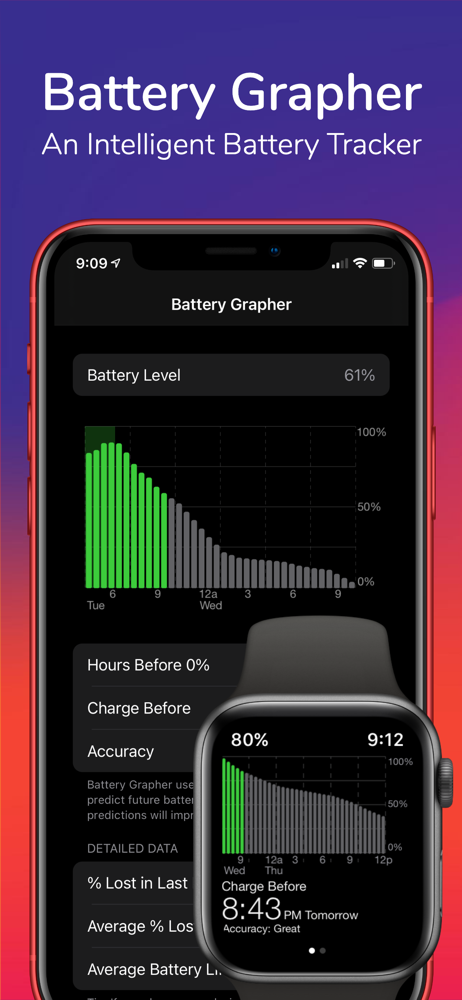
I would give the app 5 Stars if it worked on all the devices it is supposed to work. I love this app on my iPhone and iPad, it gives me great insights into my battery health and great metrics to follow as to battery drainage. My experience on my Apple Watch Ultra has been less pleasing. I have uninstalled and reinstalled the app twice in four months but I never get an accuracy measurement greater than bad. I don’t charge my watch every night but it can never get the accuracy level to change. Thanks for a good app for the phone and tablet. I wish the app worked as well on the watch.
I like the apps design and the purpose of it, but it’s not always accurate. Sometimes you’ll see that the time remaining is waaayyy off. It can be fixed each time by going to the settings and switching the complication from “Hours until 0%” to “Battery %” and then back again. But the fact you have to do this (a few times a day sometimes) takes time I’m not willing to spend. It’s not much time but I can use math in my head to determine how much longer I have left faster. It’s frustrating because I want to love the app but I can’t having to do this extra task. I was really hoping to use this instead of my stock battery complication. I downloaded this the minute the developer announced it on reddit. So it’s not due to the app not having long enough to to calibrate. It actually seemed to get worse as the calibration got “better” according to the app itself.
I can’t tell how effective Battery Grapher is at predictions, but it certainly helped me at the Apple Store when my battery indicator was acting weirdly. Basically, for hours on end, my watch appeared to be stuck at 100% charge, although I knew it wasn’t. Then it would suddenly plummet into power reserve mode. I took screen shots of the BG graphs and showed them to the person helping me and he immediately grasped the problem. The BG graphs were a close match to the diagnostics the Apple person ran on the watch and they accepted my watch for repair. It was my second attempt at the Apple Store. The first time I didn’t have the BG evidence and I got no satisfaction.
Battery Grapher graphs your historical battery levels and learns your habits to make smart predictions on what your future battery levels will be. Dev...


