
Check the acquisition promise
Read the store headline, screenshots and description. What problem is the app promising to solve?
Study the storefront ↗
Timur Khairullin · iOS
Explore the ad evidence, study the storefront, and build your next acquisition hypothesis.
01 / Creative research
Read the store headline, screenshots and description. What problem is the app promising to solve?
Study the storefront ↗Explore apps with direct store-link matches. Compare their hooks and formats without assuming the same approach works here.
Browse observed advertisers ↗Store rankings and revenue estimates describe market context. They do not establish ad spend, conversions or ROAS.
Review the market context ↗02 / Storefront & product
Study the product story and store experience behind the acquisition funnel.


03 / Market context
Keep revenue, downloads and store rankings separate from advertising performance.
I have tested and tried numerous transcription and AI apps, but I have found that VoicePen is the easiest to use, most accurate, and has so many useful features that it really outshines all of the competition. It may not have the marketing coverage that some of the better-known apps have, but I find the features and usability to be superior. Any of our AI-based apps are going to be fairly pricey, but this one is quite affordable compared to the others and, considering its usefulness throughout the day, every day, it is well worth it. I use it instead of Apple's transcription sometimes because it is far more accurate and reliable. One of my favorite features is the automatic AI rewrite and customizable AI rewrite. I have created one to format the transcription with paragraphs and clean up formatting automatically. The only feature I wish it has would be the ability to add to a previously transcribed recording or continue a recording that was already saved. As it is, if you want to continue, you have to make a new recording and transcription and then copy paste them together to the final location , which is not a big deal, but it would be nice to have it all in one note to begin with.
⭐️⭐️⭐️⭐️⭐️ I recently started using VoicePen and I must say, it has completely transformed my workflow! As someone who frequently deals with lectures, and meetings, finding a reliable transcription app was essential. Here’s what I love about it: User-Friendly Interface: The app is incredibly intuitive. The layout is clean, making it easy to navigate through audio files and access transcription features without any hassle. Accuracy: The transcription accuracy is impressive. It handles diverse accents and background noise surprisingly well, minimizing the need for extensive editing. For most of my recordings. Fast Processing: VoicePen processes audio files quickly. I was amazed at how swiftly it turned around my recordings into text, allowing me to focus on other tasks without long waits. Editing Features: The built-in editor is a game-changer. It allows for easy corrections and formatting, making it simple to highlight important sections or add notes directly within the document. Affordable Pricing: Compared to other transcription services, VoicePen offers great value for money. The subscription plans are very affordable catering to both casual users and professionals. Customer Support: Lastly, the customer support team is responsive and helpful. In conclusion, Voice pen has become an indispensable tool in my daily routine. Whether you’re a business student, journalist, or business professional, I highly recommend giving it a try. It’s efficient, accurate, and user-friendly—everything you need in a transcription app!
This app really makes the Vision Pro experience better. Typing is one of the most frustrating parts of using Vision Pro right now, and VoicePen has been a game changer for the situations where a lot of typing is required. It is a lot more accurate than the built-in voice-to-text option on the virtual keyboard so I find myself using it whenever I need to type anything longer than a quick response. The widget feature is awesome for having VoicePen ready to go at any time while still being tucked away and unobtrusive. I've already seen a couple of great new features added in the short time since Vision Pro and this app was released and so I'm really looking forward to watching this app evolve. And yes, of course I wrote this using VoicePen.
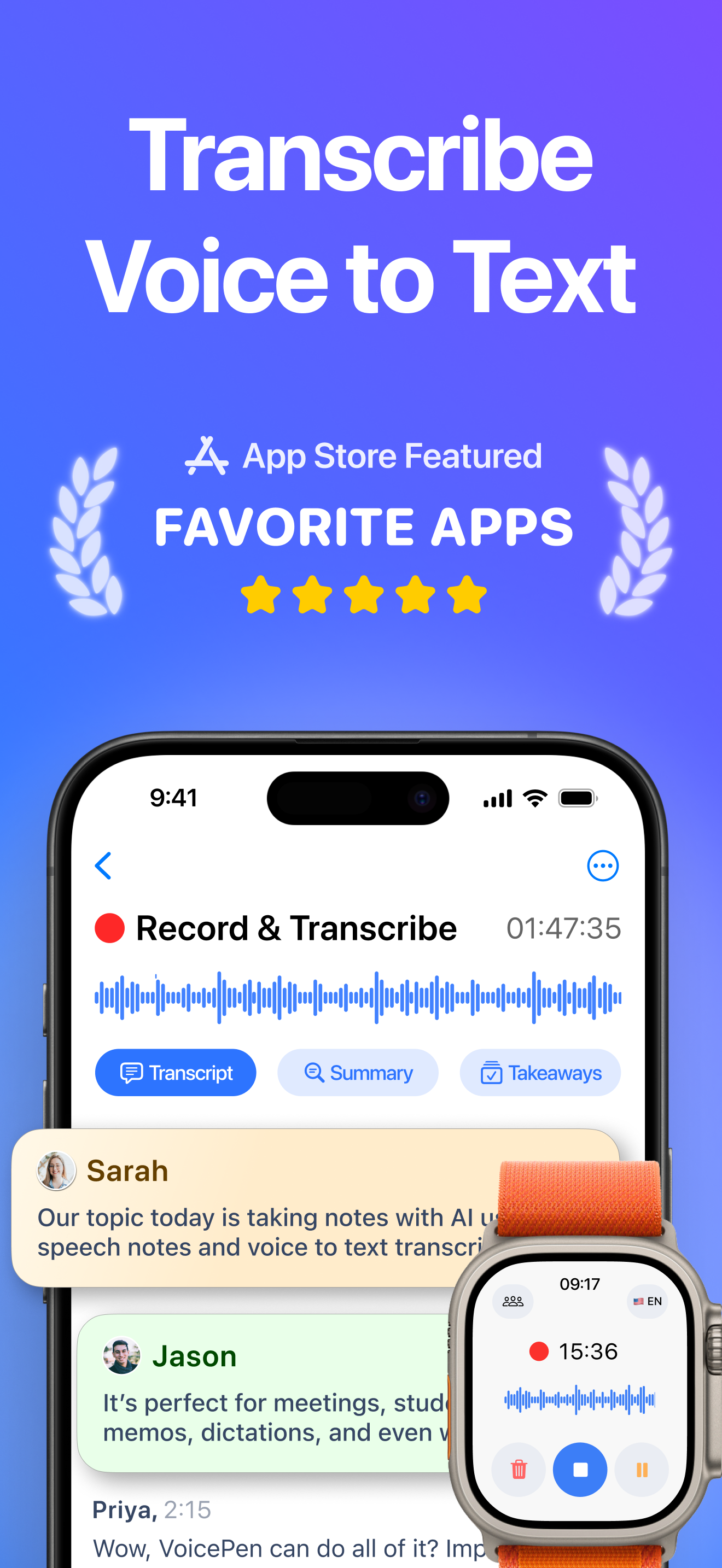
VoicePen is your AI note taker that records and transcribes voice to text, then summarizes it into smart, AI-powered notes. Skip the typing — record m...
| Name | Price | Type |
|---|---|---|
| VoicePen Premium (Weekly) | $4.99 | Weekly |
| VoicePen Premium (Weekly) | $4.99 | Weekly |
| Unlimited AI Voice Notes (Monthly) | $9.99 | Monthly |
| VoicePen Premium (Monthly) | $9.99 | Monthly |
| VoicePen Premium (Monthly) | $9.99 | Monthly |
| VoicePen Premium (Annual) | $44.99 | Yearly |
| Unlimited AI Voice Notes (Annual) | $44.99 | Yearly |
| VoicePen Premium (Annual) | $44.99 | Yearly |
| Lifetime | $149.99 | One-time |


