
Check the acquisition promise
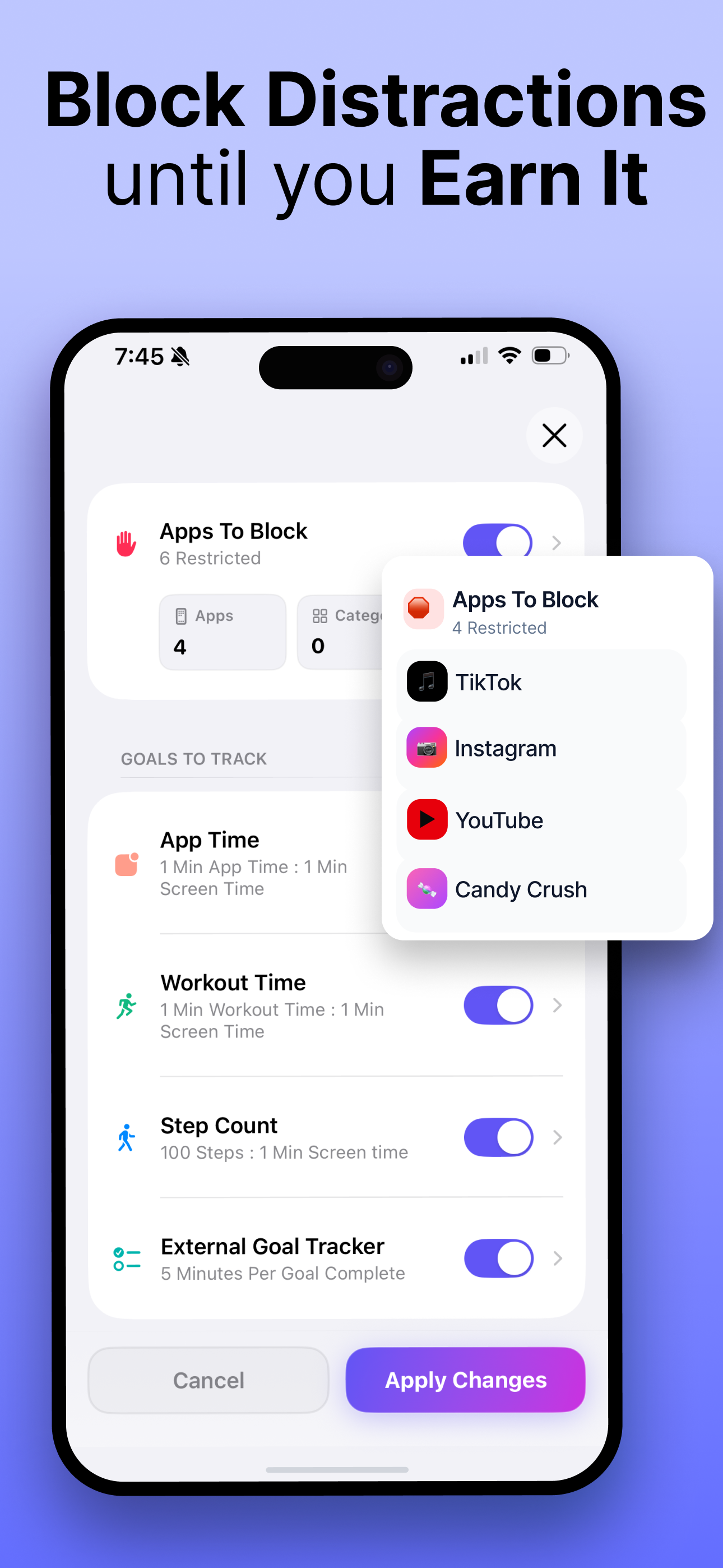
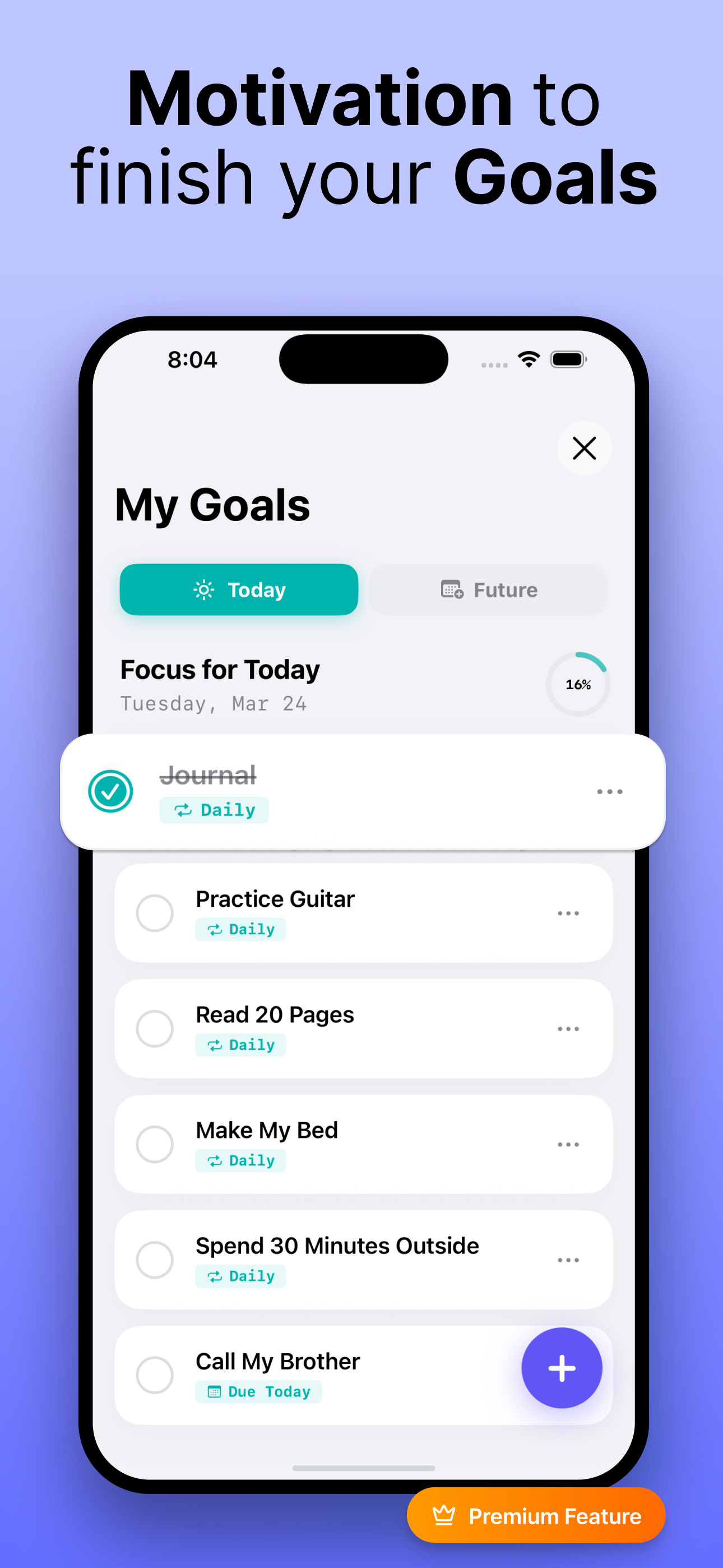
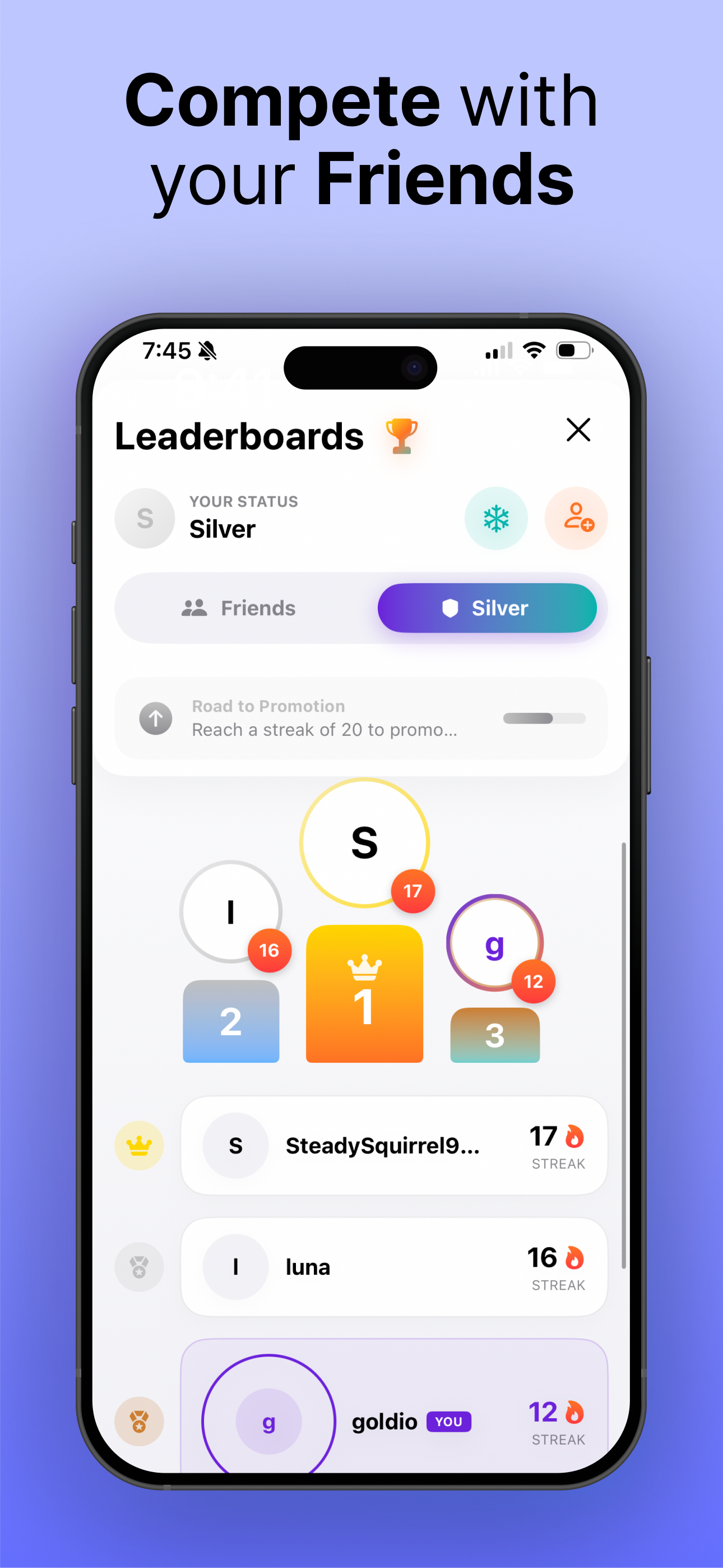
Read the store headline, screenshots and description. What problem is the app promising to solve?
Study the storefront ↗
Jonathan Goldson · iOS
Explore the ad evidence, study the storefront, and build your next acquisition hypothesis.
01 / Creative research
Read the store headline, screenshots and description. What problem is the app promising to solve?
Study the storefront ↗Explore apps with direct store-link matches. Compare their hooks and formats without assuming the same approach works here.
Browse observed advertisers ↗Store rankings and revenue estimates describe market context. They do not establish ad spend, conversions or ROAS.
Review the market context ↗02 / Storefront & product
Study the product story and store experience behind the acquisition funnel.




03 / Market context
Keep revenue, downloads and store rankings separate from advertising performance.
I’ve tried lots of different screen time blockers, but this one has been the most effective by far. Instead of blocking you from screen time after you’ve already used it up, this one lets you earn screen time little by little. Whereas I used to burn through my allotted screen time and then just turn off the app so that I can use more, now I actually do whatever I’m supposed to be doing if I want to spend more time on my phone. 4/5 because it’s still a bit glitchy: it occasionally clears my goal progress for the day, and I still can’t block anything in the “Information and Reading” category bc the app crashes whenever I try.
This app in concept is great. However, it cannot be used if your phone has a “family”. My children’s phones are connected to my Apple ID so that I can monitor their screen time. When Apple sends screen time info to the Achieve! app, it sends the screen time for my entire family, not just the screen time for my device. If the developers could figure out a way to isolate the screen time to a specific device or Apple user, I would totally invest in this app. Please consider adding this because it would be amazing for not just me, but my children.
I like the idea. It’s a good way to push yourself to spend more time on apps that you feel are benefiting on you and earning time on apps that are pure fun. The app has a nice looking simple design. It’s very cool how it categorizes all your apps. I think the workout time goal could have an override for when HealthKit isn’t picking up the workout data for whatever reason. Also, I don’t think the goals setup should be in a menu item called Settings. Probably calling it goals is better.
Take control of your time and focus on what matters most. Achieve! Is the #1 App for Earning your Screen Time instead of just blocking it. 5 hours a...
| Name | Price | Type |
|---|---|---|
| Achieve Premium Monthly | $9.99 | Monthly |
| Pro Monthly | $12.99 | Monthly |
| Monthly | $14.99 | Monthly |
| Premium Yearly | $24.99 | Yearly |
| Achieve Yearly Premium | $29.99 | Yearly |
| Yearly | $39.99 | Yearly |
| Lifetime Membership | $44.99 | One-time |
| Achieve Premium | $69.99 | One-time |


