Check the acquisition promise
Read the store headline, screenshots and description. What problem is the app promising to solve?
Study the storefront ↗
Ableton AG · iOS
Explore the ad evidence, study the storefront, and build your next acquisition hypothesis.
01 / Creative research
Read the store headline, screenshots and description. What problem is the app promising to solve?
Study the storefront ↗Explore apps with direct store-link matches. Compare their hooks and formats without assuming the same approach works here.
Browse observed advertisers ↗Store rankings and revenue estimates describe market context. They do not establish ad spend, conversions or ROAS.
Review the market context ↗02 / Storefront & product
Study the product story and store experience behind the acquisition funnel.
The store evidence
US store price
$6.99
US rating
4.2 / 5
US rating count
696
Current version
2.1.1
2026-10-06 · Developer notes
• Fixes an issue where changes to Sets were sometimes not saved automatically • Improved reliability and performance with large samples • Link and other bug fixes. See "Release Notes" under Help in the App for all the details.
Store metadata collected 2026-10-09 UTC · US storefront · Source record. Free may include in-app purchases. Public data does not update revenue estimates.



03 / Market context
Keep revenue, downloads and store rankings separate from advertising performance.
For 5 years I have been enjoying the ever increasing functionality of Ableton Note. A drum pad on the solid phone screen is less than perfect and there are fewer sounds than in Ableton Live. Playing on the screen I’ve gotten very used to. Since the upgrade to MIDI compatibility it can be controlled by any other device and vice versa though at that point I would probably just use the laptop. The above is particularly true because midi editing with my fingers on the touchscreen of the iPhone is a delicate and tricky process. I have much difficulty sometimes with selecting and adjusting notes- often does something I am not attempting. I have had a lot of fun with this product and would recommend it to anyone who is interested in learning or making beats on the go. That said, I have come close to breaking my phone in half in fits of rage during the editing process. Much love Ableton, thank you for this great inexpensive product and for constantly improving it. **Should have mentioned the endless features and functions of this simple phone app. It is about as simple or complex as the user wants to make it. I am still learning about it all the time even now, and it keeps getting better!
This app has changed the game. I haven’t touched anything else on my I pad, my vast arsenal of hardware synths, samplers are getting neglected due to the ease and speed of using this app. Once you get past the tiny learning curve you will start to discover features you thought were absent but are in fact hidden in the UI. Each instruments clip can be automated independently! This blew my mind. Saves so much time/work when you import your project into Ableton live. Importing your whole project into Ableton could not be any easier. Just save your project from Note to Ableton cloud and everything is there. Grab the complete project file from your Ableton browser from Ableton Cloud onto your current project and it’s all there fully automated ready for production. If you get creative you can work outside of Ableton Live as well as an instrument, or for loops. Connect to an interface and record your projects/clips into logic syncing time with Ableton link. This is the fastest workflow I’ve ever experienced and my vote for best music making app for 2022 and all time. A must have! My number one recommendation is please please pretty please with cash on top, add midi controller support. Oh please now MIDI out to complete its perfection. Would love to live sequence external gear/vst’s with this super fast workflow.
Hi! Love this little DAW its such a masterpiece from you all and it is so versatile and well put together. The buttons are where my thumbs like and the fluidity of it all makes it very admirable to use on the phone. My one problem is that I use bluetooth headphones on the go, and of course there will be delay because of the bluetooth. Was hoping maybe there could be a step sequencer setting to turn on depending on how the notes are quantitized? The pads given only show a set of notes and im sure it would be easy to have a scroll like function on the left side to scroll through all of the notes through the octaves. And a set of drums would be very easy with the little amount of sounds each kit gives you. And on the right side could select the measures throughout the time selected on the sequencer. Plopping and killing notes with a press of a button would be a million times better than having to only play it live dozens of times to try and get it right. I do love to play how its supposed to when I’m at home and can hear it in real time, but that delay when I’m at work or something really kills the motivation. Having some sort of step sequencing option would be absolutely amazing and I really hope you consider this elaborately-mad idea and or respond to this. Thank you!!
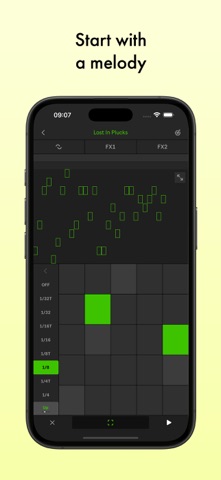
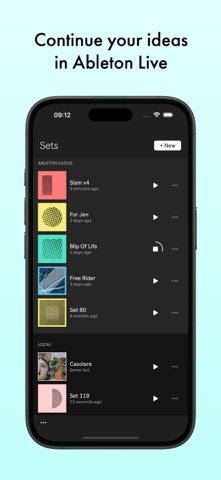
Start new musical ideas with a curated selection of sounds and effects. Create beats and melodic parts, sample your world, and continue your tracks in...
| Name | Price | Type |
|---|---|---|
| Drift In-App Purchase | $3.99 | One-time |