
Check the acquisition promise
Read the store headline, screenshots and description. What problem is the app promising to solve?
Study the storefront ↗
Verizon Connect Inc. · iOS
Explore the ad evidence, study the storefront, and build your next acquisition hypothesis.
01 / Creative research
Read the store headline, screenshots and description. What problem is the app promising to solve?
Study the storefront ↗Explore apps with direct store-link matches. Compare their hooks and formats without assuming the same approach works here.
Browse observed advertisers ↗Store rankings and revenue estimates describe market context. They do not establish ad spend, conversions or ROAS.
Review the market context ↗02 / Storefront & product
Study the product story and store experience behind the acquisition funnel.



03 / Market context
Keep revenue, downloads and store rankings separate from advertising performance.
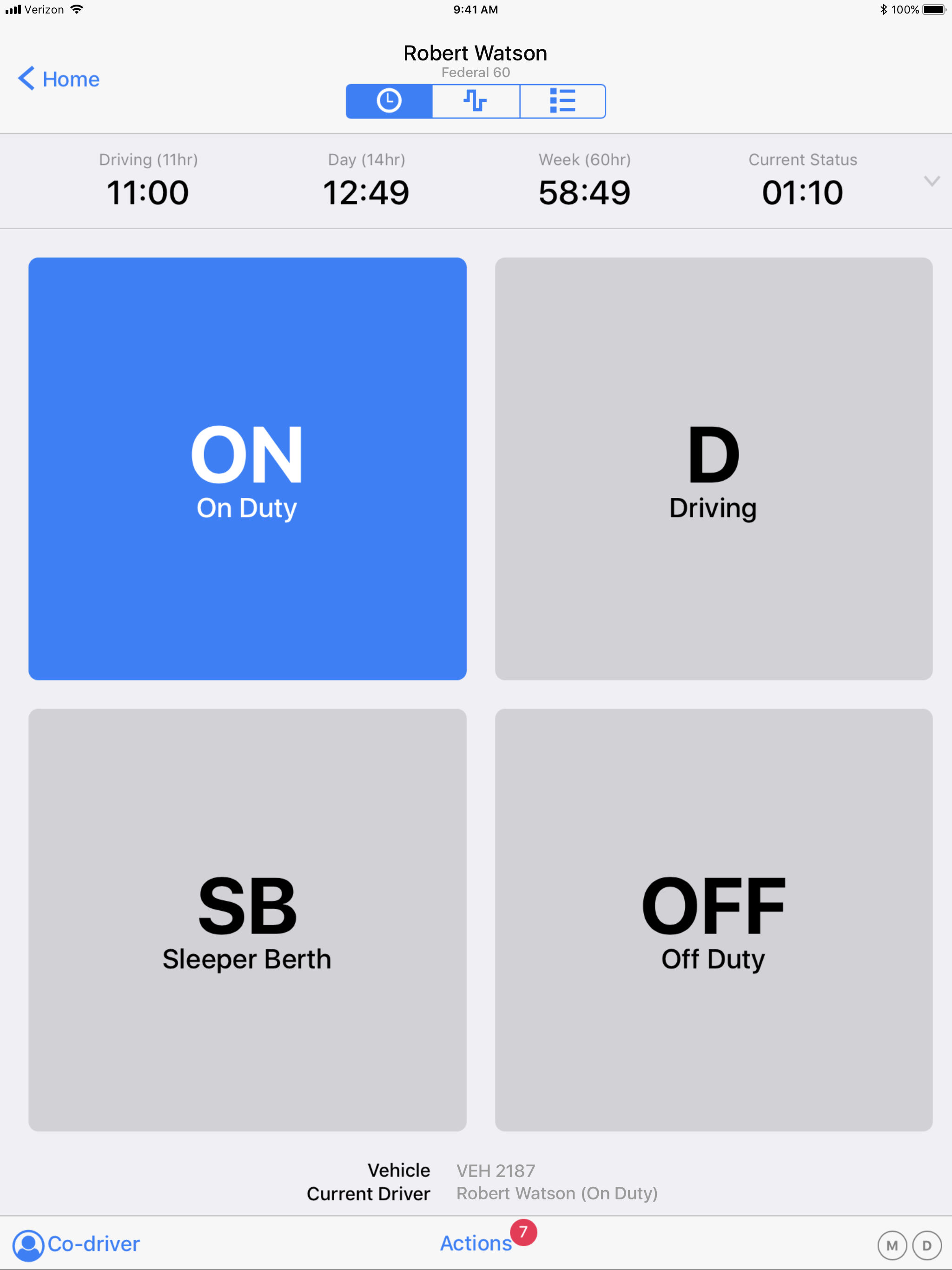
A phone company developing an elog. Hmmmmm. In order to go off duty after driving, I must first tap on duty, go thru its tap this and that, then hit off duty and tap this and that again. Instead of just signing the post trip at the end of the day, I have to sign the pre trip as well. It doesn’t allow lee-way such as 2 miles “free”(as some companies do) after duty status changes. Ex: leaving shipper- gives you time (2 free miles) towards reaching interstate. When on duty, forget about moving across the lot to hook to a box or park, it will put you on drive automatically. That’s where the 2free miles would come into play, instead of “oh yeah; gotta go into yard move,” tappity tappity . Then, more tappity tappity to get out of it. I have to keep checking the app due to it randomly changing my status. That’s just a few of the problems. My company uses this app. I hate it.
Freezes up every time I leave the office after being off duty , puts you on On Duty not driving in slow traffic , logs you on duty when parked instead of off duty if you forget to make a duty change , switches to driving when just going through a trk stop or pulling trk into shop for service if you drive over 4 mph .
My company is using this on their trucks. Things that need improvement: • log graph. Look at the Keep Trucking graph layout how it looks just like a paper log sheet, where a driver can see a snapshot of the entire day instead of only 10 hours. The having to scroll side to side is annoying. • have the above mentioned graph and details on the same page, where we can edit on/off/sleeper time without having to go back and forth. • Make the editing process a little easier. I have to go back and forth, and every time, I have to go to the main 8 day details page and select a day...for every single edit. • a visual countdown clock for the 30 minute rest break, not just a 1 hour warning and that’s it. I need to be able to, at a glance, look down and see how many hours and minutes I have til I’m in violation, so I can compare it to my gps’ eta and see if I can beat it to a specific location, or, a customer, or do I need to stop earlier. • Allow for parking lot driving by having a reasonable speed/distance threshold so we don’t have to remember every single stop to put it into yard move mode when a driver has 15-20 stops per run. When I used to run the Qualcomm system, we could move, and it would trigger driving, but if it was below a certain length of time (5 min), or distance (I don’t know the exact distance was), but I could pull off the exit ramp, go off the drive line, get into the truck stop and park, and it would fall back into on duty and not count as a driving violation. I don’t mean this to be a smart aleck, but, make the layout similar to the Keep Trucking app, but built on your amazing telogis backbone. - Charles
Verizon Connect WorkPlan brings optimized work orders into the field. Job lists, job creation, form delivery, and Hours of Service for field staff whe...


