Check the acquisition promise
Read the store headline, screenshots and description. What problem is the app promising to solve?
Study the storefront ↗
Bred Ventures Inc · iOS
Explore the ad evidence, study the storefront, and build your next acquisition hypothesis.
01 / Creative research
Read the store headline, screenshots and description. What problem is the app promising to solve?
Study the storefront ↗Explore apps with direct store-link matches. Compare their hooks and formats without assuming the same approach works here.
Browse observed advertisers ↗Store rankings and revenue estimates describe market context. They do not establish ad spend, conversions or ROAS.
Review the market context ↗02 / Storefront & product
Study the product story and store experience behind the acquisition funnel.



03 / Market context
Keep revenue, downloads and store rankings separate from advertising performance.
I had a lot of connection problems with Apple Watch to iPhone HR apps to link heart rate data to my head unit. Watch Link Pod gives me a solid connection when I clip the pod to my bib strap near my chest. The pod doesn’t work as consistently when I put it in my jersey pocket though. I’ve only been using the Watch Link Pod for a week so no long term opinion yet. 1 Month Update: I’m very happy with the Watch Link Pod so far. I’ve done about a dozen rides now without noticing any disconnections or significant inaccuracy in tracking my heart rate. I often take a coffee break during my rides and leave my head unit (Wahoo ELEMNT Bolt V2) on and the Watch Link app running on my Apple Watch and the heart rate data resumes fine even if I’ve gone out of range of the head unit during the break. I don’t notice any significant battery drain on the Apple Watch when running the Watch Link app. I can’t review battery life or durability of the Watch Link Pod yet since I haven’t had it long enough.
Initially, I was skeptical. I have had Apple Watches in the distant past but never felt they measured up to the traditional training smartwatch. As the Apple Watch Ultra came out, I considered giving it another go but Apple did not integrate well into my training platforms, bike computer, or trainer so I looked into possible solutions I found Watch Link with the Watch Link USB and Watch Link Pod hardware. It seemed like it could be a really good answer but I was still skeptical. I contacted the company and had multiple extremely helpful and honest interactions which ultimately led me to use the app along with purchasing both the Pod and USB Watch Link products. Shipping was very prompt. The setup and integration into all my equipment and training platforms was intuitive, simple, and quick. There is no delay in reconnecting each day and there is no signal loss or drops. Further, it appears to be extremely accurate when checked against other HR monitors. Up until recently, I have held on to my prior traditional training smartwatch but have finally sold it. For my training, I plan to continue with Watch Link as long as possible. I also happen to be a physician working in Obesity and Lifestyle Medicine. I have recommended both the app and hardware to multiple patients who have Apple Watches.
I just received my Watch Link USB but could not get it connected. The app indicates that I need to “Connect Device:##### to Hydrow” but no such device appears in the Bluetooth Acailable Device settings of the Hydrow. After powering the Hydrow on and off, a “Watch Link USB” device appeared in the Hydrow Bluetooth Available Device list however clicking on it only returned the message “Pairing rejected by Watch Link USB.” I have contacted Watch Link customer support.UPDATE: I received a response to my email within a few minutes from the PK Fitness CEO/co-founder! He had me provide my phone number and called me to help get the issue resolved. Everything is now working perfectly and cannot believe the excellent customer service I received!For anyone that may be encountering the same issue here is how it was resolved:1. Make sure both the iPhone and Watch are running the latest version of the Watch Link app.2. Click start Indoor Row on the Watch app.3. Confirm that your heart rate is being displayed in both the iPhone and Watch apps.4. On the Hydrow, select a workout to bring up the pre-workout screen that shows connected devices. On this screen you should now see “Device: #####” available to connect under Heart Rate Monitors.5. Click Connect to connect “Device:#####”.That’s it. Now that it connected, all you have to do next time is click start Indoor Row in the Watch app before starting the Hydrow workout.
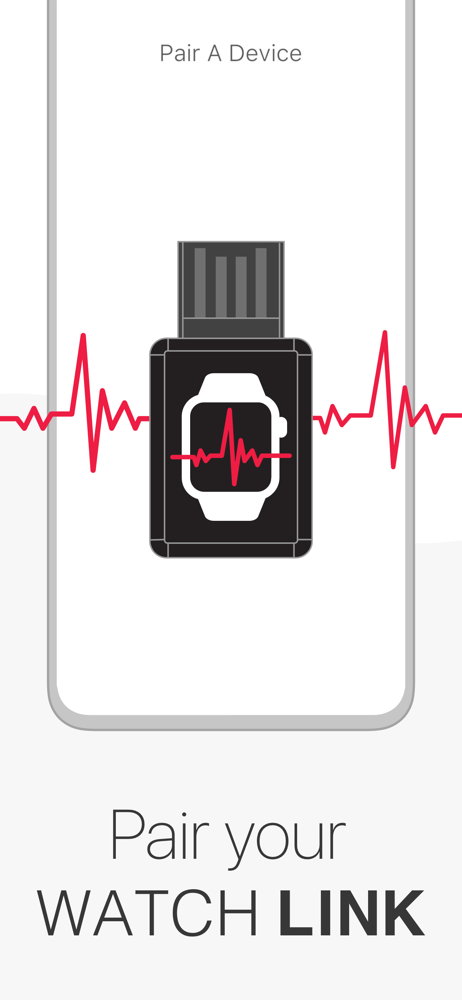
Turn your Apple Watch into a connectable heart rate monitor! Broadcast your Apple Watch heart rate directly to smart equipment consoles. Connect to...