Check the acquisition promise
Read the store headline, screenshots and description. What problem is the app promising to solve?
Study the storefront ↗
Oval Software Oy · iOS
Explore the ad evidence, study the storefront, and build your next acquisition hypothesis.
01 / Creative research
Read the store headline, screenshots and description. What problem is the app promising to solve?
Study the storefront ↗Explore apps with direct store-link matches. Compare their hooks and formats without assuming the same approach works here.
Browse observed advertisers ↗Store rankings and revenue estimates describe market context. They do not establish ad spend, conversions or ROAS.
Review the market context ↗02 / Storefront & product
Study the product story and store experience behind the acquisition funnel.






03 / Market context
Keep revenue, downloads and store rankings separate from advertising performance.
This app works pretty great on iPad, I’m only really using the work hours calculator. You can set a salary and export your entries. So that’s nearly functional enough for my needs. But I don’t always have that device with me and when I install it on my iphone there is no data sync’s from my other devices. More importantly- it doesn’t even offer the option of having the work time calculator on Mac. I even tried restoring purchases since I signed up for premium. Nothing happens. The list of available calculators on Mac is different from iPad. There are far fewer. Can you offer guidance on this? I emailed you about this issue as well. I’ll update my review if I get this working. And edit it to address use only on the iPad it if I decide not to use it - like if there’s no sync or import feature to share between devices - it’d be nice if I could use it on Mac, even if I have to sign up for a separate subscription- but I’d still like to be able to sync or import info from the other devices. I haven’t had much luck getting replies from devs via email, without leaving a poor review. Sorry
I work in radio and do a lot of production work. That is time-based. Using this clock helps me edit pieces, figure out runtimes, and make things fit within a broadcast hour. I find it immensely, helpful, as most of my life I’ve thought in terms of hundreds, or money, and not in terms of 60, or terms of time. This helps me figure out the times very quickly without spending my mental energy, trying to work out the calculations for time in a crunch situation. A simple but elegant app that I use a lot.
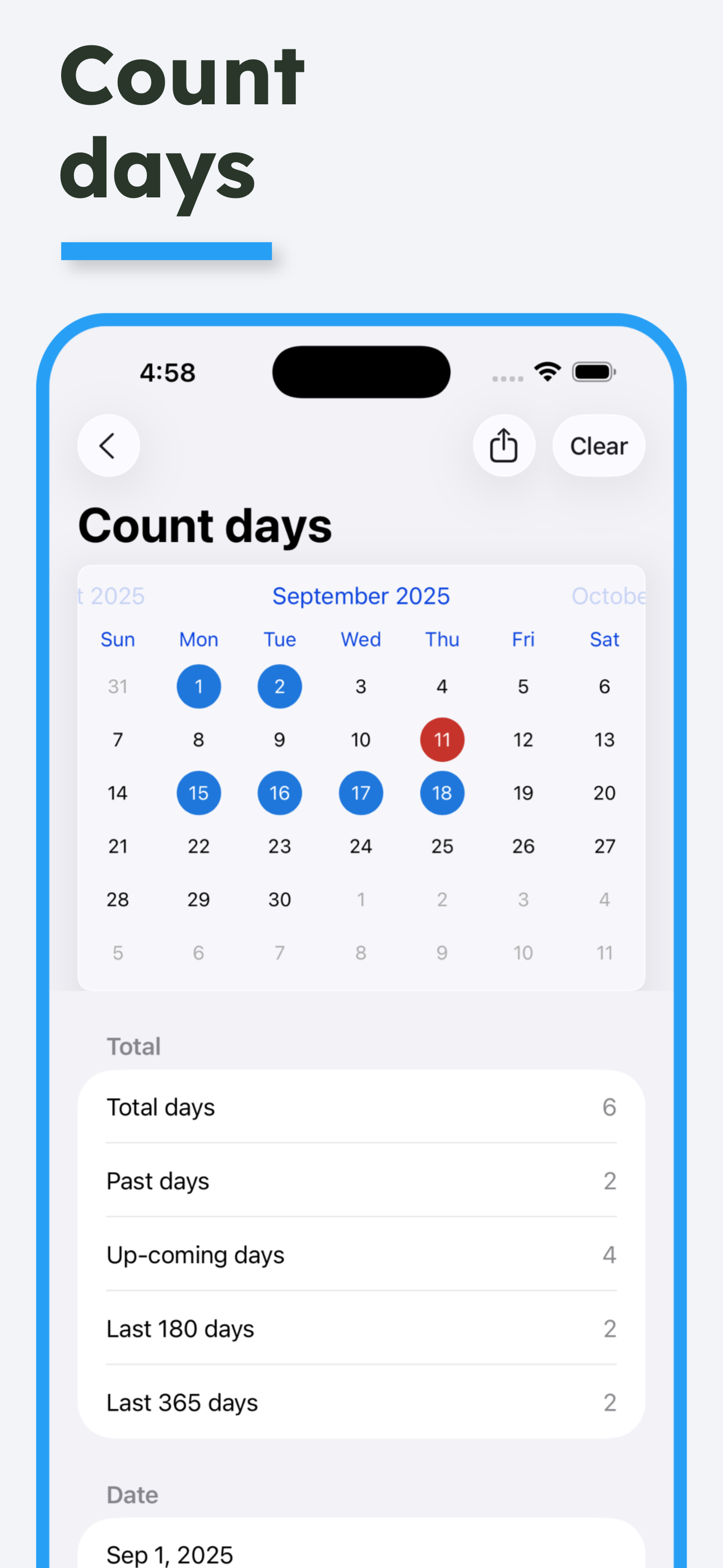
This is my new favorite time calculator app. It has many different features that I now utilize daily. I use the time calculator to determine what time something will be ready or when my breaks are over. I use the work time calculator to show me ahead of time how much I’ll get in my weekly paycheck. I use the data from/to to track events as a countdown timer. It’s seriously so many different features
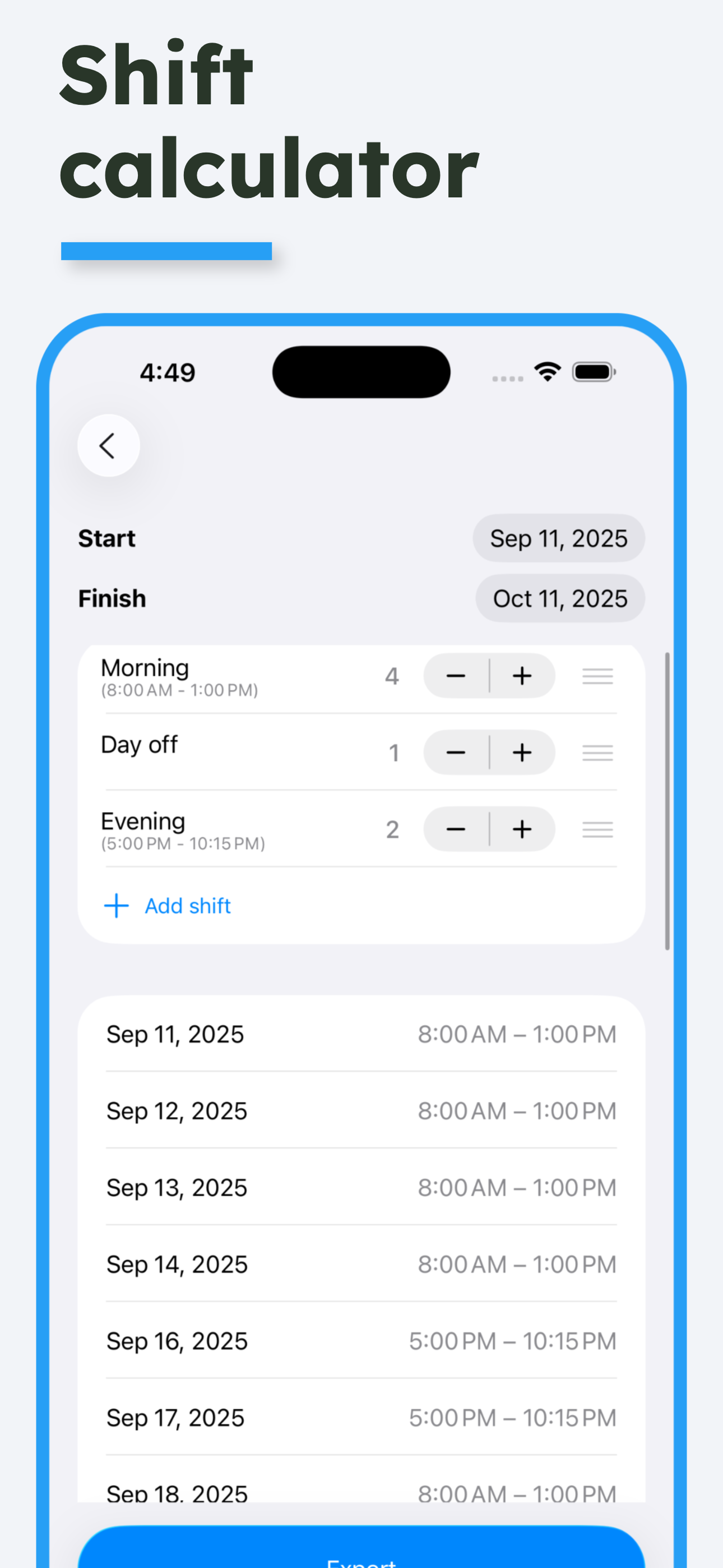
Time Calculator is the ultimate all-in-one toolkit for managing time, dates, schedules, and more. Whether you’re tracking work hours, planning shifts,...
| Name | Price | Type |
|---|---|---|
| Time Calculator Pro Monthly | $2.99 | Monthly |
| Time Calculator Premium Monthl | $3.99 | Monthly |
| Time Calculator Premium (Annual) | $14.99 | Yearly |
| Time Calculator Premium | $19.99 | One-time |
| Time Calculator Premium (Annual) | $19.99 | Yearly |
| Unlock all features | $29.99 | One-time |