Check the acquisition promise
Read the store headline, screenshots and description. What problem is the app promising to solve?
Study the storefront ↗
NASA · iOS
Explore the ad evidence, study the storefront, and build your next acquisition hypothesis.
01 / Creative research
Read the store headline, screenshots and description. What problem is the app promising to solve?
Study the storefront ↗Explore apps with direct store-link matches. Compare their hooks and formats without assuming the same approach works here.
Browse observed advertisers ↗Store rankings and revenue estimates describe market context. They do not establish ad spend, conversions or ROAS.
Review the market context ↗02 / Storefront & product
Study the product story and store experience behind the acquisition funnel.



03 / Market context
Keep revenue, downloads and store rankings separate from advertising performance.
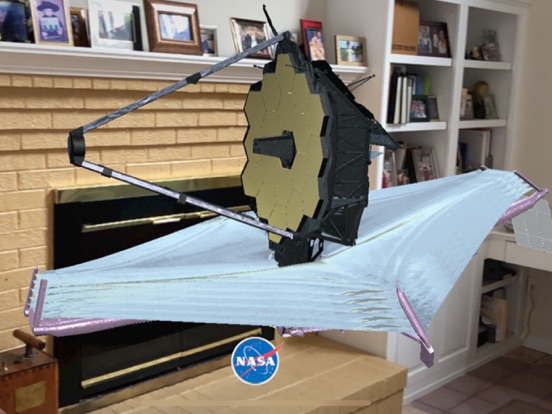
My intent with this app was to put an actual-size JWST in my yard, but I don’t know how to set the size to 1:1. When I tap the NASA meatball, some buttons appear that might have useful settings to do that, but all of them are grayed out and unresponsive.
Every time I have this app open it is taking up more room on my iPhone. First it was 1GB, then 6GB, today I used it a few times and my my phone was full and acting weird and I looked and it was taking up 30GB of space on my iPhone! Just deleted it. It’s a decent augmented reality viewer of the telescope but its wonky.
Great first attempt but crashes on open for iPhone SE2, and builds up tremendous storage on 11Pro: reached>25GB in a few days. Supplemental functions never launch when touched. Needs update.
Deep space…in your space! With NASA preparing to launch the new James Webb Space Telescope, there’s never been a better time to learn about this ext...