Check the acquisition promise
Read the store headline, screenshots and description. What problem is the app promising to solve?
Study the storefront ↗
兴魁 胡 · iOS
Explore the ad evidence, study the storefront, and build your next acquisition hypothesis.
01 / Creative research
Read the store headline, screenshots and description. What problem is the app promising to solve?
Study the storefront ↗Explore apps with direct store-link matches. Compare their hooks and formats without assuming the same approach works here.
Browse observed advertisers ↗Store rankings and revenue estimates describe market context. They do not establish ad spend, conversions or ROAS.
Review the market context ↗02 / Storefront & product
Study the product story and store experience behind the acquisition funnel.


03 / Market context
Keep revenue, downloads and store rankings separate from advertising performance.
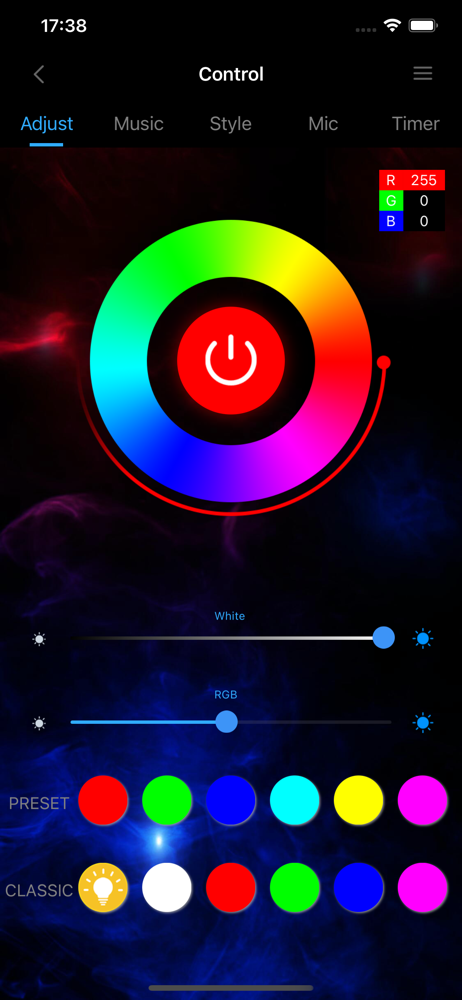
I got the KEXU led lights for my bedroom and starting off they didn’t come with instructions. first red flag. second was when i first got this app it took hours for the lights to connect to my phone but before that it too a month to figure out how to even set them up because the video in this app wasn’t clear enough. besides the red flags, one pet peeve i had was whenever i leave my house and come back i have to go through the process of connecting it again because for some reason the connection would be lost. also the fact that it has a timer and you can choose when to turn your lights on at a specific time or something why not let it customizable? like if your someone who sleeps with led lights than this would be terrible. because i was gonna time it to turn to bright white to wake me up but i can’t customize it. ✅tho those things are annoying they do work well with my google (but i have to reset it up when my phone looses “connection” [meaning my phone and lights weren’t connected] which makes nooo sense) , there’s one mode where i could have my google turn my lights on when i arrive home or leave. and i’ve had them for a year and so far their good like haven’t fallen off my wall or broke or anything like that! still doesn’t make up the annoying parts. sorry if this doesn’t makes sense but be thoughtful before buying these!
It took like a whole hour to connect my led lights to the app, it didn’t work on my iPhone so I got on my chromebook and downloaded the app through the play store, after that I was finally able to get it to connect, also the phone mic is kinda delayed and the device won’t pick up any sound unless it’s like a clap, i have to have the volume blasting in order to get it to detect it. Sometimes the app won’t turn on/off the led lights, and for some reason it won’t work with Apple Music, but it works ig
These LED lights do not work well. When I try to connect to the app they do not “blink rapidly” and it always fails to connect. Also, when I bought them it said they were a “wireless led strip” (which they are not). One big complaint though, the second strip we connected to extend the cord (it came in the same package/it’s still this brand) does not work. When I use the green colors with the remote, the extending strip doesn’t turn on but when I go further down into the greens it turns blue while the first one has the true color. With the red colors, when I try to use an orange color or a yellow, the second strip is red and messes up the coloring I’m trying to get in the room. The blue colors on the remote are the only ones that work, except the “pink” button turns out to be a purple. The white button on the remote also does not work, the second strip turns purple for some reason. Do not invest in this product
TechLife Pro TechLife Pro makes you easy to enjoy profession technology Life: • Can remote control the Wi-Fi device; • Multiple Wi-Fi devices can be...