Check the acquisition promise
Read the store headline, screenshots and description. What problem is the app promising to solve?
Study the storefront ↗
Louisiana Division of Administration · iOS
Explore the ad evidence, study the storefront, and build your next acquisition hypothesis.
01 / Creative research
Read the store headline, screenshots and description. What problem is the app promising to solve?
Study the storefront ↗Explore apps with direct store-link matches. Compare their hooks and formats without assuming the same approach works here.
Browse observed advertisers ↗Store rankings and revenue estimates describe market context. They do not establish ad spend, conversions or ROAS.
Review the market context ↗02 / Storefront & product
Study the product story and store experience behind the acquisition funnel.



03 / Market context
Keep revenue, downloads and store rankings separate from advertising performance.
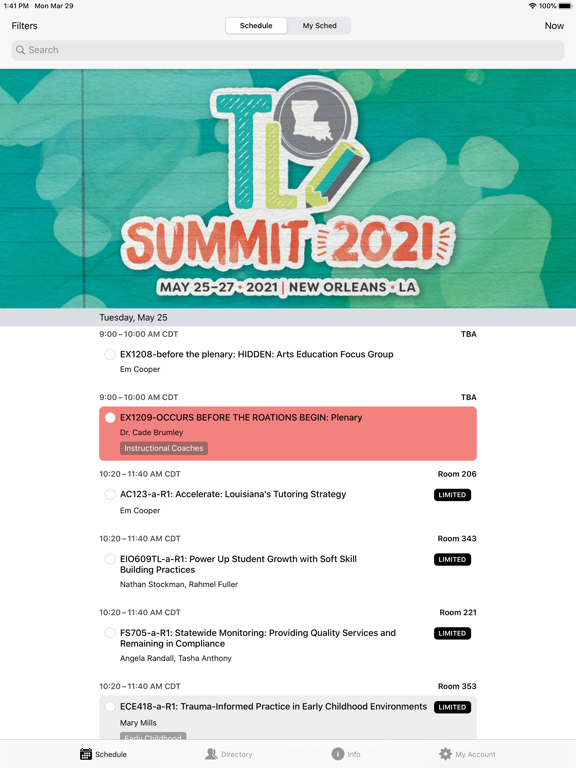
I need to remove a session from my schedule. The “remove from my schedule” is a lighter blue than it appears on other sessions. I have tried to remove the session from my schedule on the app and online. I even changed my password and sent an email requesting advice.........STILL CANNOT REMOVE THE SESSION I do like the filter option. An interested list would have been helpful. (Like a wish list some online stores have on their websites). This would allow the user to pick sessions they find interesting as they browse the schedule and then use that smaller list to make final selections. Just a thought for next time. Last year I was able to select more than one session per time slot. That way if one was full, I had a back up
The official app for 2020 Teacher Leader Summit! App Features: *Full Schedule* Browse the entire schedule for 2020 Teacher Leader Summit. You can fi...