
Check the acquisition promise
Read the store headline, screenshots and description. What problem is the app promising to solve?
Study the storefront ↗
Amit Chaudhary · iOS
Explore the ad evidence, study the storefront, and build your next acquisition hypothesis.
01 / Creative research
Read the store headline, screenshots and description. What problem is the app promising to solve?
Study the storefront ↗Explore apps with direct store-link matches. Compare their hooks and formats without assuming the same approach works here.
Browse observed advertisers ↗Store rankings and revenue estimates describe market context. They do not establish ad spend, conversions or ROAS.
Review the market context ↗02 / Storefront & product
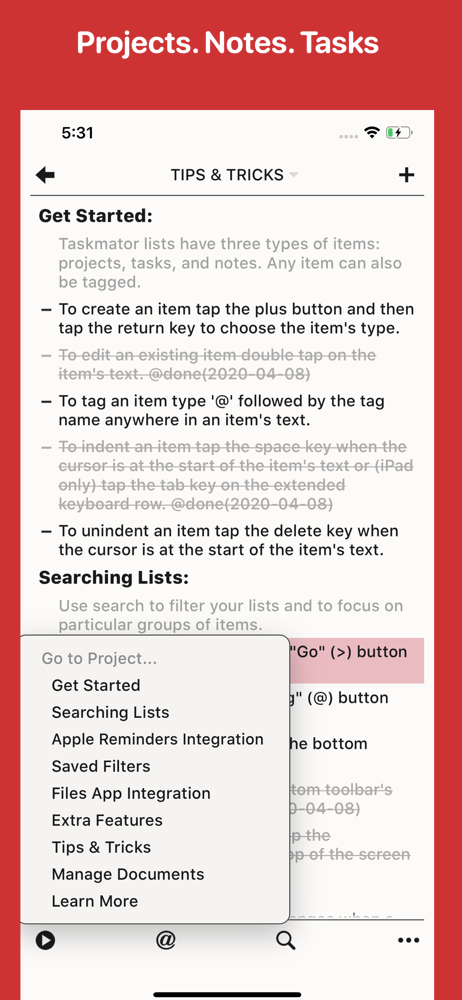
Study the product story and store experience behind the acquisition funnel.


03 / Market context
Keep revenue, downloads and store rankings separate from advertising performance.
Amit, thanks for making this app. It’s a very nice app but please consider my suggestions. Thank you! 1. Please make it more difficult to accidentally grab and move items when scrolling through the task list. I accidentally grab and move things all the time when scrolling, and then I have to figure out if I indeed actually moved it and if so where in the heck I grabbed it from. It’s a reoccurring royal pain. Please make scrolling more user-friendly. 2. Please do something so that we do not lose our data when syncing with iCloud. I totally lost my entire Taskpaper file when syncing to iCloud with Taskmator. I’m a grown man, and I almost cried. User Tip: I highly recommend that all users backup your Taskmator files by selecting and holding the file name and then selecting “Duplicate.” Better safe than sorry, and it’s relatively easy to do.
Still a problem - and fatal for me. Using the scroll bar feature works well and can quickly move from top to bottom of a file be sliding your finger tip from top to bottom of the edge of the screen. But the normal method of scrolling up or down on an iPhone remains how Steve Jobs demonstrated it in 2007. Flicking up and down the screen. 14 years of muscle and brain memory is really hard to stop using. And this is Taskmator's failure. I regularly see some random bit of text flying up the screen to a new location without doing a "tap and hold" to select the text I want to move somewhere rose. The problem with the super speed of dragging to the top of the document after just starting to drag seems to have been fixed. So the inadvertent move does seem constrained to be modestly local to the starting location. When I do use tap and hold it seems to have a significant delay before popping the text up to move. This is good and I wonder how flicking can get past this delay. Perhaps if tap and hold to move is set to only work when the text is STATIONARY. Just thinking. I will not give up on Mac TaskPaper as it is one of the most creative apps ever introduced. I use it every day and a lot. Thank you to Jesse Grosjean. Just duplicate TaskPaper on IOS and you can have a real winner.
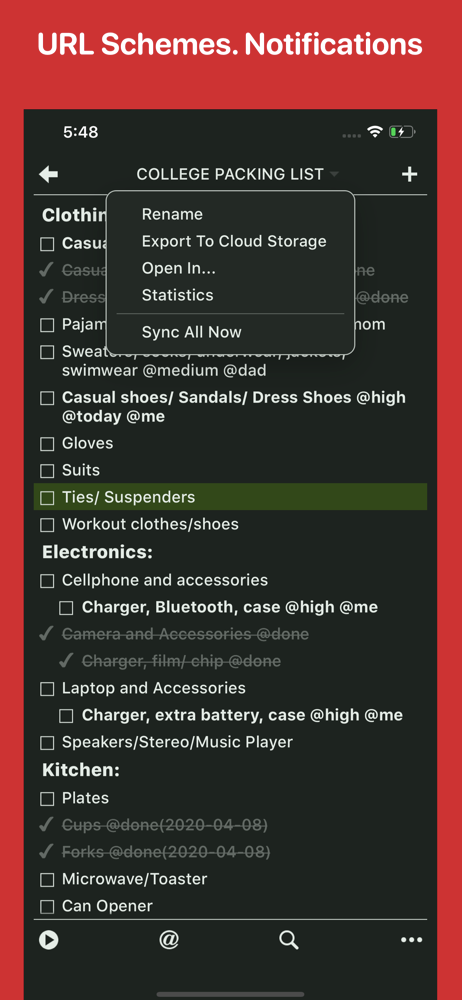
I was slow to accept TaskMator because of its visual paradigm. When I make a task list on paper, each item has a check box and I check that when it’s done. If I strike through the task, it means I decided against it - decided the task wasn’t a priority. TaskMator, like other TaskPaper apps, strikes through completed tasks, which makes less sense to me and makes my record of completed work harder to read. TaskMator just works so well that it won me over anyway. It’s simple, easy, reliable, synchronized across all my devices, and the tagging mechanism makes it easy to filter my lists to see what I want - quicker and easier in most cases than a “real database” app. I use TaskMator not just for task tracking, but for other lists like groceries, packing lists, and items I am collecting. It’s one of my most-used apps.
◉ "The Best TaskPaper app for iOS" — Macdrifter ◉ "Excellent Task Manager"— Cult of Mac ◉ “Taskmator, a powerful TaskPaper client for iPhone and iPad...
