Check the acquisition promise
Read the store headline, screenshots and description. What problem is the app promising to solve?
Study the storefront ↗
Matthew White · iOS
Explore the ad evidence, study the storefront, and build your next acquisition hypothesis.
01 / Creative research
Read the store headline, screenshots and description. What problem is the app promising to solve?
Study the storefront ↗Explore apps with direct store-link matches. Compare their hooks and formats without assuming the same approach works here.
Browse observed advertisers ↗Store rankings and revenue estimates describe market context. They do not establish ad spend, conversions or ROAS.
Review the market context ↗02 / Storefront & product
Study the product story and store experience behind the acquisition funnel.





03 / Market context
Keep revenue, downloads and store rankings separate from advertising performance.
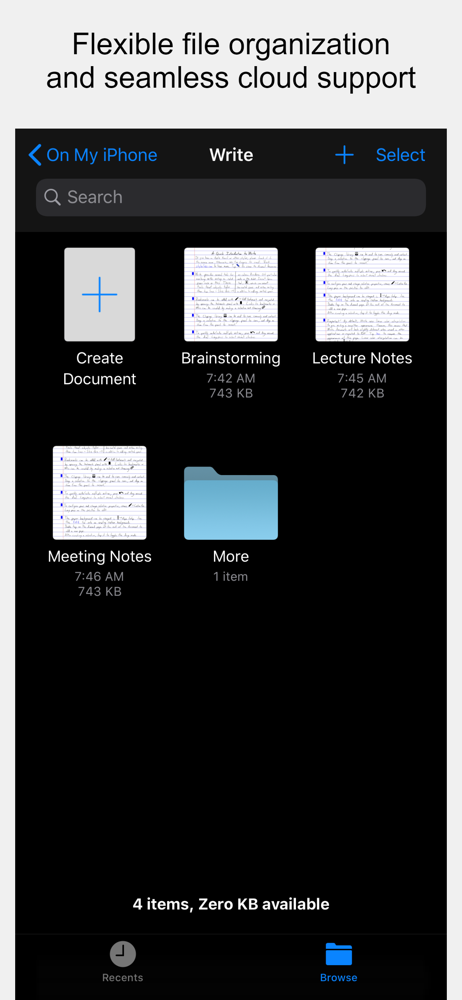
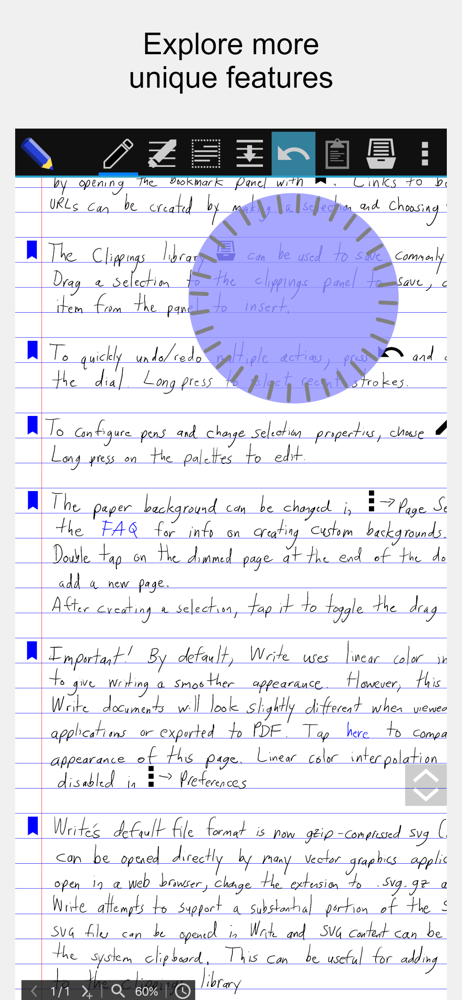
Thank you for Write by Stylus Labs. It makes my handwriting like my real handwriting, and not just a digital scratching. I have used Goodnotes, and Onenote, and notability and Nebo. But over time, I have found that Write simply feels more like real paper writing when I am done, -- I enjoy looking at it. Also it has cool features like being able to stretch paper (expand) when I need to make it bigger to fit more notes on the edges. Also the bookmark feature is awesome for journaling in a big notebook. I also like the ability to easily move text to add more space. Currently I have been likeing being able to send individual pages to CRAFT. I hope more people take notice of this app. It really has a lot of power.
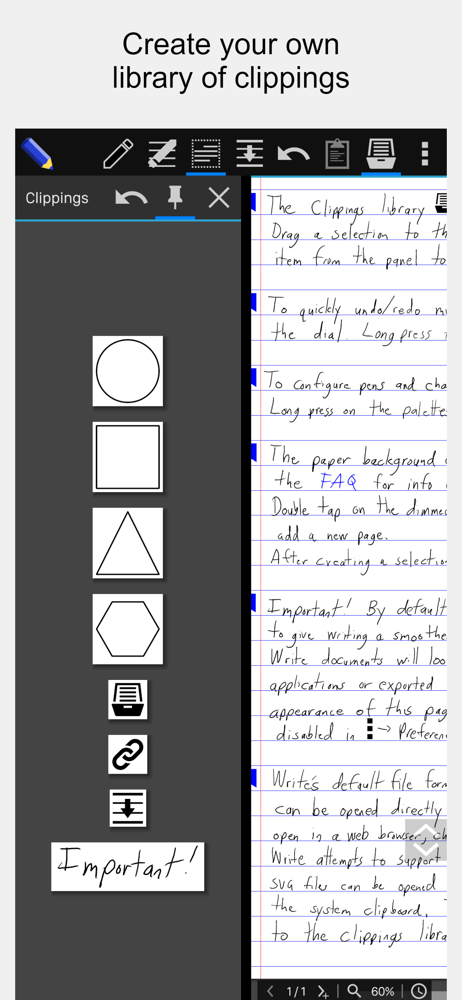
This app would be Leonardo Davinci’s brainstorming app of choice. It allows you to create a massive hand-written sketch journal and use it as an idea repository with a very clever bookmarking system that allows you to quickly teleport to your entries in a flash. Just drop a little bookmark icon next to your idea, and a table of contents entry is created - and in your own handwriting, too. Very cool. Very practical, and a game-changer, for me. Imagine having a hundred-page hand-written idea journal and having the ability to instantly go to any of those bookmarked ideas in a second. The other cool ability this app gives you is the ‘scoot text’ feature. I’m not sure what it’s official name is, but that’s what it does. Hand-written words can be scooted over to allow room for you to write new text - really handy. The software actually moves all your words down - you can move an entire paragraph down several lines if you like - and insert more text, then tighten up the text again by moving the words to close up the hole that you created. I’ve never seen anyone try that idea before, and it really works well. These two features are game changers. I just feel that the app needs a clever name and logo refresh to distinguish itself amongst a crowded marketplace of note-taking apps. This one is quickly becoming my go-to idea/brainstorming journal. The pen creation tool is very handy, and works well at letting you quickly switch between different colored pens/highlighters, etc. The entire interface is extremely robust with lots of knobs and buttons giving you total control over line width, line color, page color etc. You can create exactly the type of notebook that you wish. Another thing I would tweak is that the bookmarks are royal blue - the color clashes with my created notebook’s color scheme. A minor gripe, but I thought I would put it out there because I think that it would be an easy fix. This app is well worth anybody’s time and money, especially if you are interested in creating an idea hub wherein you can keep track of and zip over to all your gold nugget ideas, no matter how big your document gets.
I’ve tried a lot of the handwriting apps for iPad (OneNote, notability, etc) and this one is the best I’ve seen so far. The editing capabilities are much more advanced than others especially being able to use ruled lines and text wrapping with handwriting.
Write is an open-source application with a unique set of tools for editing and navigating handwritten documents, plus all the usual features of a vect...