
Check the acquisition promise
Read the store headline, screenshots and description. What problem is the app promising to solve?
Study the storefront ↗
Beijing Yunsi Software Technology Co., Ltd · iOS
Explore the ad evidence, study the storefront, and build your next acquisition hypothesis.
01 / Creative research
Read the store headline, screenshots and description. What problem is the app promising to solve?
Study the storefront ↗Explore apps with direct store-link matches. Compare their hooks and formats without assuming the same approach works here.
Browse observed advertisers ↗Store rankings and revenue estimates describe market context. They do not establish ad spend, conversions or ROAS.
Review the market context ↗02 / Storefront & product
Study the product story and store experience behind the acquisition funnel.



03 / Market context
Keep revenue, downloads and store rankings separate from advertising performance.
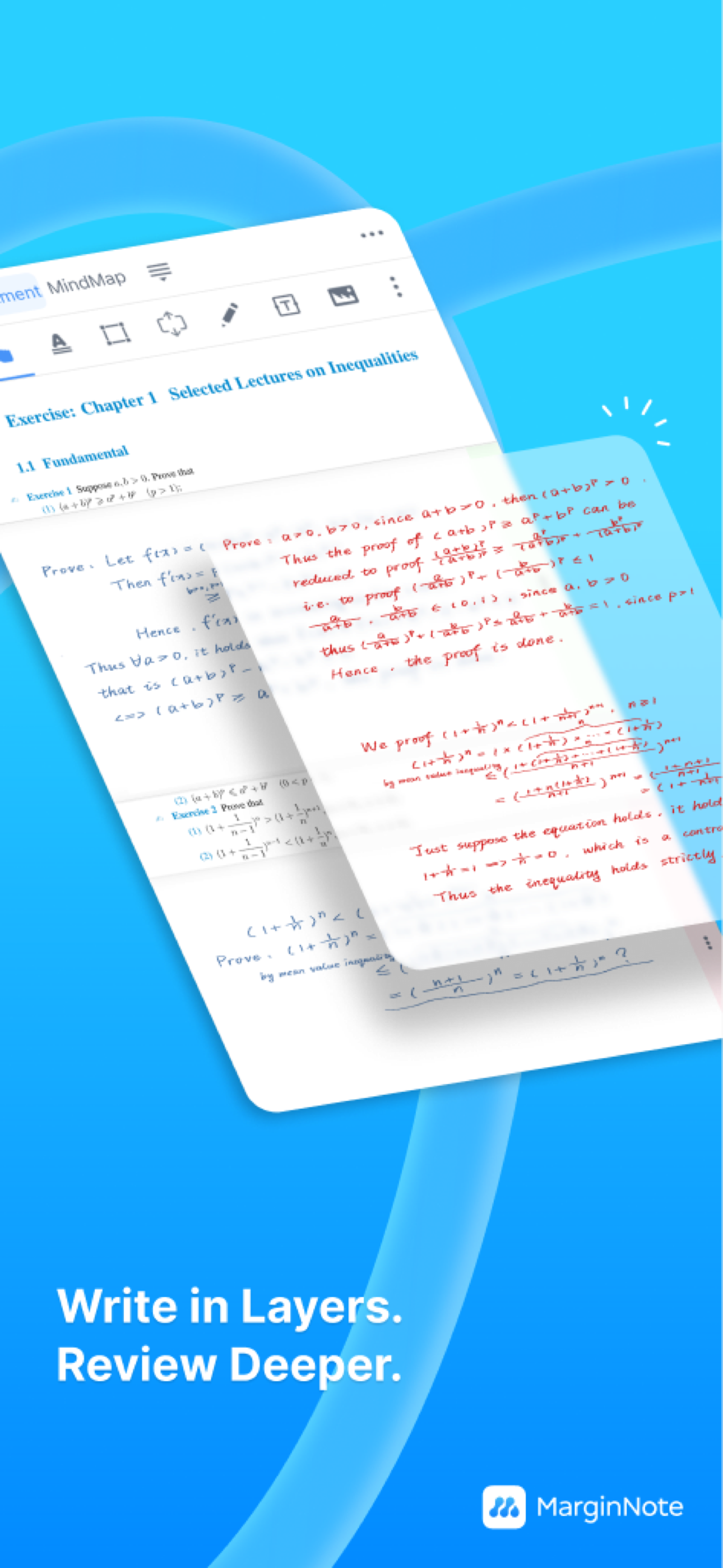
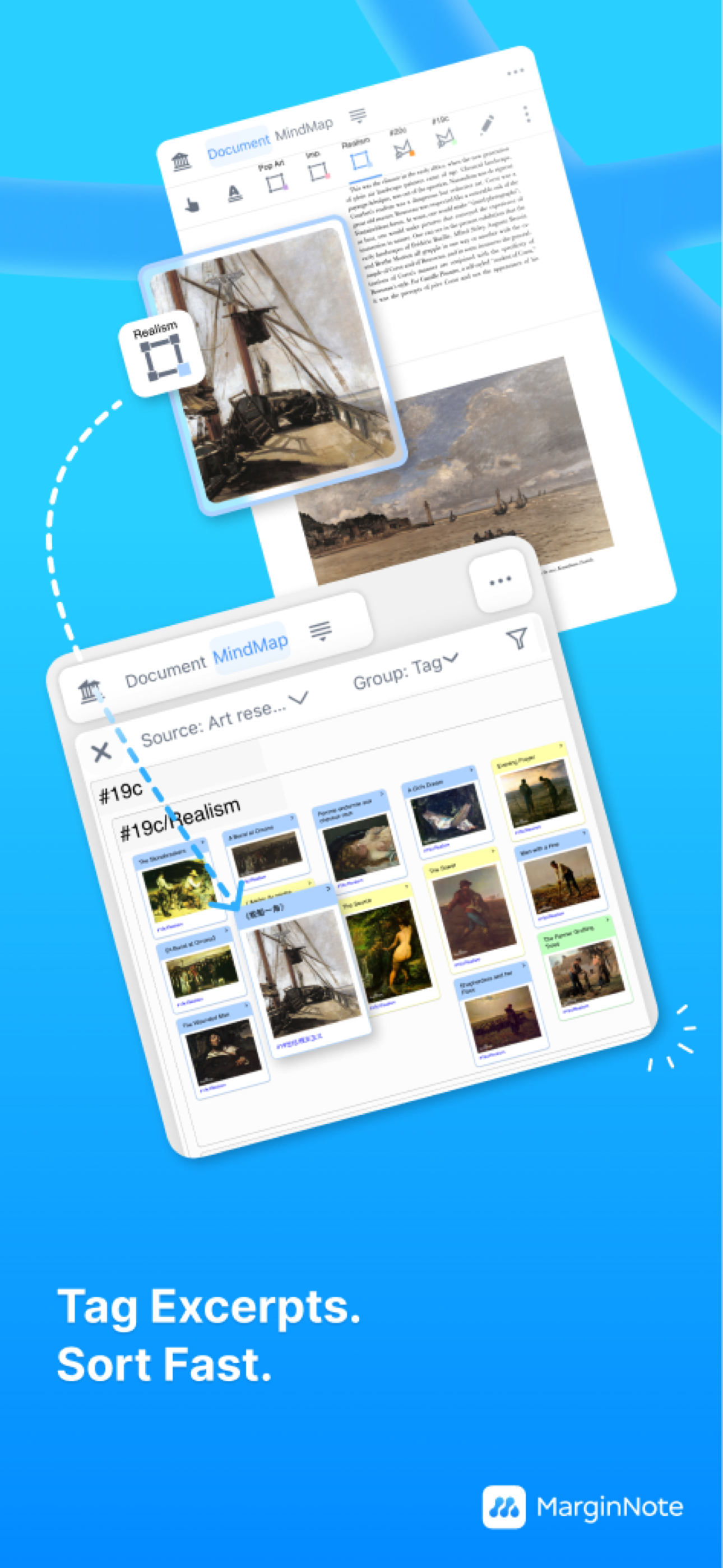
I have been using MarginNote 4 for macOS and iPad for some of my classes that have me downloading lots PDF’s of journal articles for various assignments and research projects, and every feature in this app makes reading and annotating easier and more productive. I really like the mind map flowcharts and how easy it is to have all the important information I highlight all in one place, especially when there are several documents pertaining to the research topic. The workspace is highly customizable so you can put different things “away” when you aren’t using them, like the extend space, notebook, or mind map. Overall it’s a really solid PDF annotator, and works with other document formats as well. There is only one thing I wish the app would implement: handwriting/line smoothing. The apple pencil pressure/tilt support is nice, but I wish there were some sort of line smoothing option available to make handwriting look just a little nicer.
I rarely post reviews, but MarginNote is probably the most important app in my toolbox. AT THIS TIME, I would just caution people with older computers or huge study sets to realize that MN has its limitations when interacting and updating. The app works fine on my iPad 11" Pro and iPhone 15 Pro Max, but it’s too slow and/or glitchy on my MacBook Air M1 with 16GB of memory and 1TB of storage. No idea why this app is so slow other than the fact that I have some massive medical textbooks and pictures. I have also been bogged down by a really really slow interface, despite other apps zipping by. I have lost work. I have been frustrated studying really boring topics that otherwise MN is great in helping me stay on top of, and it’s made my ADHD worse as I go down the rabbit hole looking for alternatives, I start pulling out physical note cards (impossible given the amount of things I’m studying), and counting my pennies to see what I can afford. Heptabase is sleek and useful, but it doesn’t have a review section like MN, and MN is better for students at the moment. Unfortunately, it has become unusable for now on my mac, which has something to do with the computer’s ability to run my study sets. I typically run many apps simultaneously to switch back and forth while learning and looking up things, but it’s only since updating to Sequoia that I have been having issues with MN. I am debating moving over to something else like LiquidText although I really don’t want toooo :(
I have severe adult adhd inattentive type with an incredibly hyper active non-linear thinking style. Margin note has helped me cope more than any other app to help me organize all of these thoughts and information I am constantly taking in and trying to create sense of / integrate. My brain works so hard and is always on 5 topics at once. Things click for me at random times, not when they would for typical people and not linearly. If I don’t capture that in that moment and put it into a web of other knowledge, it will be lost forever and I will have to return to the same scenario repeating mistakes without having learned. Margin note lets me keep sources and context with my ideas while also organizing them into hierarchies and defining relations later when I have time so my momentary awareness can stick and nothing is lost. My data and information input is more likely to become Learning. Rather than it disappearing into the disorganized inbox of my mind.
MarginNote is the PDF study tool for deep readers. One excerpt is a PDF highlight, a mind map node, and a flashcard — one capture, three places. This...
| Name | Price | Type |
|---|---|---|
| 14 days Free Trial | $0.00 | One-time |
| 14 days Free Trial | $0.00 | One-time |
| Subscription to MAX (3 months) | $4.99 | Quarterly |
| Upgrade to PRO from MN3(iOS) | $4.99 | One-time |
| Unlock PRO Forever (New) | $12.99 | One-time |
| Subscription to MAX (Annually) | $12.99 | Yearly |
| MarginNote Max Annual | $16.99 | Yearly |
| Upgrade to MAX from MN3(macOS) | $19.99 | One-time |
| Unlock MAX based on PRO (New) | $40.00 | One-time |
| Unlock MAX Forever (New) | $51.99 | One-time |


