Check the acquisition promise
Read the store headline, screenshots and description. What problem is the app promising to solve?
Study the storefront ↗
Raghvendra Bhargava · iOS
Explore the ad evidence, study the storefront, and build your next acquisition hypothesis.
01 / Creative research
Read the store headline, screenshots and description. What problem is the app promising to solve?
Study the storefront ↗Explore apps with direct store-link matches. Compare their hooks and formats without assuming the same approach works here.
Browse observed advertisers ↗Store rankings and revenue estimates describe market context. They do not establish ad spend, conversions or ROAS.
Review the market context ↗02 / Storefront & product
Study the product story and store experience behind the acquisition funnel.




03 / Market context
Keep revenue, downloads and store rankings separate from advertising performance.
I really like this app. It offers marking features and tools that the native photo app does not. It’s intuitive and effective. The results are much better than messy or hard to edit drawn markups in the native photo app. My only request - maybe a weird one - is to change the name of the app. I have so many apps on my phone, this keeps getting “offloaded” because I’m not using it enough. I try searching my phone for “photo editor”, “picture markup”, etc… without a word like “photo” or “picture” in the app name, I can never find it (and I can never remember what it’s called.) I don’t know if this is true or helpful, but I also wonder if adding one of those words to the app name would make it more popular in the App Store? Either way, great app which I recommend.
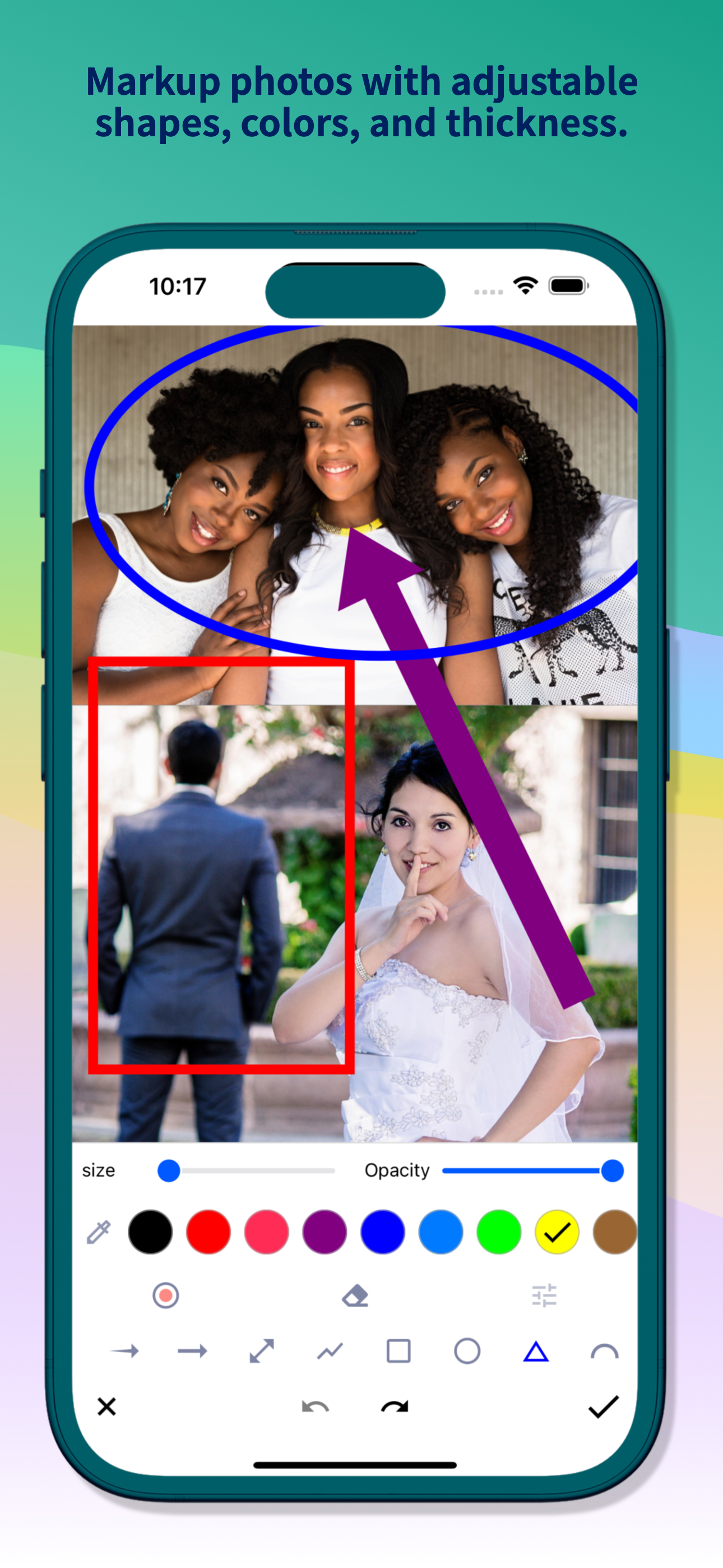
I have just started using this tool. What I like is that the tool is easy to use. It lets me add text, lines, simple shapes, and freehand markups to a photo or other graphic file. I can also add blur effects to remove details like names on the original photo before posting. For me at least, nearly all the similar apps have been disappointingly complex to use and not very user friendly. I finally found this one that does what I want and is simple to use. One user hint, start on the left with the color and size icon first then mark up. But even if you make a mistake you can undo the markup and start over from the previous stage of your markup.
I noticed right away that it’s saving every picture that I edit and save twice. Not a big deal, I can just delete the extra copy. I really like the “focus” feature, I just wish it were a little more forgiving. I’m trying to focus in on several areas of text and get them to kind of line up, but once I get to a point it kind of makes the text overlap (for lack of a better word). I’m still playing with it and I think it’s going to be a very helpful app! I’m sure with a few more updates it’ll be amazing! I haven’t seen the pop ups asking for a rating, but I’ve literally just used it for like 15 minutes. It’s definitely got a lot more to offer than the built in mark up app and I haven’t seen any others like it! I’ll definitely update my rating if I see a need to! Keep up the awesome work! I’m very happy with the app! RESPONSE TO DEVELOPER: Thank you for your kind reply. I’m very happy with the app and look forward to the continued updates and improvements (though I don’t see anything that needs improvement). I enjoy the app a lot and will recommend it to anyone I know with an iPhone! :)
Snap Markup is an easy-to-use and powerful photo markup tool. It offers a variety of annotation features such as cropping, adding text, pixelating ima...




![File Explorer & Player [Pro]](https://is1-ssl.mzstatic.com/image/thumb/Purple211/v4/f0/bb/e8/f0bbe83c-8339-186d-687e-97ad91de7f57/AppIcon-0-0-1x_U007emarketing-0-8-0-85-220.png/150x150bb.jpg)