
Check the acquisition promise
Read the store headline, screenshots and description. What problem is the app promising to solve?
Study the storefront ↗
Volcano Technology Limited · iOS
Explore the ad evidence, study the storefront, and build your next acquisition hypothesis.
01 / Creative research
Read the store headline, screenshots and description. What problem is the app promising to solve?
Study the storefront ↗Explore apps with direct store-link matches. Compare their hooks and formats without assuming the same approach works here.
Browse observed advertisers ↗Store rankings and revenue estimates describe market context. They do not establish ad spend, conversions or ROAS.
Review the market context ↗02 / Storefront & product
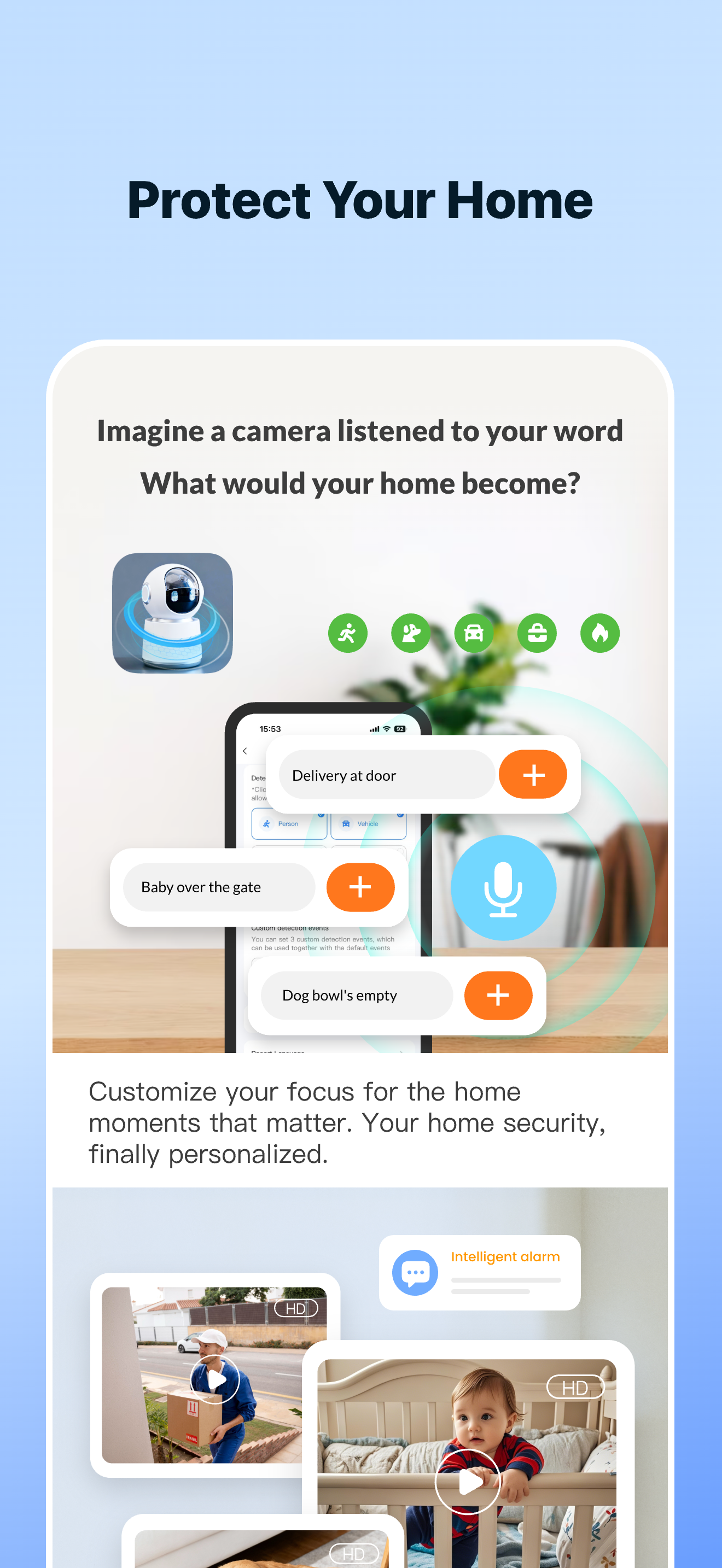
Study the product story and store experience behind the acquisition funnel.




03 / Market context
Keep revenue, downloads and store rankings separate from advertising performance.
This app dev has squeezed the most use with minimal bugs or issues out of the open source software it’s based on. My use over a years + time span has been nothing but fantastic. I also have extensive use with two other apps based on the same open source software and while they have had minimal bugs or other issues as with this app they didn’t quite have the same expanse of use. This goes for shear range of devices that could be controlled, not to mention how many different ways/signal types could be used to control devices, but also the main use I enjoy is the breadth of color I have to select from with the color changing light. Lighting is my largest use for this app next to power consumption monitoring devices and I have only one complaint about the lighting. I would love a feature that allows my color change lights to change colors in conjunction with the music I have playing with just a couple basic hue settings to keep the color in one area of the color wheel, so in one song I’m not getting every single color available at a strobe lights pace because that just is not pleasant. In synopsis, this is a fantastic automation app that takes advantage WiFi, Bluetooth and WiFi signal variations all while charging not a cent.
The app appears to have many uses for multiple different appliances, and I just use it for the lighting and lightbulbs. Awhile ago, I bought 2 WiFi smart bulbs that had a strong LED, and the color options were not as bright. Later, I found another 2 pack of very similar bulbs (still WiFi smart bulbs) that were cheaper, it’s natural color was much warmer and not as white, and the colors on these ones were instead brighter. With the first set of bulbs, I set two timers: one to turn my bulb off in the morning (7:15) and one to turn them off at night (12:30) (I set them so I didn’t forget to turn them off after I left the house/went to sleep). Once the new bulbs arrived, I replaced the first ones with those, and when I checked the schedule section on the app, both of those schedules were gone. I thought it was fine and I could just replace the schedules again, but I decided to leave it for the time being. Eventually I noticed that even though it didn’t show it in the schedule, the same actions for my lights were still happening. My problem is that I can’t find a way to reset all of my schedules so that my lights stop turning off. So, if I were to suggest something to the developers, it would be to add some sort of function that would allow the user to reset all schedules that were ever connected to the device, if that is possible. Of course, other than that, the app is fantastic for the bulb and besides that once problem is very easy to operate and use, and having it connected to Siri is nice.
Smooth system with great extended coverage as it seems all devices link! If something ever fails, just redo it like it was new without changing the name, and it will reconnect in an instant. I use all the features including several groups, timers, all of the settings offered on the light bulbs, and others. If power goes out temporarily, in a few minutes your devices will automatically be back on line w/o any input from you! I like the energy monitoring switches in various brands that work with this system and they all work very well! Of the colored light bulbs, I have found that the ones that are a dollar or two more than the cheapest will mimic the really expensive colored bulbs! Remember to get WiFi extenders or similar when you add lots of devices so that everything runs smoothly! When I add an extender, every device seems to be much quicker and no bobbles! Last note I will mention is that in 99% of any failures is your WiFi not this program! However, remember to reinstall any device that is not working per instructions that came with the device! BTW, I have around 35 bulbs and switches on this system and about 60 other devices and they all work fine because of an upgraded router designed to handle many devices as well as three extenders!
「SmartLife」 Your AI assistant for a simpler, smarter everyday life 【Control】 Manage all your devices with a tap or just ask — it's that simple. 【Sec...
| Name | Price | Type |
|---|---|---|
| AI Lighting Master Monthly | $2.99 | Monthly |
| Monthly Subscription | $2.99 | Monthly |
| 30-Day AI Protect Pro Plan(Weekly) | $2.99 | Weekly |
| Monthly Subscription | $2.99 | Monthly |
| 14-Day Storage Plan (Monthly) | $5.99 | Monthly |
| 14-Day Smart Storage Plan(Monthly) | $7.99 | Monthly |
| 30-Day Storage Plan (Monthly) | $9.99 | Monthly |
| basic (Monthly) | $9.99 | Monthly |
| 3-Device 14-Day Plan (Monthly) | $12.99 | Monthly |
| HeyTuya Yearly | $79.00 | Yearly |


