Check the acquisition promise
Read the store headline, screenshots and description. What problem is the app promising to solve?
Study the storefront ↗
James Butcher · iOS
Explore the ad evidence, study the storefront, and build your next acquisition hypothesis.
01 / Creative research
Read the store headline, screenshots and description. What problem is the app promising to solve?
Study the storefront ↗Explore apps with direct store-link matches. Compare their hooks and formats without assuming the same approach works here.
Browse observed advertisers ↗Store rankings and revenue estimates describe market context. They do not establish ad spend, conversions or ROAS.
Review the market context ↗02 / Storefront & product
Study the product story and store experience behind the acquisition funnel.



03 / Market context
Keep revenue, downloads and store rankings separate from advertising performance.
It appears to be impossible to delete search history, so you really don’t want to save searches unless you want a long list.
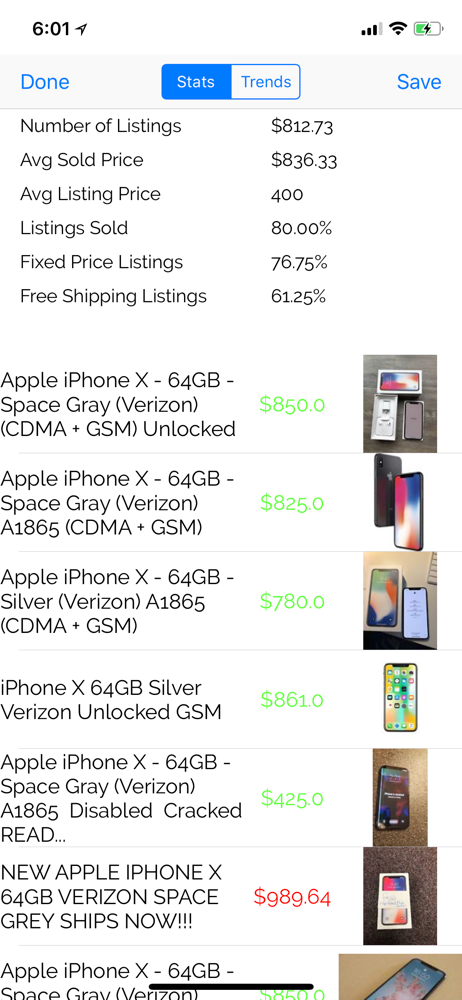
For whatever reason, when you search for sold listings the price is displayed in a very hard to read light green color. Either make it more readable, ie black, or give the user the ability to change the color. Also, the inability to click on a listing is annoying. Money better spent elsewhere.
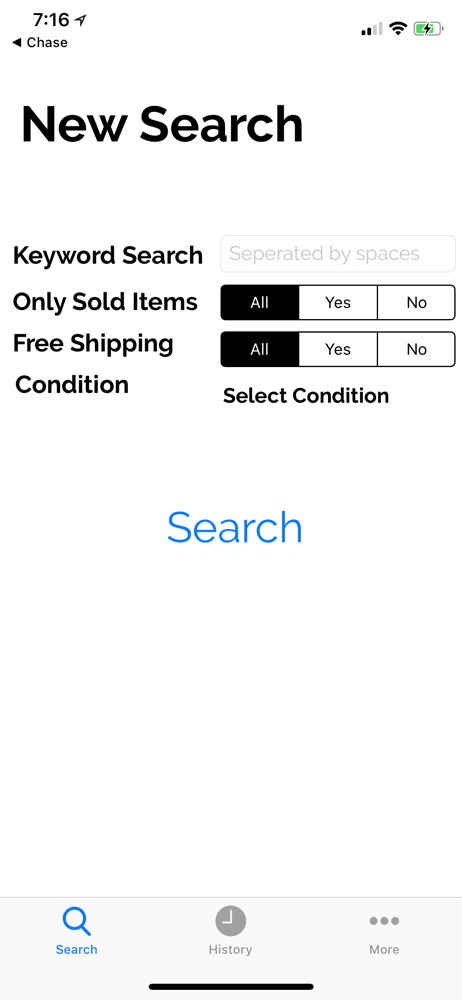
This has a lot of potential and makes quick searches for sold items easier than the default eBay app. However you can’t click on an item to see its details and the save search only works after you force close the app at least once. When you go to search again it’d be nice for the condition to be saved or viewable without having to reselect. Really hoping for more features and more UI work
Have you ever wondered if you are getting a good deal on eBay? Wonder no more! with eBay smart tools, you have the ability to search through completed...