Check the acquisition promise
Read the store headline, screenshots and description. What problem is the app promising to solve?
Study the storefront ↗
MarketWall.com · iOS
Explore the ad evidence, study the storefront, and build your next acquisition hypothesis.
01 / Creative research
Read the store headline, screenshots and description. What problem is the app promising to solve?
Study the storefront ↗Explore apps with direct store-link matches. Compare their hooks and formats without assuming the same approach works here.
Browse observed advertisers ↗Store rankings and revenue estimates describe market context. They do not establish ad spend, conversions or ROAS.
Review the market context ↗02 / Storefront & product
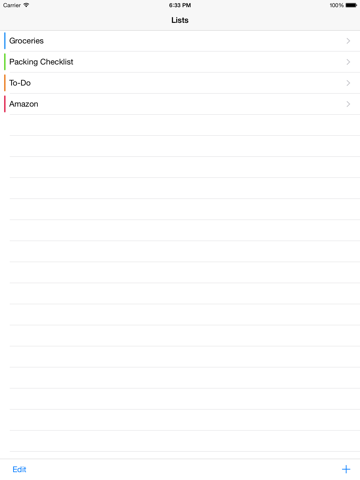
Study the product story and store experience behind the acquisition funnel.



03 / Market context
Keep revenue, downloads and store rankings separate from advertising performance.
Simple list is an excellent app. I have tried one note, Evernote, wunderlist, any do, and simple list is the best. I like that it displays different lists, and then you can add to or take away items in those lists all on your Apple Watch without using Siri just voice dictation. Each list is simply displayed and not with a date or something else. Also, an item is completely shown and not just partially shown. My only suggestion is to have the ability to change the font size on the iPhone.
If you have lists or items you use frequently, this app intuitively has your completed items on the add items screen for easy reuse.
Update: this app works very well. I use it on my iPhone 6 and Apple Watch. Here's how it works for me. Any list syncs from my phone to watch (but not from iPad unfortunately). It also appears in my glances and is quick to make changes. I set it as the first Glance I see after the default one. Which means one swipe up, and one over and I see my latest open list. Great to view my tasks quickly without pulling out my phone! If I want to make changes, see another list, etc, I tap the app. It opens the most recently viewed list (I use 2 mainly, To Do and Groceries). To check as done, just one tap and it goes away. To add another item, press and hold, and speak when prompted. Works great. Not even Evernote allows you to add an item on your Watch. And this is the only one that is viewable in Glances and quick to view and make changes. Well done! Just add iPad syncing and it'll be perfect! 8/13 Went through like 10 apps to find one that worked well on my Apple Watch. Does what I need. Simple lists, accessible through Glances, not a lot of buttons or swipes to access them. How is it that all the fancy apps couldn't do those simple things?
Simple, easy-to-use design helps you keep track of your grocery lists, shopping lists, checklists, packing lists, to-do lists, and more. Tap items of...