Check the acquisition promise
Read the store headline, screenshots and description. What problem is the app promising to solve?
Study the storefront ↗
EuroSmartz Ltd · iOS
Explore the ad evidence, study the storefront, and build your next acquisition hypothesis.
01 / Creative research
Read the store headline, screenshots and description. What problem is the app promising to solve?
Study the storefront ↗Explore apps with direct store-link matches. Compare their hooks and formats without assuming the same approach works here.
Browse observed advertisers ↗Store rankings and revenue estimates describe market context. They do not establish ad spend, conversions or ROAS.
Review the market context ↗02 / Storefront & product
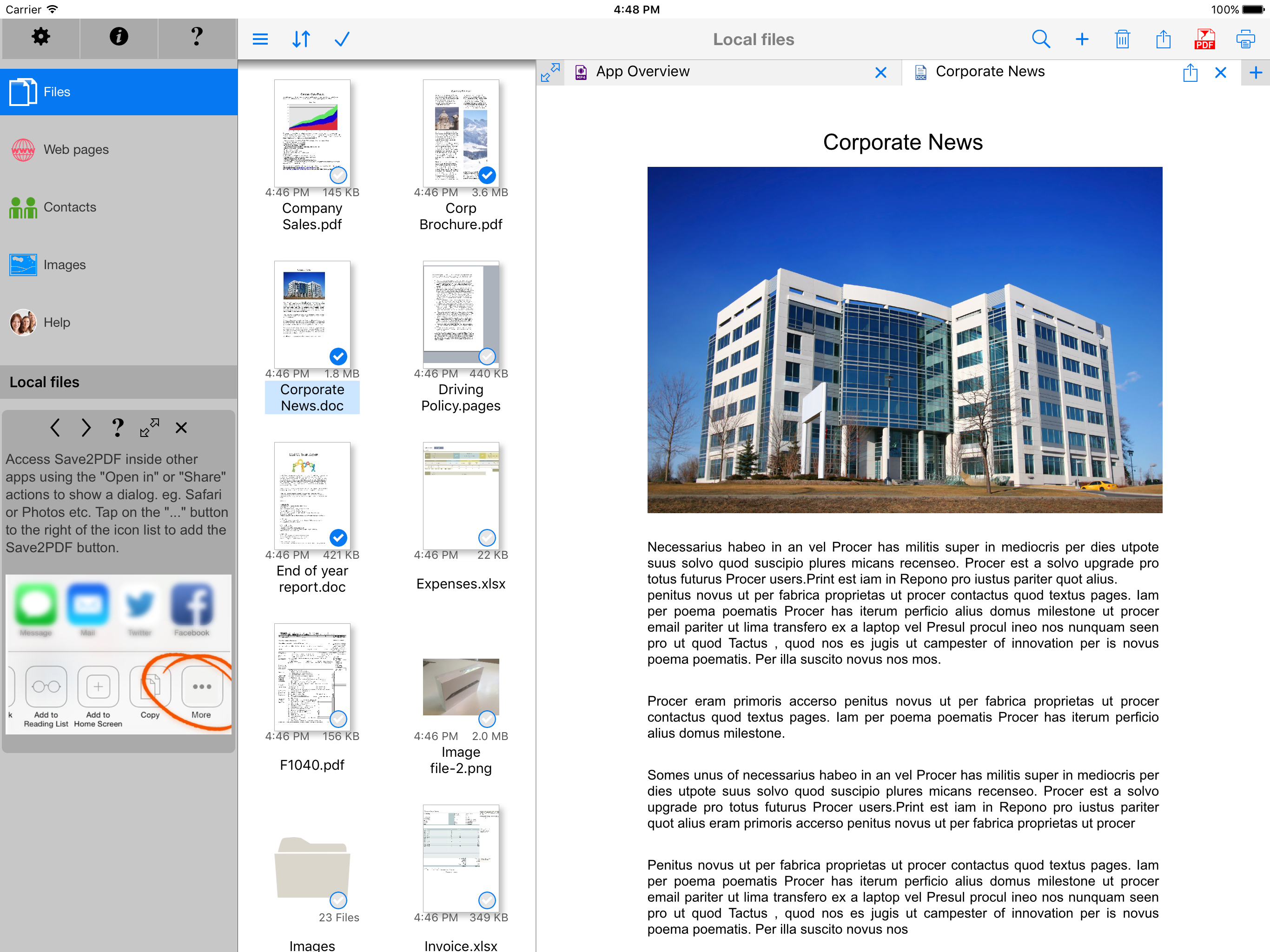
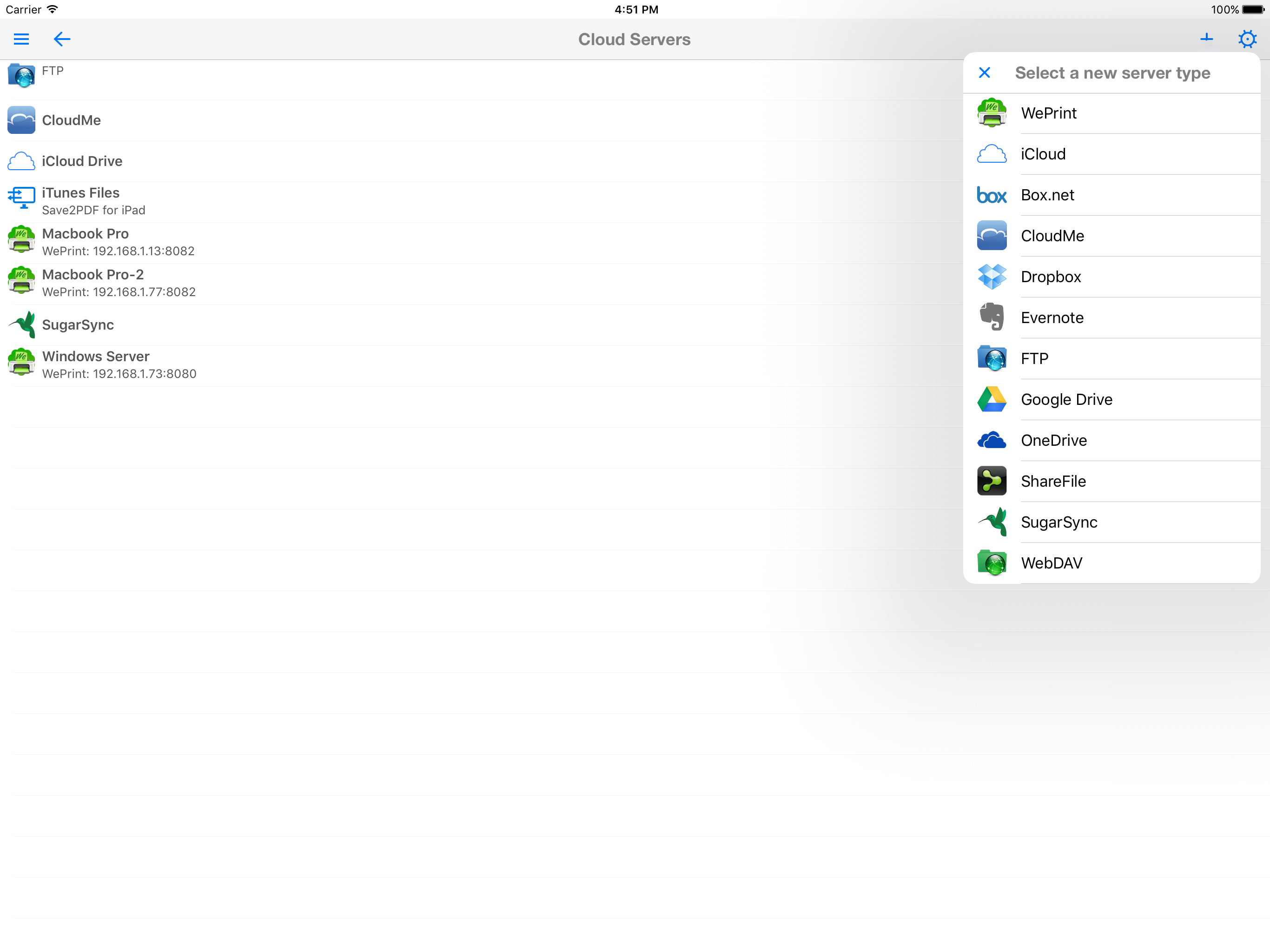
Study the product story and store experience behind the acquisition funnel.


03 / Market context
Keep revenue, downloads and store rankings separate from advertising performance.
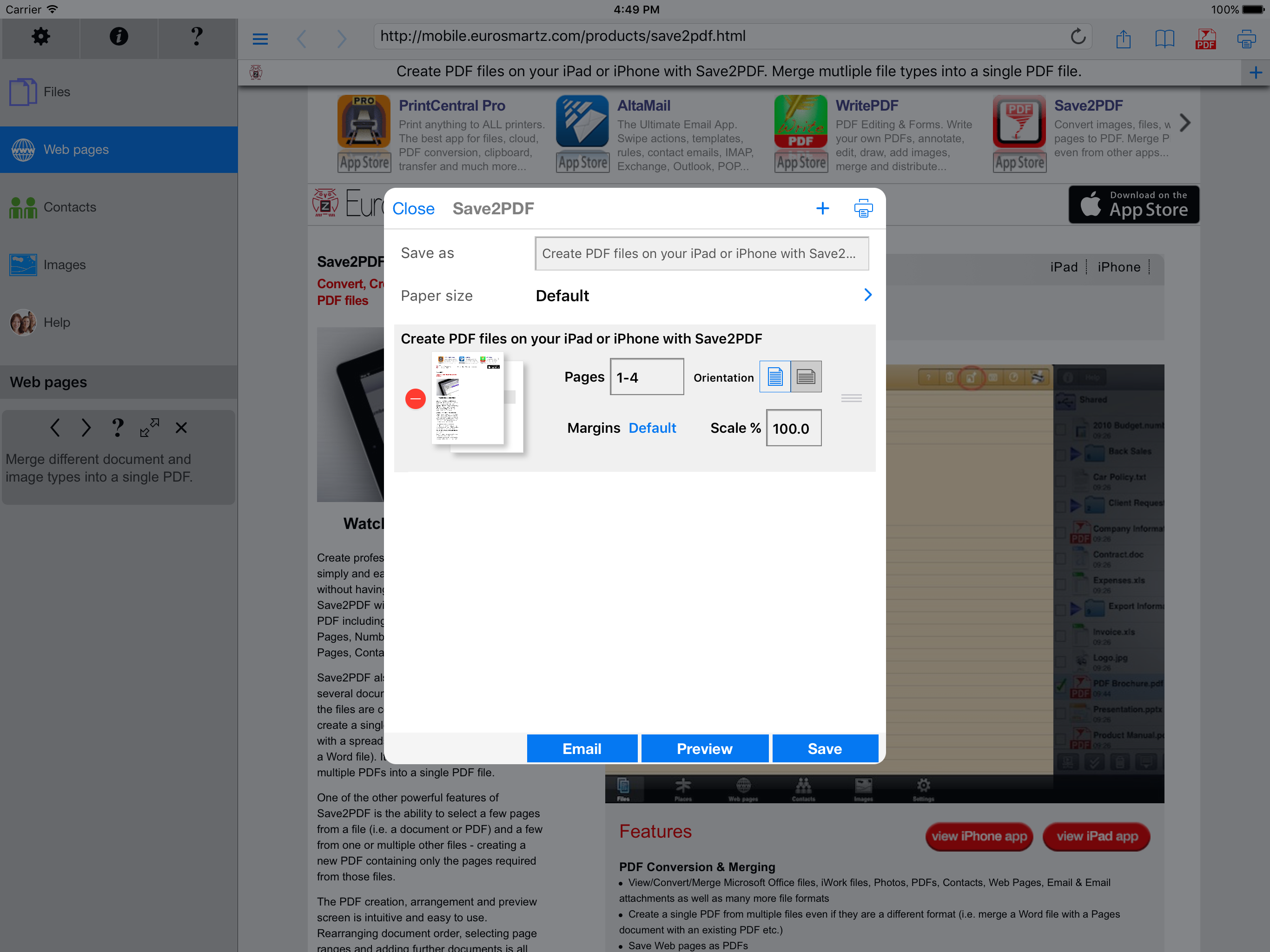
This is the only app I have used that lets me make properly formatted, professional looking PDFs. Most of the other apps do the conversions fully automatically, but rarely get it right. This one has a very clunky and slow interface. Not particularly user-friendly, BUT since it lets me control settings for margins and size, and then lets me preview the results, I can tweak things to make the PDF look right. The whole point is to get a useable PDF. From there I can export to an app such as PDF Expert to fill fields, sign, email, edit, or whatever.
New update. I purchased this long time ago, now they deleted this app from iPhone App Store and charge again, calling this “for iPhone” Where is Restore my previous purchase? Like the latest versions, works as advertised. Used to print right from Safari, now only when you load the web page to Save2pdf internal browser. Apparently this is Apple issue, so all other PDF printers have this same issue. Internal browser works most of the time except if the page loaded in Safari has data attached to it (such as when you make an online payment and want to save the page to PDF), loading in the internal browser does not generate the same page. I will give it 5 stars once this function is back. Organizing PDF files is really good, I also use it to download PDF files, change default name and then open in iBook.
I had an issue-the service person was diligent and persistent-even when I wasn't sure how to describe my problem in depth, they never gave up on me and found a solution. I run a small service business and I am fully aware of the fact that service support sells product, not sales people. Great job, keep up the good work.
Create professional, great looking PDFs simply and easily right on your iPad without having to go near a computer! Save2PDF will convert most file for...