
Check the acquisition promise
Read the store headline, screenshots and description. What problem is the app promising to solve?
Study the storefront ↗
Code Pebble Inc · iOS
Explore the ad evidence, study the storefront, and build your next acquisition hypothesis.
01 / Creative research
Read the store headline, screenshots and description. What problem is the app promising to solve?
Study the storefront ↗Explore apps with direct store-link matches. Compare their hooks and formats without assuming the same approach works here.
Browse observed advertisers ↗Store rankings and revenue estimates describe market context. They do not establish ad spend, conversions or ROAS.
Review the market context ↗02 / Storefront & product
Study the product story and store experience behind the acquisition funnel.


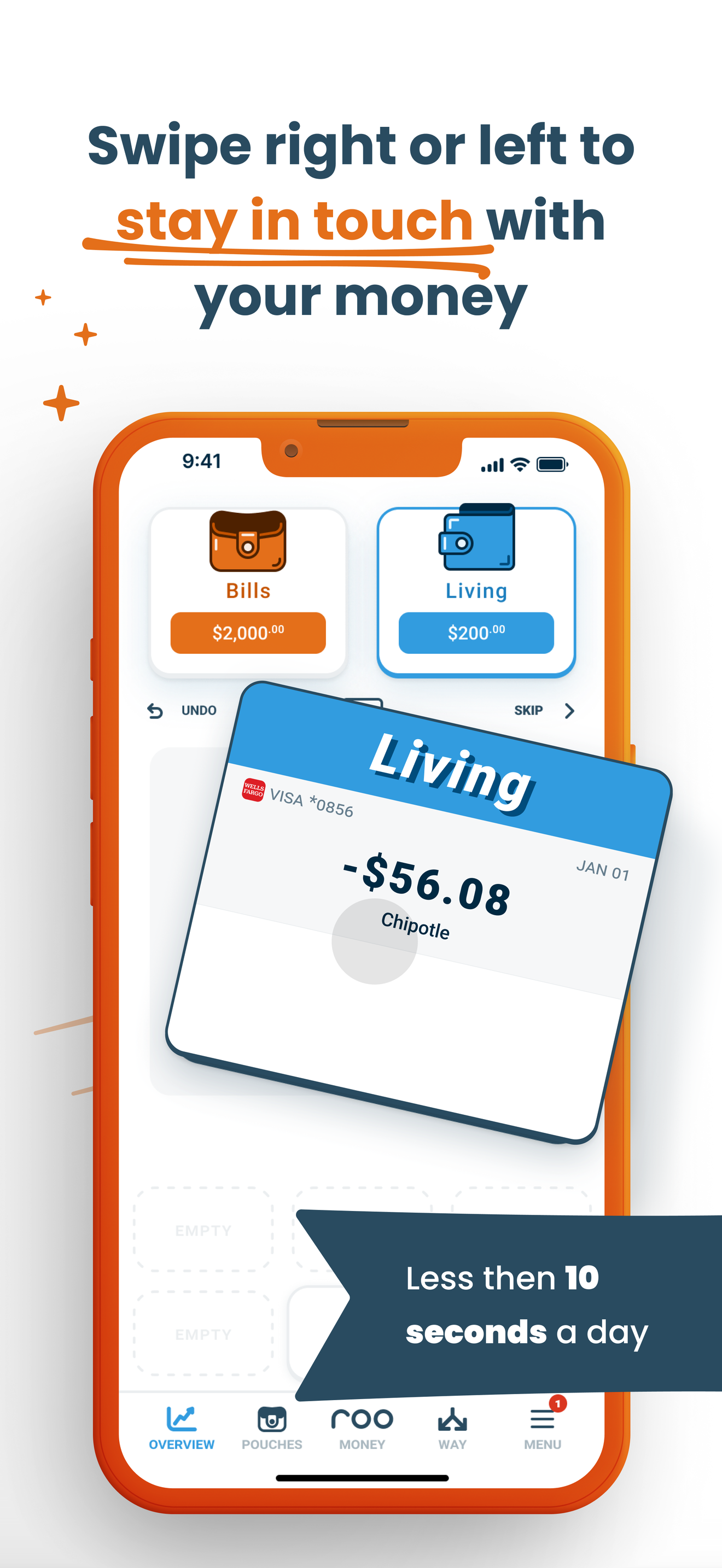


03 / Market context
Keep revenue, downloads and store rankings separate from advertising performance.
The simplicity of this app is so refreshing. It’s just 2 numbers. 2 numbers that show me how I am doing on a daily basis and the status of my monthly payments. That’s it. As I keep an eye on that daily spending, it’s literally helping me stay more conscious of and aware of my finances and it’s changing my spending habits for the better. You can’t get much simpler than that and I am a HUGE FAN!
I hate dealing with money, but I like to spend it. And if I’m going to spend I like to know how much, when, where, who, etc. I’ve tried other apps but I don’t want to enter the transactions. I don’t want to guess what I spent last month and will that be enough this month, and I don’t want to wake up and wonder if I paid the credit card bill. This app has been such a game changer. You set up the budget and major decisions ONE time. Then it does the work of pulling in transactions, can show all my balances, lets me allocate each paycheck in real time, and helps me realize when I should pass on the “reward” latte for a few days (so it is actually a reward). I’m paying attention to one number, am less stressed about will I be able to cover my bills by the time my paycheck funds, and I’ve even saved some money.
This app has been a game changer for me and my husband. He is a CPA and always knew what our finances were doing but we didn’t have a tool that would allow me to see what was in his head. I tried using all the other tools and spent a lot of money on subscriptions for other programs that I used for a few weeks but still didn’t help me. Roo is the first program I’ve been able to use consistently, only requires a few seconds a day, and tells me if we have money to spend or not. I finally feel I understand our finances.
TRADITIONAL BUDGETS WEREN'T DESIGNED FOR YOU They were designed for a business. Same categories every month. Same rigid cycles. No room for the dog e...
| Name | Price | Type |
|---|---|---|
| Weekly Subscription (live QA) | $0.99 | Weekly |
| Weekly Subscription (live QA) | $0.99 | Weekly |
| Monthly Subscription | $11.00 | Monthly |
| 7 day free trial, $11/mo | $11.00 | Monthly |
| Monthly | $14.99 | Monthly |
| Monthly | $14.99 | Monthly |
| Annual Subscription | $84.00 | Yearly |
| Annual Subscription | $84.00 | Yearly |
| Yearly | $99.99 | Yearly |
| Yearly | $99.99 | Yearly |


