Check the acquisition promise
Read the store headline, screenshots and description. What problem is the app promising to solve?
Study the storefront ↗
Oleksandr Kozlov · iOS
Explore the ad evidence, study the storefront, and build your next acquisition hypothesis.
01 / Creative research
Read the store headline, screenshots and description. What problem is the app promising to solve?
Study the storefront ↗Explore apps with direct store-link matches. Compare their hooks and formats without assuming the same approach works here.
Browse observed advertisers ↗Store rankings and revenue estimates describe market context. They do not establish ad spend, conversions or ROAS.
Review the market context ↗02 / Storefront & product
Study the product story and store experience behind the acquisition funnel.



03 / Market context
Keep revenue, downloads and store rankings separate from advertising performance.
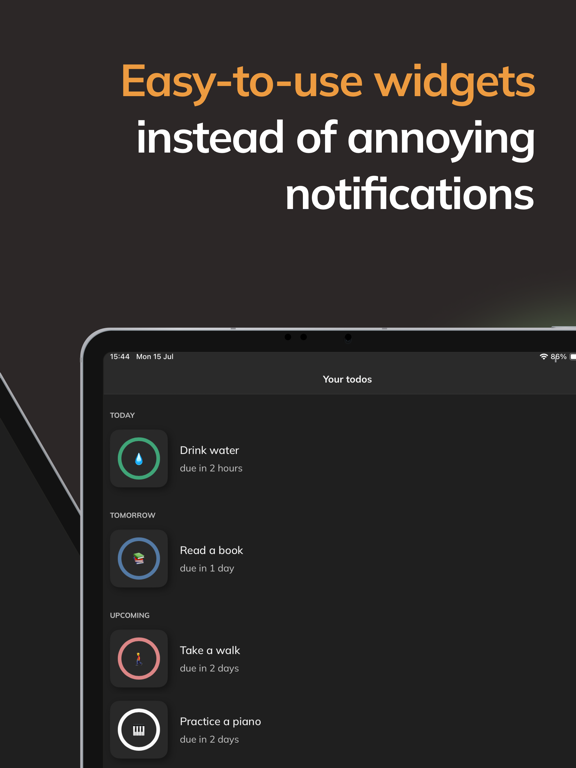
This app has already been useful and I just started using it. It’s a simple tool that I’m happy to pay for! I think this will be my go-to for to-do lists and reminders. It doesn’t clog your phone and/or mind with notifications that can annoy or distract you, or come through at inconvenient times, etc. It’s easy to set up, and can be used as a widget of varying sizes if you want to have your icons visible without opening the app to check them. I noticed pretty quickly that, for me, the tasks I’ve created are staying at the forefront of my mind better than with other methods I’ve tried—but also, in a way that feels less invasive and more organized in my brain! It’s great that it tracks repeating duties also, with a variety of choices on how to customize their timelines; for example, if something isn’t completed on time, you can choose whether to start a new cycle regardless, or to show it as overdue and wait until completion to start the cycle again. Each item can be customized how it makes most sense for the task, including being set to be finished only once, or at intervals. You can also use tags for organizing into searchable categories, e.g. “work” or “home”, and can attach notes, if needed. I hope i didn’t make it sound complicated because it’s really not—part of what makes it so great in my opinion. Functional, yet simple. And the creator doesn’t track YOU! Worth a try if you’re looking for a new, possibly better, way to track your goals, responsibilities and schedule, and want something non-invasive. A really good alternative to the traditional to-do list approach. And a great way to remember things without being reminded!
I love this app, and it really is helping me get more done. I like being able to set a task to repeat “x-time from last completion.” (Sometimes a specific clock time just doesn’t cut it.) Also, tagging is great if you want to focus on one set of tasks. Ironic that I found this app by accident when a similar (but inferior) app stopped working for me & I needed a replacement. Even though the older app works again, I’m sticking with this one…
Kola is designed as an app for reminders without annoying notifications. Simple interactive widgets help you to see at a glance deadlines of your task...
| Name | Price | Type |
|---|---|---|
| Premium Monthly Individual | $0.99 | Monthly |
| Premium Monthly Family | $1.99 | Monthly |
| Premium Yearly Individual | $6.99 | Yearly |
| Premium LIfetime Individual | $9.99 | One-time |
| Premium Yearly Family | $12.99 | Yearly |
| Premium LIfetime Family | $14.99 | One-time |