Check the acquisition promise
Read the store headline, screenshots and description. What problem is the app promising to solve?
Study the storefront ↗
I-O DATA, INC. · iOS
Explore the ad evidence, study the storefront, and build your next acquisition hypothesis.
01 / Creative research
Read the store headline, screenshots and description. What problem is the app promising to solve?
Study the storefront ↗Explore apps with direct store-link matches. Compare their hooks and formats without assuming the same approach works here.
Browse observed advertisers ↗Store rankings and revenue estimates describe market context. They do not establish ad spend, conversions or ROAS.
Review the market context ↗02 / Storefront & product
Study the product story and store experience behind the acquisition funnel.



03 / Market context
Keep revenue, downloads and store rankings separate from advertising performance.
TS-WLC2を使用しています。現バージョンの1つ前までは外出先から4G等で視聴できておりましたが、バージョンアップ後は視聴できなくなりました。ルーターのポート開放も問題ないため、ブラウザ等でグローバルIP直接たたいて見に行けます。アプリ経由だと一覧画面が一向に更新されません。アプリに外出先せっていがないため、自動で切り替えていると思われますが、一覧ビューの内部データがLAN内アドレスが残っていて、外出先に切り替わらないのが原因なのかよく分かりません。せめてカメラの登録の際グローバルIP、ユーザー名、パスワード直打ちで検索できるようにしていただきたい
更新したら、モバイル通信では、カメラに繋がらなくなり、外出先からでは、カメラの映像を見る事が出来なくなった、、、 更新のたびに、音声にノイズ?しか流れ無い時もあり、、、 最初は良かったど、微妙
このアプリの問題だと思いますが、なにせカメラが安定してつながらない。 試しにTS-NA220WとAtom Cam2とを隣り合わせで使用し比較したところ、断然にAtom Cam2の方が安定してつながるし、というか途切れることもフリーズすることも無い、操作レスポンスも速いし常時録画も安定安心。夜もStarvisカラーで綺麗。一方であえてTS-NA220Wが良いなと思ったのは、Atom Cam2よりも広い画角で撮影できるのと、検知エリアを細かく設定できるところか。とはいえ、TS-NA220Wはアプリ開いてもすぐにつながらないし、すぐフリーズしるし、常にイライラです。
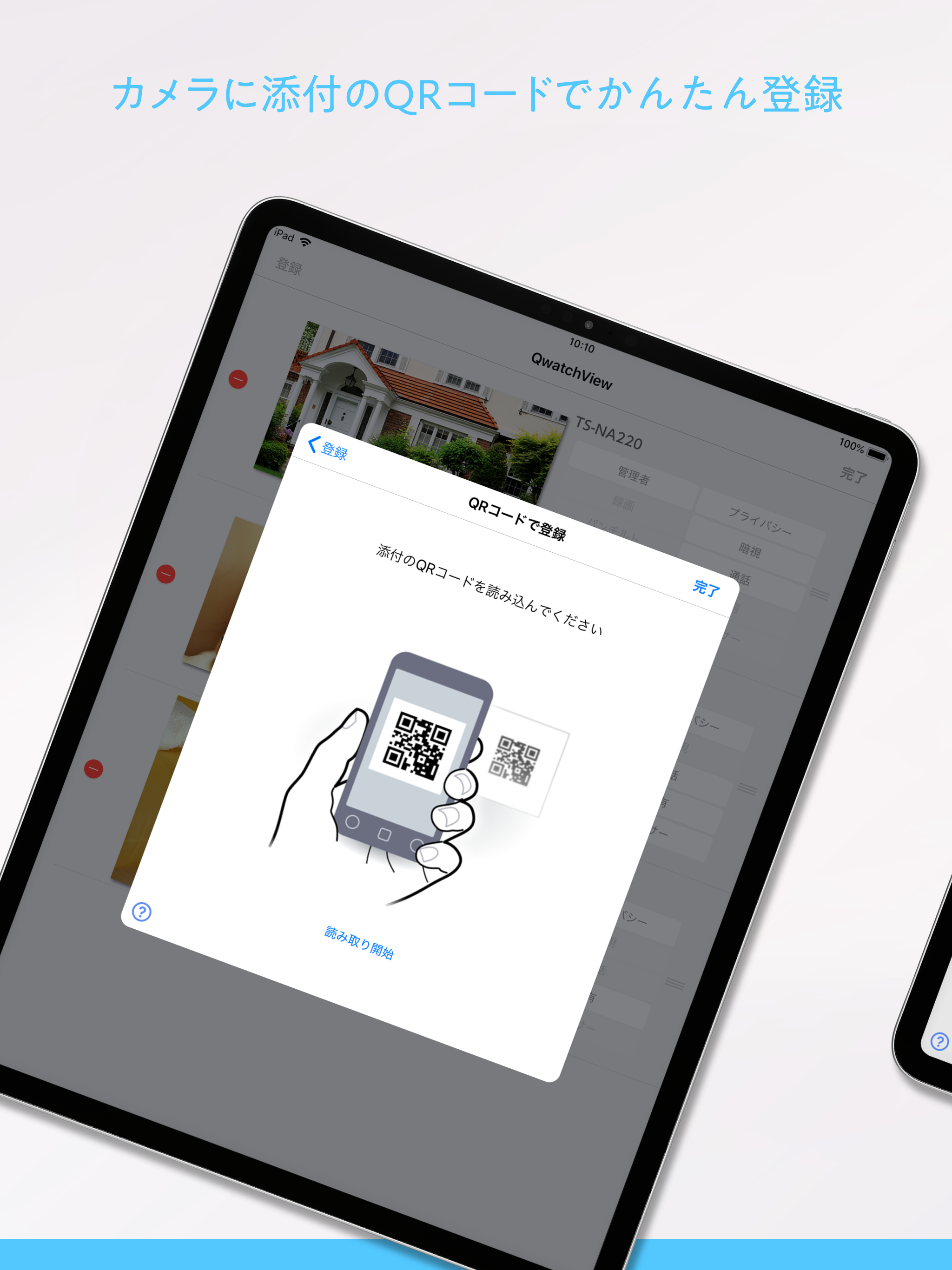
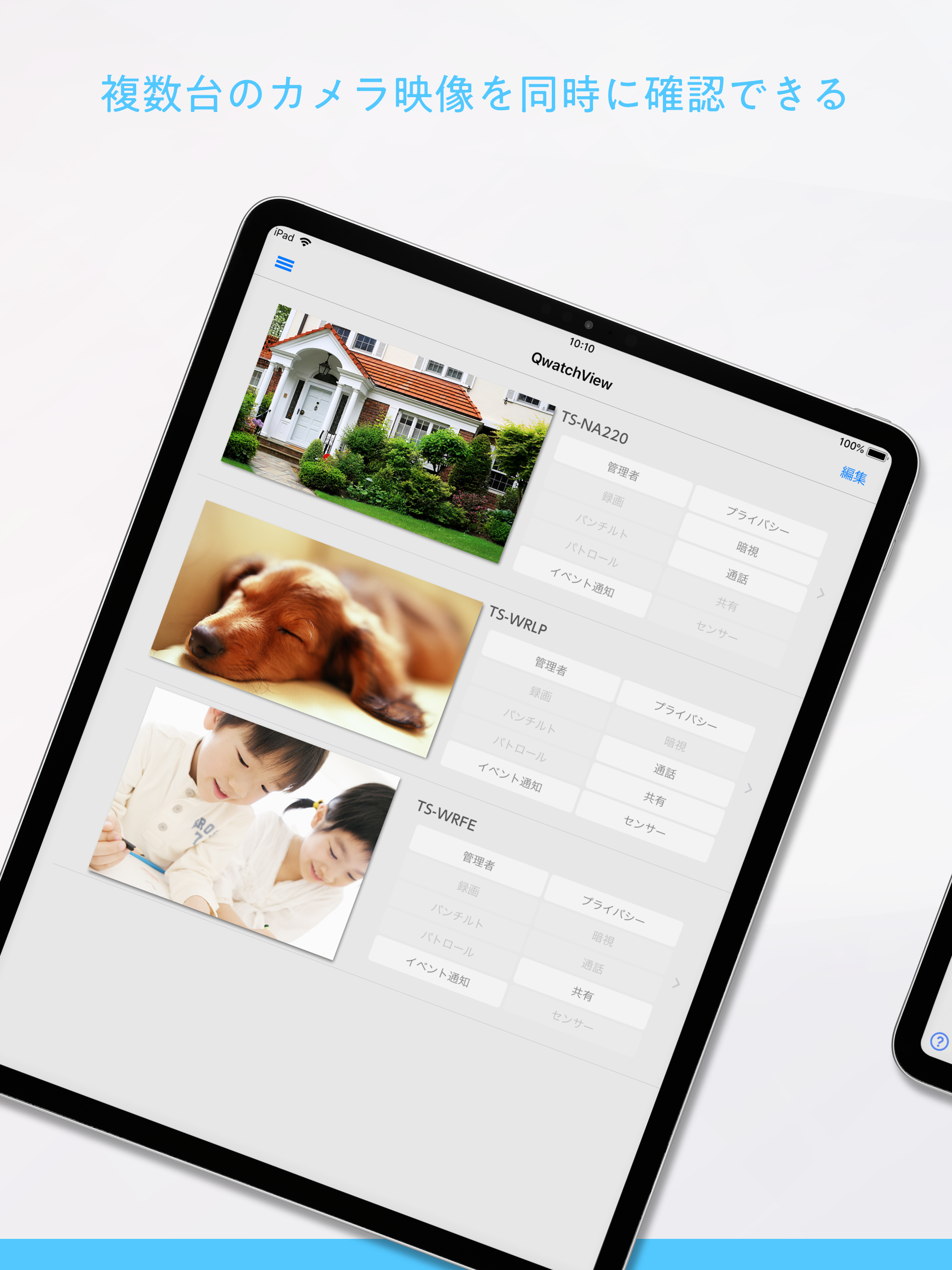
パソコン不要!スマートフォンのみでカメラを登録、ライブ視聴できる! 「QwatchView」は、アイ・オー・データ機器製ネットワークカメラ「Qwatch」シリーズのカメラ映像をスマートフォンで 視聴することができるアプリケーションです。 アプリの機能や対応機種などは、下記Webページをご覧くださ...


![ATOK [Professional] 日本語入力キーボード](https://is1-ssl.mzstatic.com/image/thumb/Purple221/v4/14/80/7c/14807c19-872b-0f34-d655-5f93069e578b/AppIcon-0-0-1x_U007emarketing-0-8-0-0-0-85-220.png/150x150bb.jpg)