Check the acquisition promise
Read the store headline, screenshots and description. What problem is the app promising to solve?
Study the storefront ↗
GELYSOFT · iOS
Explore the ad evidence, study the storefront, and build your next acquisition hypothesis.
01 / Creative research
Read the store headline, screenshots and description. What problem is the app promising to solve?
Study the storefront ↗Explore apps with direct store-link matches. Compare their hooks and formats without assuming the same approach works here.
Browse observed advertisers ↗Store rankings and revenue estimates describe market context. They do not establish ad spend, conversions or ROAS.
Review the market context ↗02 / Storefront & product
Study the product story and store experience behind the acquisition funnel.


03 / Market context
Keep revenue, downloads and store rankings separate from advertising performance.
I found this app while trying to draw our future home by hand. Not only was the price amazing, but the app is fantastic. It took me a little while to get the hang of it and found some of the wonderful benefits by accident. It has been a game changer for me! It is so quick and while it doesn’t have all the accessories, it has plenty you can make work! I have only been using it for two days but I have accomplished so much. I agree with others that being able to make it a two story would be great. But I can easily view it in two parts. I haven’t figured out how to add an attached garage yet…Providing a picture window in the windows area would be nice for the windows I don’t need to open. And a tall pantry and tall corner pantry would also be helpful, but I’ve made it work. Thank you! You developed an amazing app. Fast and efficient!
Getting better with each update. I love this app. I use it so much I fill guilty sometimes. Sense your asking Generally I would like more “furniture items” Americanized and categorized, the function item, walls windows etc spaced a little further apart and the wall joinery not to be so jumpy. I ‘ll take the steps to get it the way I want it. Know let me tell you I’m a 82 year architect want to be but to old to anything about it. Not any pressure here. I’ve been using your app for about six years and have enjoyed working with of them and almost every time I work with it I learn something new. I wish there was a tutorial for the 3D / roof line portion of the app . I have not been able to work that yet. Keep up the good work and if you could find a way to charge or accept a moderate dollar amount I would donate.
I can't tell you how many times I've wasted money on apps that just don't do what I want them to. This app didn't disappoint me. I wanted to design the interior of a cabin to specifically fit the needs of my husband who has Alzheimer's. That means wider transport areas and doors. I need a smaller more efficient space so I can spend less time cleaning and more time caring for him. I know nothing about designing and this app made it so easy I frankly can't put it down. Not the right size door...double tape and change the dimensions. Put a window in the wrong place...erase it. The only reason I didn't give this app five stars is because they didn't give me enough options. There's no dishwasher or central A/C unit (that I can find) and I can't change the location of the drain in the shower. Other than that it's absolutely perfect and the best $8.99 I've spent in a long time. 👍
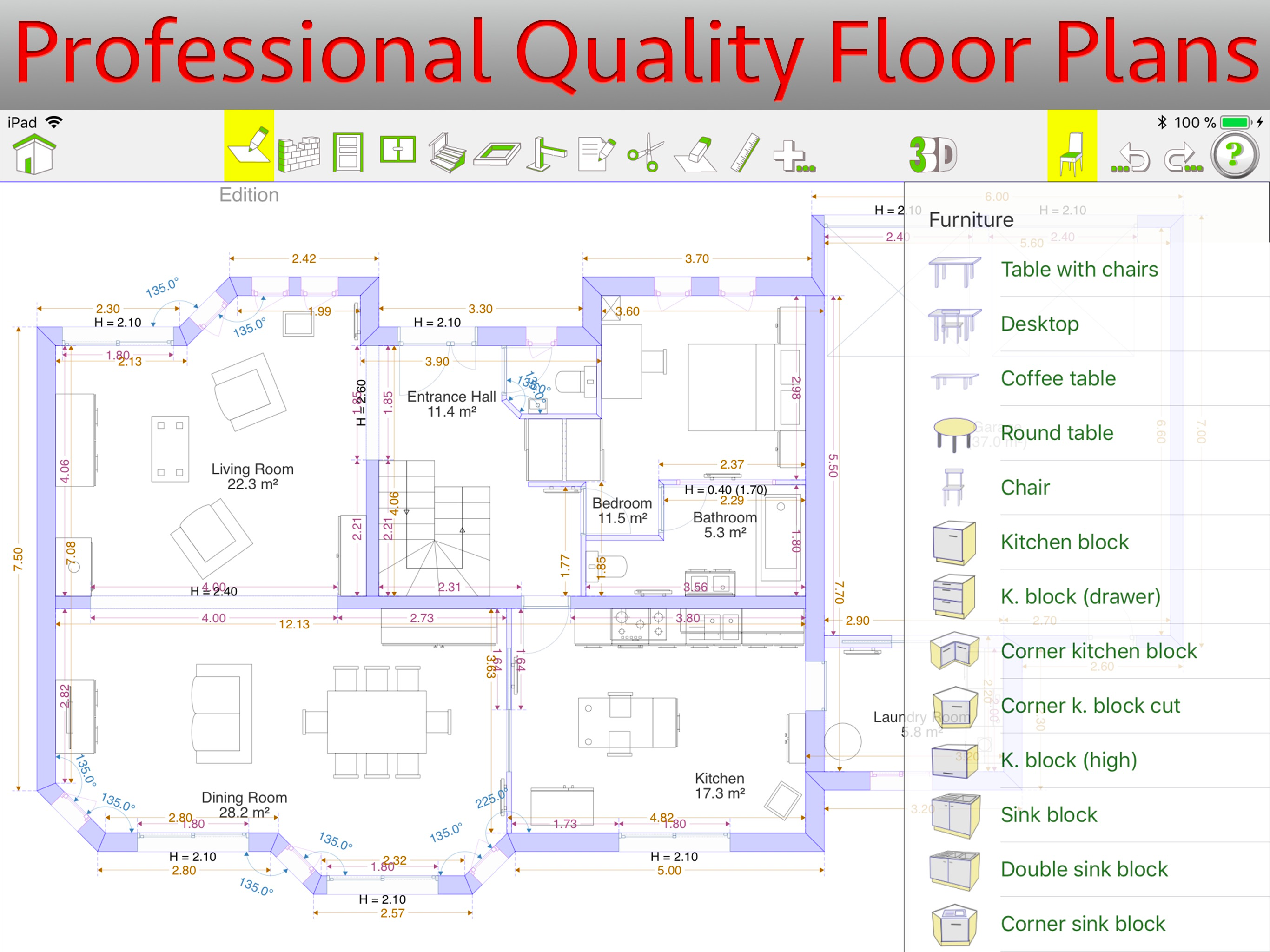
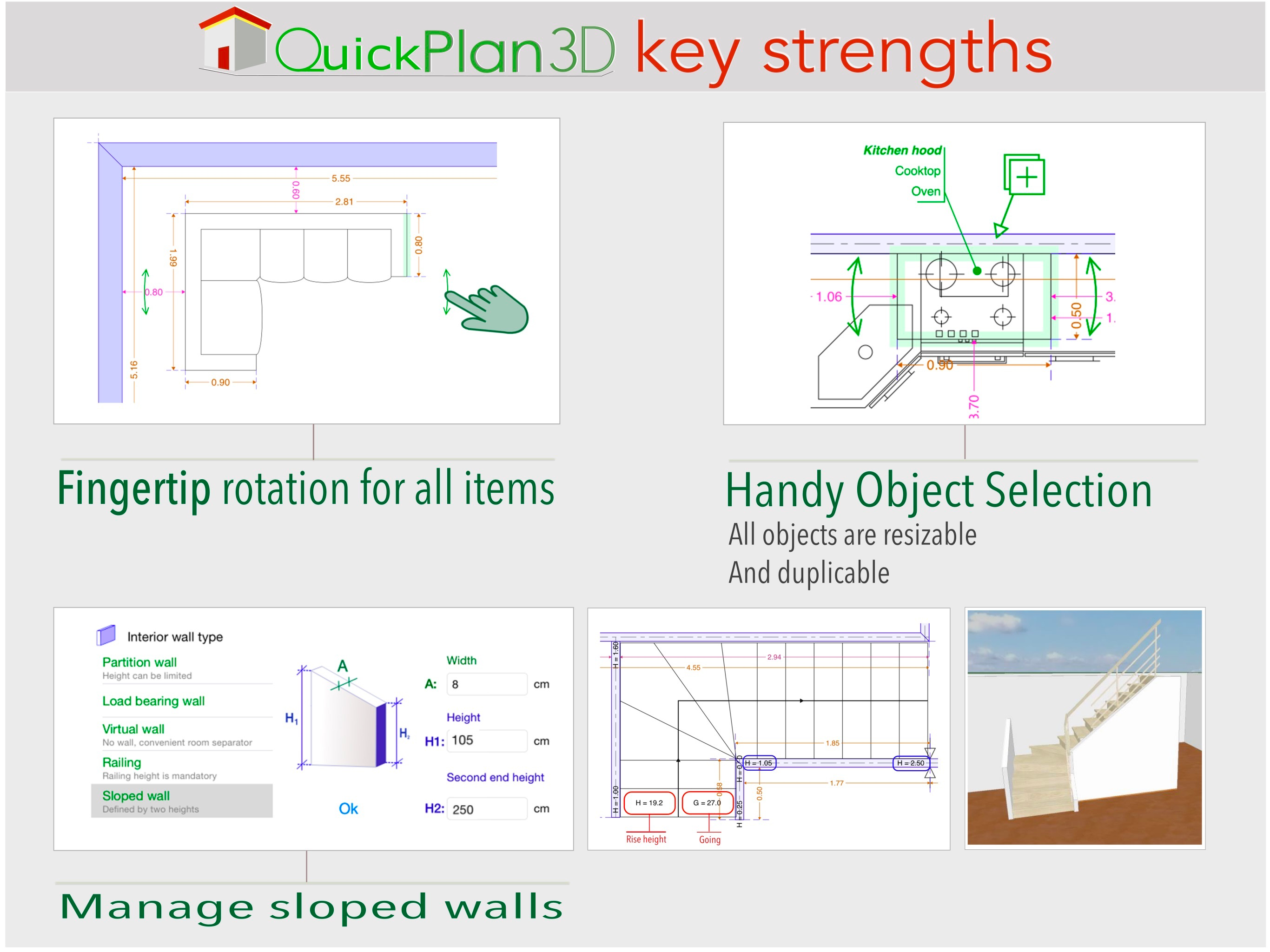
QuickPlan 3D is the simplest and most efficient design tool for your floor plans. And you can view the result in 3D instantly! All angles can be draw...