Check the acquisition promise
Read the store headline, screenshots and description. What problem is the app promising to solve?
Study the storefront ↗
Applorium Ltd · iOS
Explore the ad evidence, study the storefront, and build your next acquisition hypothesis.
01 / Creative research
Read the store headline, screenshots and description. What problem is the app promising to solve?
Study the storefront ↗Explore apps with direct store-link matches. Compare their hooks and formats without assuming the same approach works here.
Browse observed advertisers ↗Store rankings and revenue estimates describe market context. They do not establish ad spend, conversions or ROAS.
Review the market context ↗02 / Storefront & product
Study the product story and store experience behind the acquisition funnel.


03 / Market context
Keep revenue, downloads and store rankings separate from advertising performance.
This app has done wonders in helping me remember the digits and continually add to my “arsenal”. As of today, I have gotten to 606 digits, and I hope to get far more before the end of 2025! I will say, however, that at some point the interface of the game has become a little…skewed? Now, when I tap on “Training”, it brings me to this odd screen that I have to close the app to exit. Pressing “Leaderboard” brings me to the Training screen, pressing “Learn” brings me to the Leaderboard screen, and pressing “Settings” brings me to the Learn screen. As of yet, I have not found a way to access the Settings. I just paid for the Pro version, and I want to make sure I’m getting my money’s worth. Thank you for making such an incredible app for such a low price! Update: Support team, y’all are💯! It’s been less than a week since I posted my review, and the interface bug I mentioned has already been rectified! Customer service at its best, keep it up! 🍻
As someone who tried to memorize pi last year I was only able to memorized 44 digits of pi so this year I want to learn at least 50 but when I got the game just after a couple hours of playing I already made it to 86 I completely recommend buying it. I learned 42 new digits in a single day. Some of the downsides though is that you have to pay like $4 to get everything on it however you do not need to buy it like how I did not. Another, downside is that the more you learn the harder it gets and because it was my first day I learned a lot and I already had experience memorizing it so you will not make to much progress unless you know some tips for memorizing.
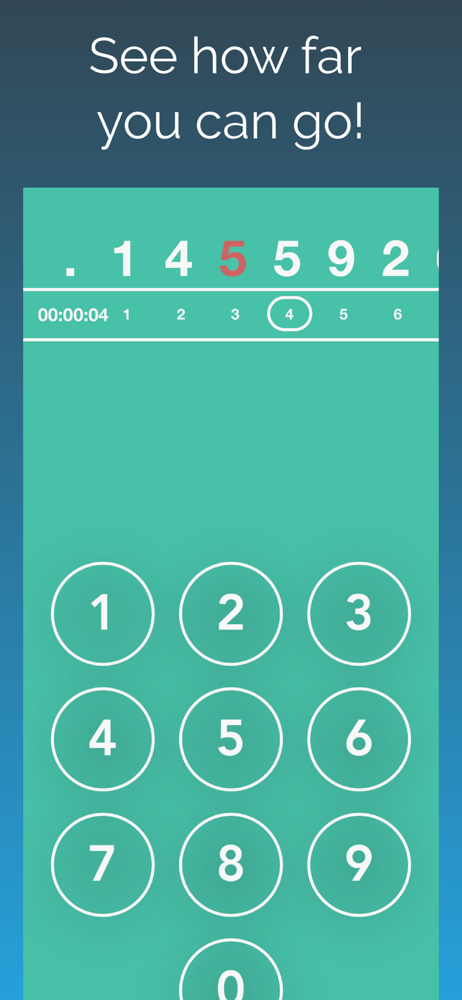
This game is less of a “game” and more of a “study tool.” The way it works is you start off with a 3 and you have to figure out what comes next. It also has a “learn” mode that shows you the digits and all the digits show up when you get one wrong to better prepare you. There’s also a “Continue” button and a “Jump to” button which makes your run ineligible for a high score, but it helps you learn quickly. It gives off a feeling like it genuinely wants you to succeed rather than just spending hours drilling a couple numbers into your brain. I upgraded to pro, and I after playing around with the features, I don’t think I’ll be using anything that I paid for, and while I would normally ask for a refund, I won’t since the game is so good that supporting the developer who made it is worth it by itself. I like math and I’m fascinated with Pi, so I’m excited to see what the Pi Day event will bring! See you then!
Pi - The Game is the #1 Pi app on the App Store! Improve your Pi memorization skills by using effective features introduced in the app including: -...
| Name | Price | Type |
|---|---|---|
| Upgrade | $3.99 | One-time |
| Slice of Pie | $3.99 | One-time |
| Pi - The Game Pro (Annual) | $3.99 | Yearly |
| Pi - The Game Pro | $4.99 | One-time |
| Half a pie | $14.99 | One-time |
| A Whole pie | $29.99 | One-time |