
Check the acquisition promise
Read the store headline, screenshots and description. What problem is the app promising to solve?
Study the storefront ↗
青青 余 · iOS
Explore the ad evidence, study the storefront, and build your next acquisition hypothesis.
01 / Creative research
Read the store headline, screenshots and description. What problem is the app promising to solve?
Study the storefront ↗Explore apps with direct store-link matches. Compare their hooks and formats without assuming the same approach works here.
Browse observed advertisers ↗Store rankings and revenue estimates describe market context. They do not establish ad spend, conversions or ROAS.
Review the market context ↗02 / Storefront & product
Study the product story and store experience behind the acquisition funnel.




03 / Market context
Keep revenue, downloads and store rankings separate from advertising performance.
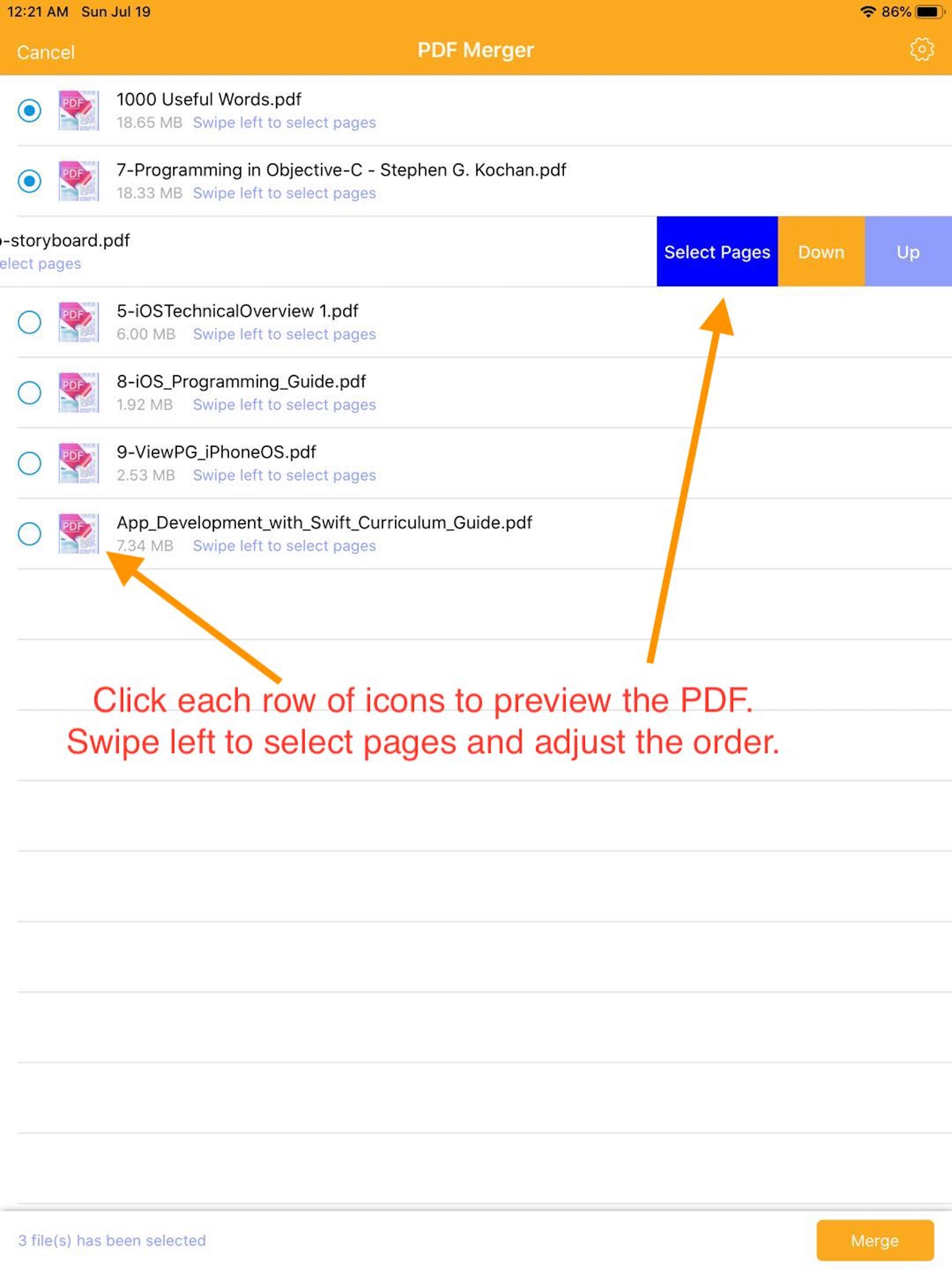
Overall, I think this is a very nice product. It can quickly and easily merge pdf files together. From my experience there is just one little thing that I would like to see changed with this app. I agree with other reviews I read that it is a bit inconvenient that you can’t switch the order of the files very easily. You have to make sure that you get it right the first time because if you have one file out of order you cannot just move it from one place to another. As another review said, you can only move it one spot at a time in the order. You can definitely still get it done, but it’s a bit more time consuming than it needs to be. Overall, though, I think this is a very nice product. I haven’t had any issues with ads being a problem. There is an ad at the bottom of the interface but it doesn’t pose any problems for me. It’s not in the way and I don’t need to click on it or click out of it. I just let it stay there.
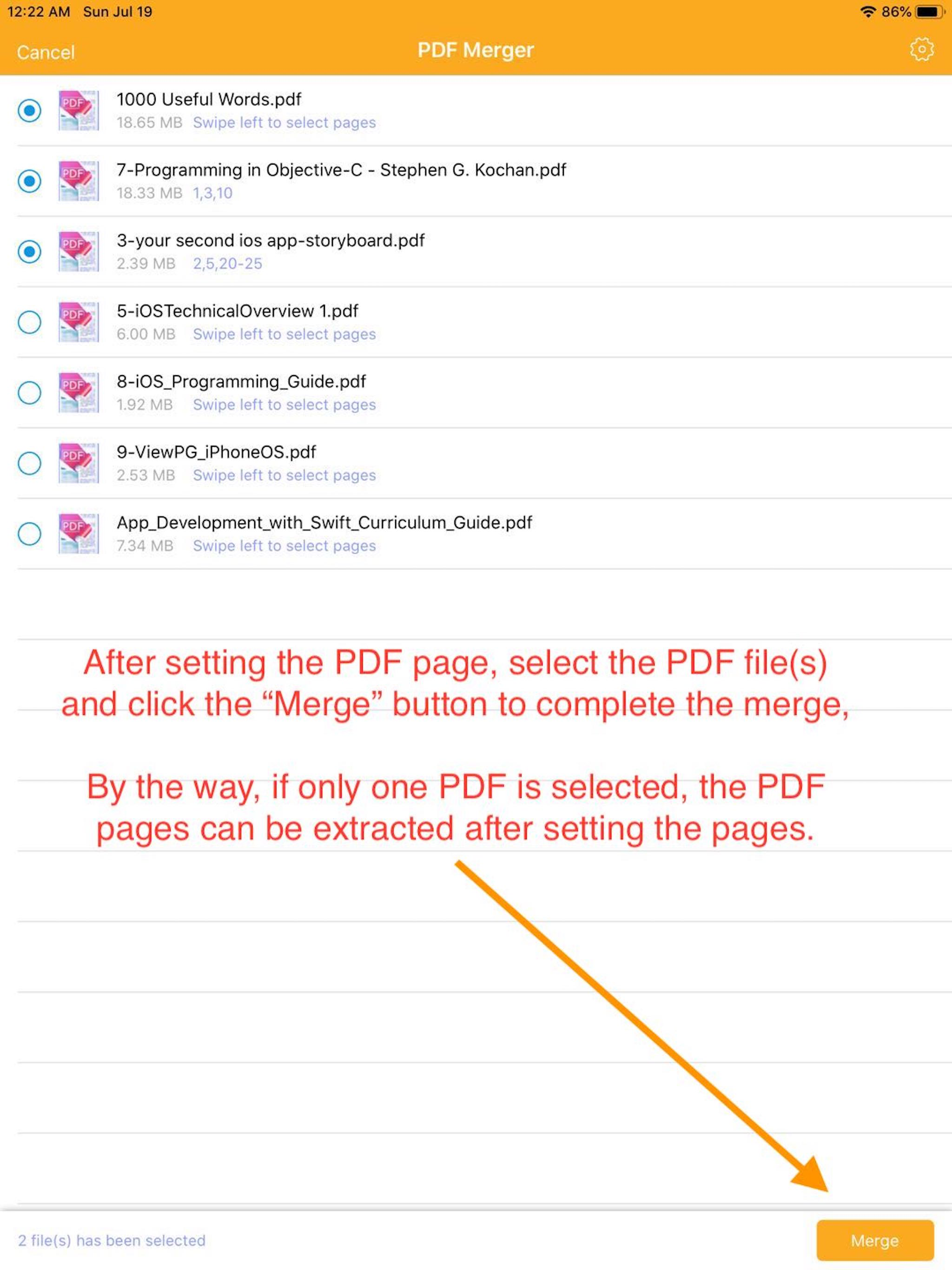
If you want to merge multiple files, it’s great. It does what it says and does it well! Worth the price of $0. A couple of quirks that I read from other reviews that I want to also mention: 1. When you want to put your files in a different order, you can only move it 1 place at a time. So if I want to move my 9th file to the 1st place, I must first move it to 8th place, then 7th, then, 6th, and so on. 2. One thing I could do with Adobe but not here is to open a pdf in the app and choose which pages in the pdf I wanted and disregard the rest. I wanted to replace a page 3 in a file with my own updated page. From the pdf, I had to create a 1-2 page, then a 4-9 page, bring them in to merge with my page 3. Doable, but cumbersome. Maybe in an update this could be possible??? 3. Finally, I would also pay a small fee to remove ads. However, I understand that a profit must be made. Thanks for a great, usable product!
Every quarter, I submit my cell phone bill to my employer for reimbursement. I submit only the first few pages with the bill summary because I obviously don’t want my employer to have all of my call and texting data. In the past, I have had to print to PDF or physically print and then scan the summary pages, and then email them as separate attachments. It was a huge pain in the neck and very time consuming. This app did exactly what I needed— I was able to put together all the bills and specify the pages I wanted. The interface is simple, intuitive, and I was able to download and save the merged file in about 2 minutes flat. I did not see any ads that some other reviewers have mentioned, but maybe that will be with continued use.
PDF Merge & PDF Splitter + is a very easy-to-use app that allows you to quickly merge specified pages of multiple PDFs into one pdf. You can also use...
| Name | Price | Type |
|---|---|---|
| Unlock(without restriction) | $3.99 | One-time |
| Unlock iOS without restriction | $3.99 | One-time |


