
Check the acquisition promise
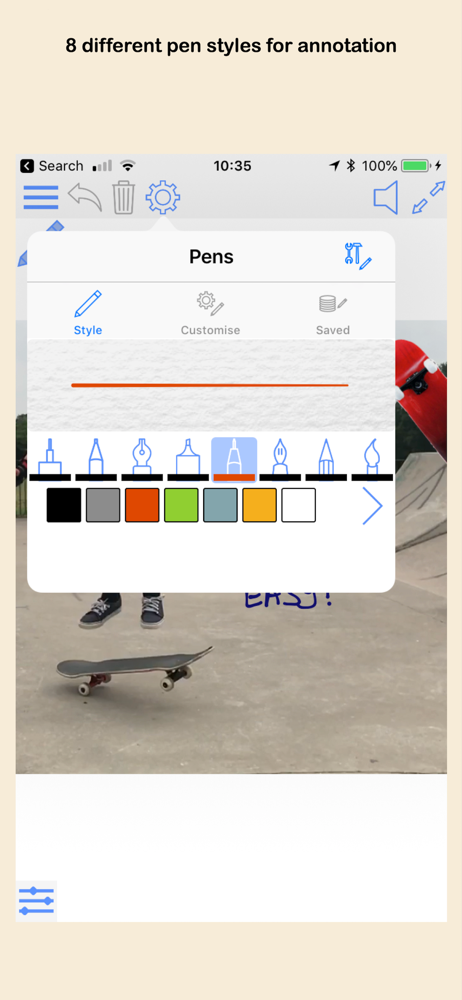
Read the store headline, screenshots and description. What problem is the app promising to solve?
Study the storefront ↗
Deliverance Software Ltd · iOS
Explore the ad evidence, study the storefront, and build your next acquisition hypothesis.
01 / Creative research
Read the store headline, screenshots and description. What problem is the app promising to solve?
Study the storefront ↗Explore apps with direct store-link matches. Compare their hooks and formats without assuming the same approach works here.
Browse observed advertisers ↗Store rankings and revenue estimates describe market context. They do not establish ad spend, conversions or ROAS.
Review the market context ↗02 / Storefront & product
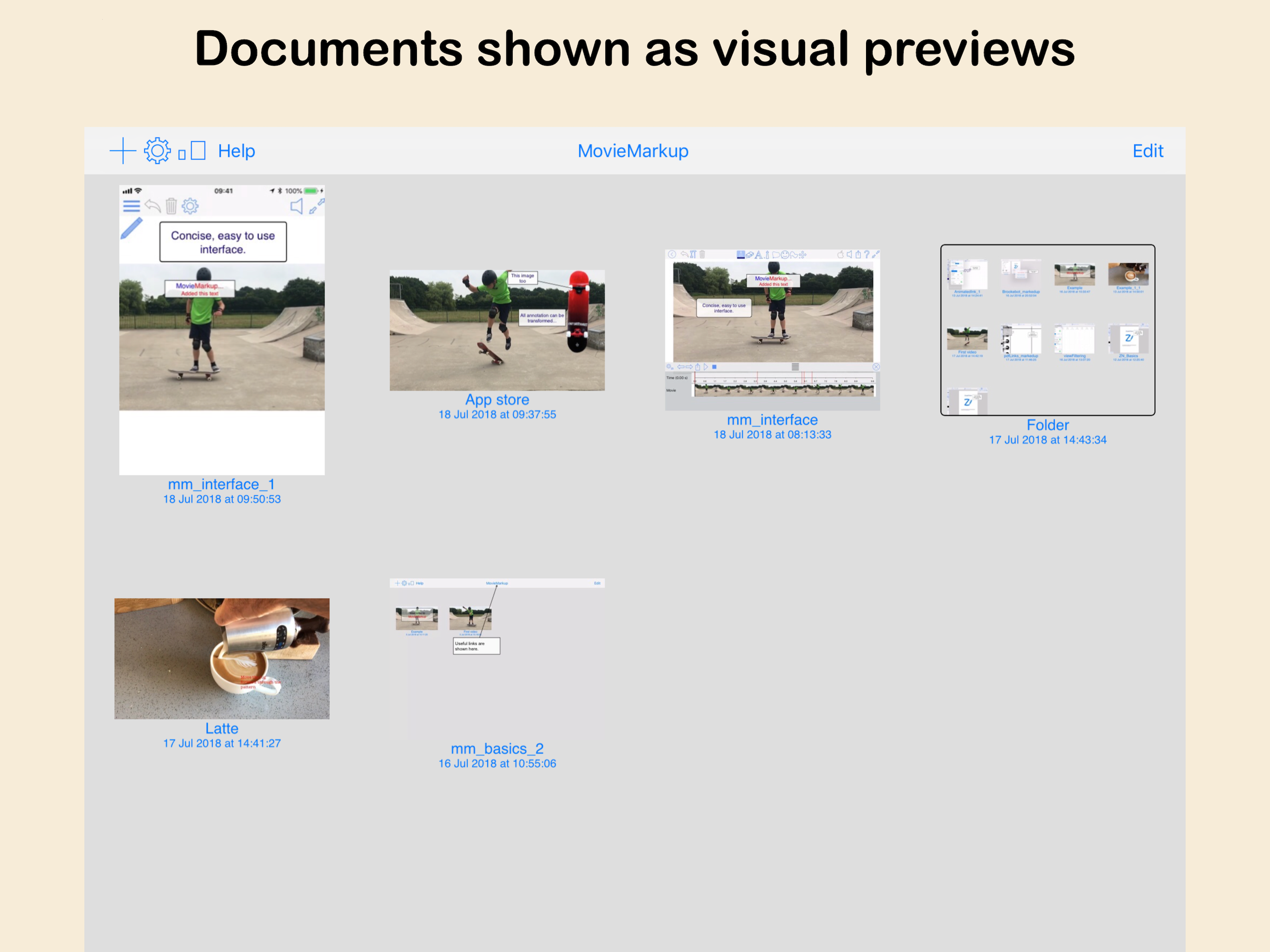
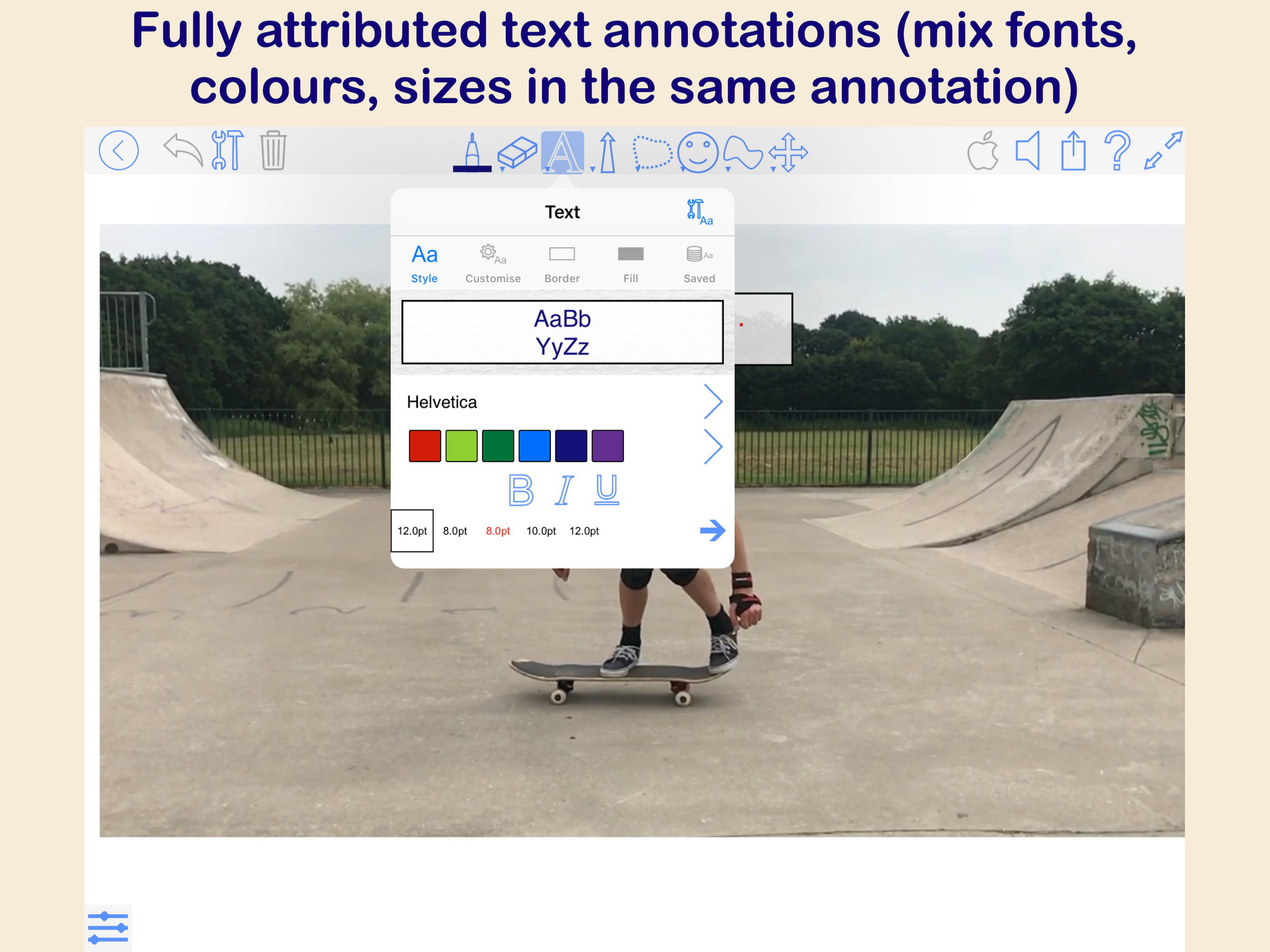
Study the product story and store experience behind the acquisition funnel.




03 / Market context
Keep revenue, downloads and store rankings separate from advertising performance.
Love the app. I feel like this is the easiest and best way to edit/annotate videos. There are some major problems that could be fixed: ...1... Being able to slide the video to go forward or backward similar to how apple photos allows you to slide the video timeline to go forward and back and to stop. ...2... I use this app to annotate football/soccer games. It would be super useful if you can have the video freeze for a certain amount of time so that the video would pause and I could insert some annotations. Otherwise I believe this app is great. If these problems would be fixed that would make this review 5 stars.
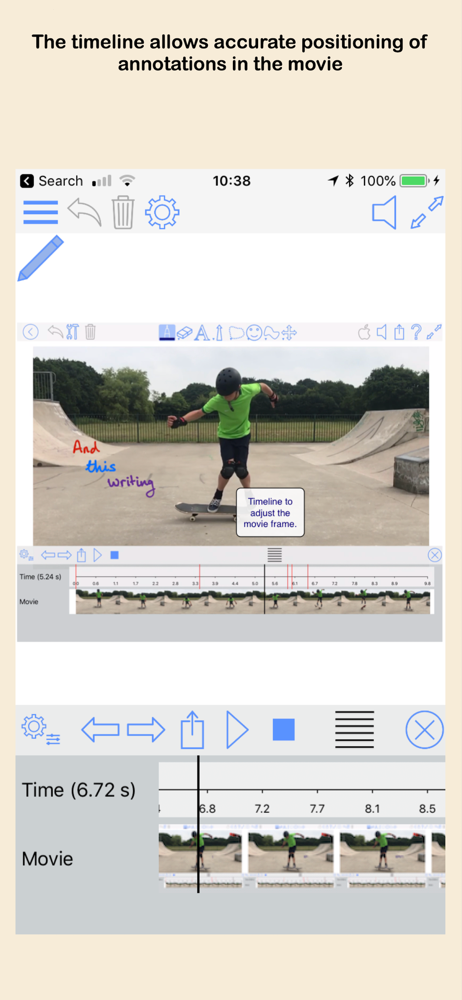
As it is, there are so few apps that offer video markup in the iOS App Store (most searches bring up tons of markup apps for still images only) that I was glad to have learned that this app existed and might provide me the functionality I want on the iPad itself and at a reasonable price. But after downloading it and purchasing all of its add-ons (suggestion: simply offer a single fully featured mode as an in-app purchase which increases the application’s feature set beyond the free version ), I discovered that there are several very poorly conceived methods for presenting the app’s various markup tools and, worse, managing their use—including, and perhaps most especially, selecting, modifying, and/or deleting a particular markup object after it’s been laid down on the canvas. A final remark: using a single tick mark for the start of a given markup track without also showing on the timeline the endpoint of that same markup track is not a good idea. Moreover, each markup track should be presented in its own row rather than all of them being referenced on a single timeline row, which, moreover, also includes tick marks for the time itself. There are so many good examples of professional video editing programs out there (on the Mac) that show various tracks as stackable rows aligned within the main timeline sequence, that I am surprised that any other presentation method was even considered. Selecting any one of those red tick marks (which requires the use of a long press, it seems) is hard enough, but when it’s positioned exactly where the read head (long black vertical line) is located, being able to easily choose whether it is the red-colored tick mark for a given markup object I am interested in editing or selecting the black-colored read head marker so as to move which frame of the video I want to see displayed in the main window frustratingly impossible. Maybe some of my problems are bugs that need fixing, but then such buggy software should not be released only for customers to encounter such a frustrating time to do what is, in other contexts and on other platforms, relatively straight forward functionality.
I think this app has potential. Some things to improve. 1) after playing and pausing, you can slide the time marker anywhere and when you hit play again, it starts from the last paused position and not the new time marker. You have to stop the video and then move the marker. 2) i suggest you have a separate time line for the annotations and markups. It is too difficult to select the red line when it is also has rather black line next to it. I am using the pencil to select and even then it is difficult. 3) I like that it lets me zoom in to markup something but then it reverts to original resolution and my markings looks shrunken.
MovieMarkup is a great new app which lets you add annotation to your movies. Just import the movie, adjust the timeline and add the annotation - it is...
| Name | Price | Type |
|---|---|---|
| Sounds | $0.99 | One-time |
| Text | $1.99 | One-time |
| Full Export | $1.99 | One-time |
| Images | $1.99 | One-time |
| All Pens | $2.99 | One-time |
| All features | $4.99 | One-time |


