Check the acquisition promise
Read the store headline, screenshots and description. What problem is the app promising to solve?
Study the storefront ↗
Logitech Inc. · iOS
Explore the ad evidence, study the storefront, and build your next acquisition hypothesis.
01 / Creative research
Read the store headline, screenshots and description. What problem is the app promising to solve?
Study the storefront ↗Explore apps with direct store-link matches. Compare their hooks and formats without assuming the same approach works here.
Browse observed advertisers ↗Store rankings and revenue estimates describe market context. They do not establish ad spend, conversions or ROAS.
Review the market context ↗02 / Storefront & product
Study the product story and store experience behind the acquisition funnel.




03 / Market context
Keep revenue, downloads and store rankings separate from advertising performance.
Been using Mevo Plus with Boost for years. And multicam is a great addition. It would be awesome if Multicam could capture individual PC windows or external monitors with NDI, instead of just the whole desktop screen. Right now, only "Screen Capture HX" works, and we'd love it if "Screen Capture" (which supports OBS Virtual Camera) could work too. I mean, OBS Virtual Camera already can be detected as Input source but it only shows a blank screen. It would also be great if Mevo made a companion software for PC and Mac that automatically finds all our desktops, like Switcher Studio does. We just want to quickly show our powerpoint presentations live. It would be super helpful if we could do a Crop for all input sources (Cameras, Mevo Go, NDI Inputs) right within the Multicam app. This way, we wouldn't need to keep walking around, going through all of our connected cameras, just to adjust our iPhones' crop settings. And maybe, in the mean time (with Screen Capture HX), we could just utilize and show only a portion of our desktop (a production view of our presentation software) for Multicam. It would be cool if Picture in Picture (PIP) could have transition effects too. The 3 dots (settings) on each asset is fiddly. Many times I need to click on it just to adjust some settings before showing it live, but then it suddenly gets switched to it, which I didn't intend to do. Please bring over the ability to see online comments right within Multicam app, like how we can with the original Mevo app. That's all for now. Thanks
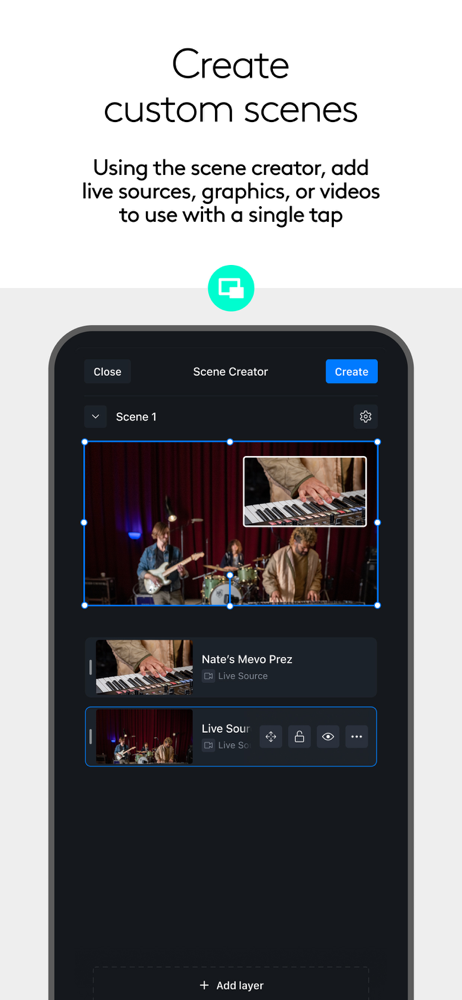
This app is great. I run the stream for my kid’s baseball games through GameChanger. My iPhone 13 Pro Max handles four Mevo Start cams and a Mevo Go source on another device with ease. It does crash occasionally. I love how I can keep a corner bug with our team logo showing all the time, add full screen overlays for our team photo and sponsor logos, and even stream a cool promo video from Mevo Go screencast into the stream. I also set up lower third overlays with the boys names and photos that I display when they come up to bat. I have a couple suggestions: I would like to add a video as an overlay, including sound, instead of having to stream that from a second device with Mevo Go. I would like to have videos (with an alpha channel/green screen) to use as overlays, so I can add moving graphics. I would like all the controls on a single screen, rather than on separate screens. When I’m streaming a game I want to be able to switch cameras (not just use overlays and PIP), zoom and crop, and select overlays, without having to switch screens. Maybe add an advanced mode to allow people who want complicated controls instead of the simple controls you have today that require me to switch screens. I would like to have scene selections, which would be pre-built scenes where I select a camera with certain zoom/crop settings, multiple overlays or PIPs, and sound sources, so I can instantly switch to that scene during a live stream.
I have been looking and longing for a system whereby I can record myself and go live with my practical sewing demos spontaneously without having someone to control the cameras. I also wanted a system where I did not need to purchase and know how to use expensive cameras. I saw complicated and expensive setups and I was just overwhelmed. I wanted to teach my skill and not be bugged down with the tech. I knew that I was not the only one with this problem and that there must be a solution out there. Well I came across Mevo Start and the rest I history. I am loving it and the ability to use the app to switch cameras. The set up is easy and I also love the small but powerful cameras. Well done Mevo you saved the day.
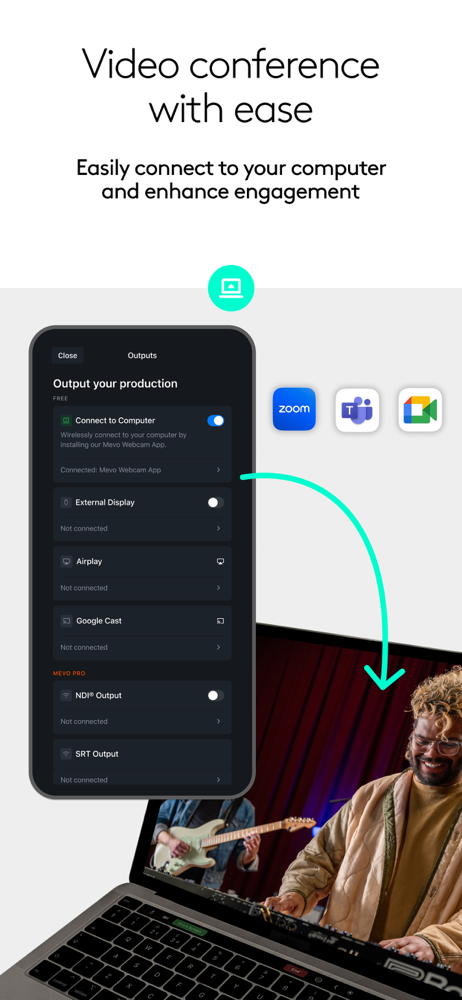
Mevo Studio Mevo enables live streaming with ease. With Mevo Studio, you can wirelessly connect multiple sources including Mevo Start and Mevo Core ca...
| Name | Price | Type |
|---|---|---|
| Streamlabs Monthly Plan | $19.00 | Monthly |
| Streamlabs Annual Plan | $149.00 | Yearly |