
Check the acquisition promise
Read the store headline, screenshots and description. What problem is the app promising to solve?
Study the storefront ↗
Mental Canvas · iOS
Explore the ad evidence, study the storefront, and build your next acquisition hypothesis.
01 / Creative research
Read the store headline, screenshots and description. What problem is the app promising to solve?
Study the storefront ↗Explore apps with direct store-link matches. Compare their hooks and formats without assuming the same approach works here.
Browse observed advertisers ↗Store rankings and revenue estimates describe market context. They do not establish ad spend, conversions or ROAS.
Review the market context ↗02 / Storefront & product
Study the product story and store experience behind the acquisition funnel.




03 / Market context
Keep revenue, downloads and store rankings separate from advertising performance.
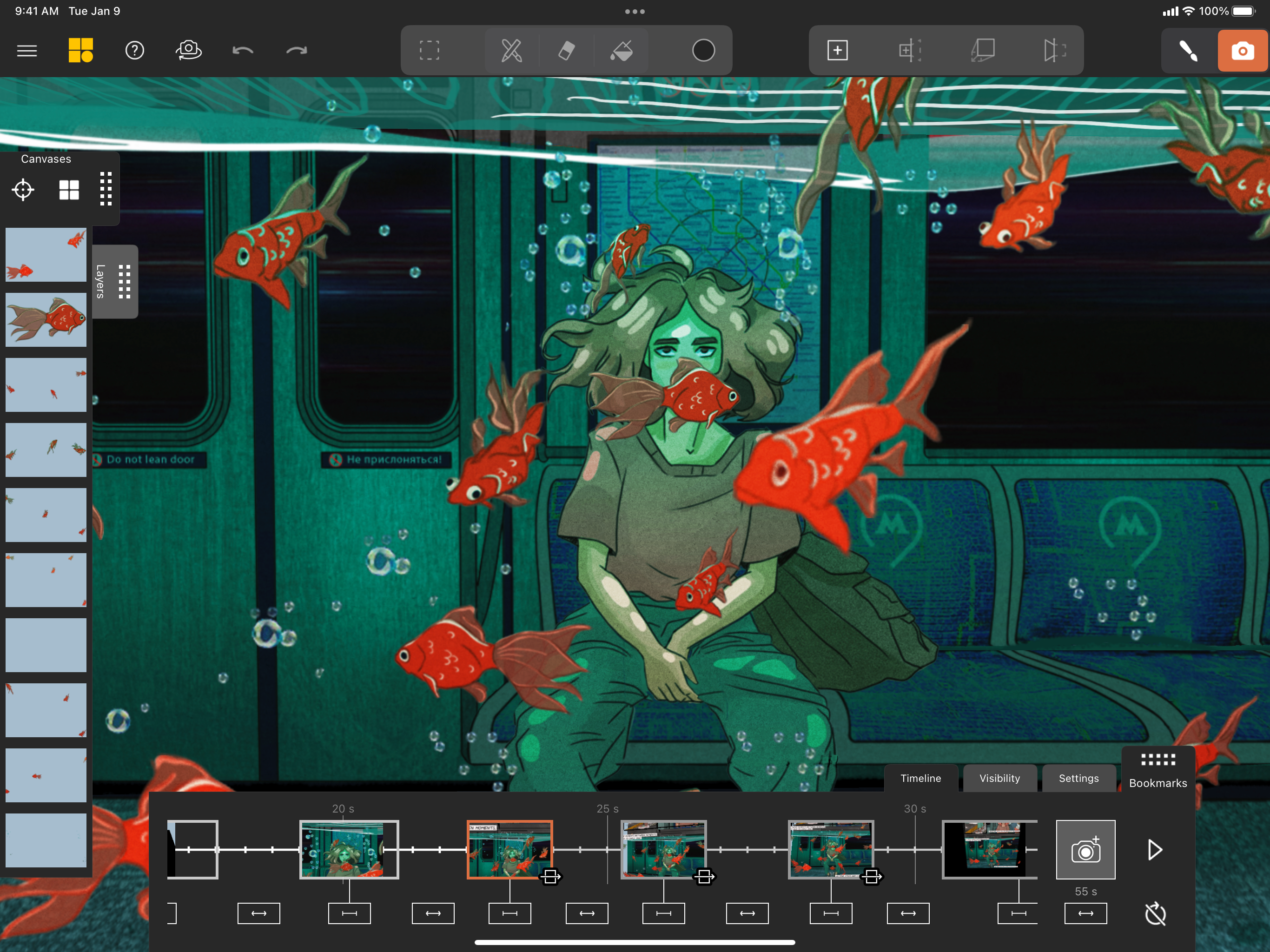
To say this app allows you to “go outside the box” doesn’t even begin to express how powerfully it expands your abilities. Unlike any other tool I’ve ever seen or used Mental Canvas makes infinite canvases for drawing(acknowledging that you’re drawing on a 2D screen) which can each be positioned at any angle, distance, relation to the other layers/canvases and then travel through your creation by saving particular perspectives/positions and zooming from one to the next as though you were hovering in 3D space. The drawing tools are relatively basic/simple, probably for the best 90% of the time but I would like to see SVG imports and basic vector type integration. Otherwise the limits are imaginary. Well, and cost. I’m generally happy to pay for well-made apps rather than be advertised to or having my data sold to fund the development, but I’ve had a difficult time justifying the ROI for this one. I want it to keep up to date and progress, I love to use it from time to time but I haven’t quite cracked how to make it worth the paid investment.
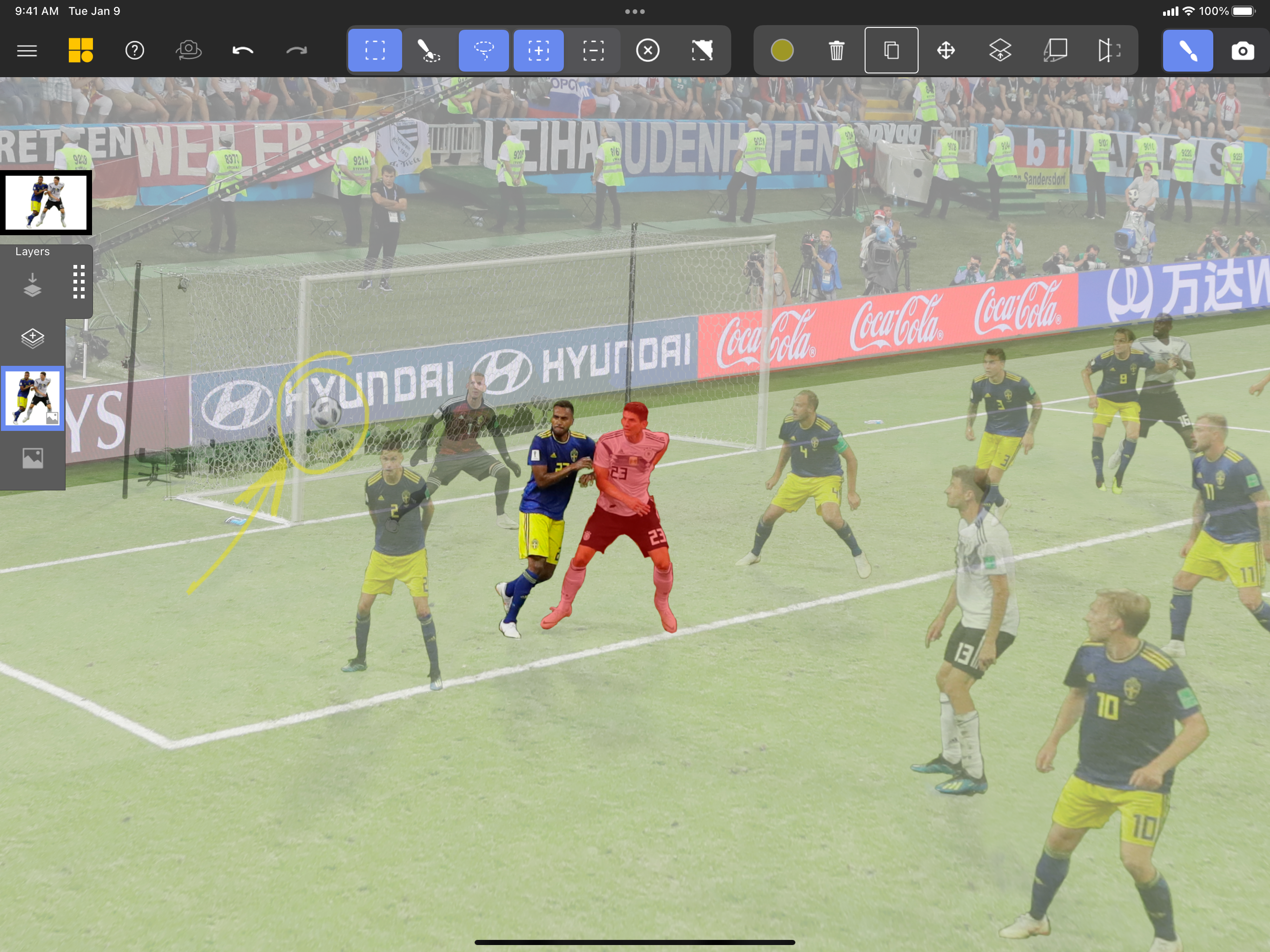
Overall I like the idea and the way it did not over complicated things. But here’s something that I believe it can improve. First, it would be nice to have ruler and/or shape tool (like round and rectangle drawing tool)or even some adjustable vector lines will be nice Second, it would be awesome if able to import existing picture and photo to the scene since the drawing panel is kind of really simple. Third, in the angle setting area, if the app had preset angle(like 30,60,90 degrees )will helps a lot ,the distance thing is the same. I like that it has free mode and it’s necessary, but I also hope there’s some preset buttons allow me to quickly get there to see the estimate feeling. One more thing is I like the selection tool can pickup all the lines and colors, but can we also have the function to select as picture layers. It would be a lot easier to choose one entire layer I like to choose the distance and angle. Of course, if we be able to curve the layer will be more amazing but maybe also hard to achieve. Final suggestion is please find a way to improve the select things to separate the things I need from the others and then set it into a different layers. I mean the video definite helps, but I still feel a bit confuse how to make it into a different layers to allow me to make different angle. But overall, I like the idea.
I tend to get excited about new apps that might make me more productive or help with art and creativity. Nine times out of ten, I have found these apps to repeat what other apps do – they're just shinier, with a better UI and not much else. They don't do anything different. So they collect dust and eventually end up getting uninstalled. I came across a user demoing Mental Canvas via TikTok and instantly knew I had to download the app to my iPad and try it myself. Within fifteen minutes of installation, I had my first drawing consisting of multiple canvases in 3D. Mental canvas makes 2D art have depth in ways I've never seen before. The best part is, I didn't have to learn 3D modeling to do this. Mental Canvas also provided on-screen video tutorials and provided example scenes to learn and get up and running quickly. It's been a day, and I'm already addicted to making new art in Mental Canvas. I doubt I'll ever let this collect dust. I could see myself using this as a replacement or addition to work done in Procreate. My mind has been exploding with new ideas of what I could do in the future, and I can't wait to get started on my next piece.
Pick up where pen and paper leave off with Mental Canvas Draw. Creatives are using Mental Canvas Draw every day to explore ideas, communicate concepts...
| Name | Price | Type |
|---|---|---|
| Mental Canvas Pro (Monthly) | $9.99 | Monthly |
| Mental Canvas Premium (Month) | $59.99 | Monthly |
| Mental Canvas Pro (Yearly) | $89.99 | Yearly |
| Mental Canvas Premium (Annual) | $569.99 | Yearly |


