Check the acquisition promise
Read the store headline, screenshots and description. What problem is the app promising to solve?
Study the storefront ↗
Blue Blink One, SL · iOS
Explore the ad evidence, study the storefront, and build your next acquisition hypothesis.
01 / Creative research
Read the store headline, screenshots and description. What problem is the app promising to solve?
Study the storefront ↗Explore apps with direct store-link matches. Compare their hooks and formats without assuming the same approach works here.
Browse observed advertisers ↗Store rankings and revenue estimates describe market context. They do not establish ad spend, conversions or ROAS.
Review the market context ↗02 / Storefront & product
Study the product story and store experience behind the acquisition funnel.



03 / Market context
Keep revenue, downloads and store rankings separate from advertising performance.
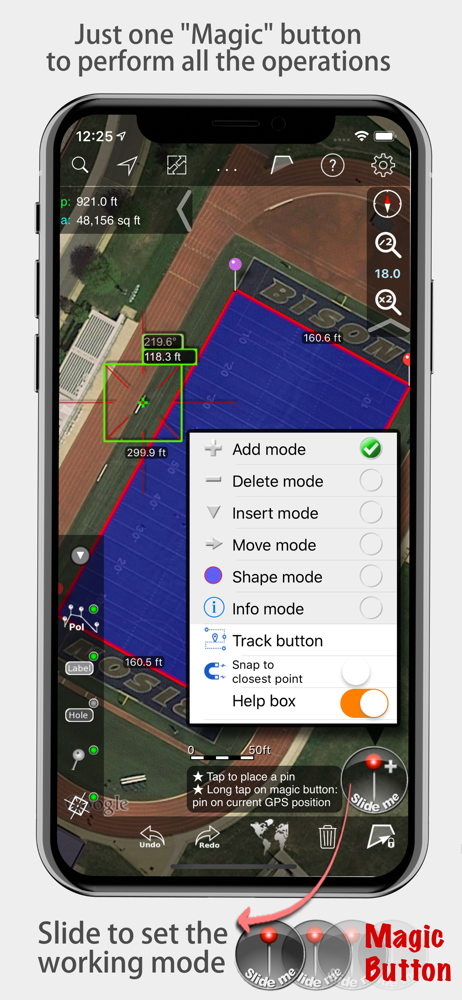
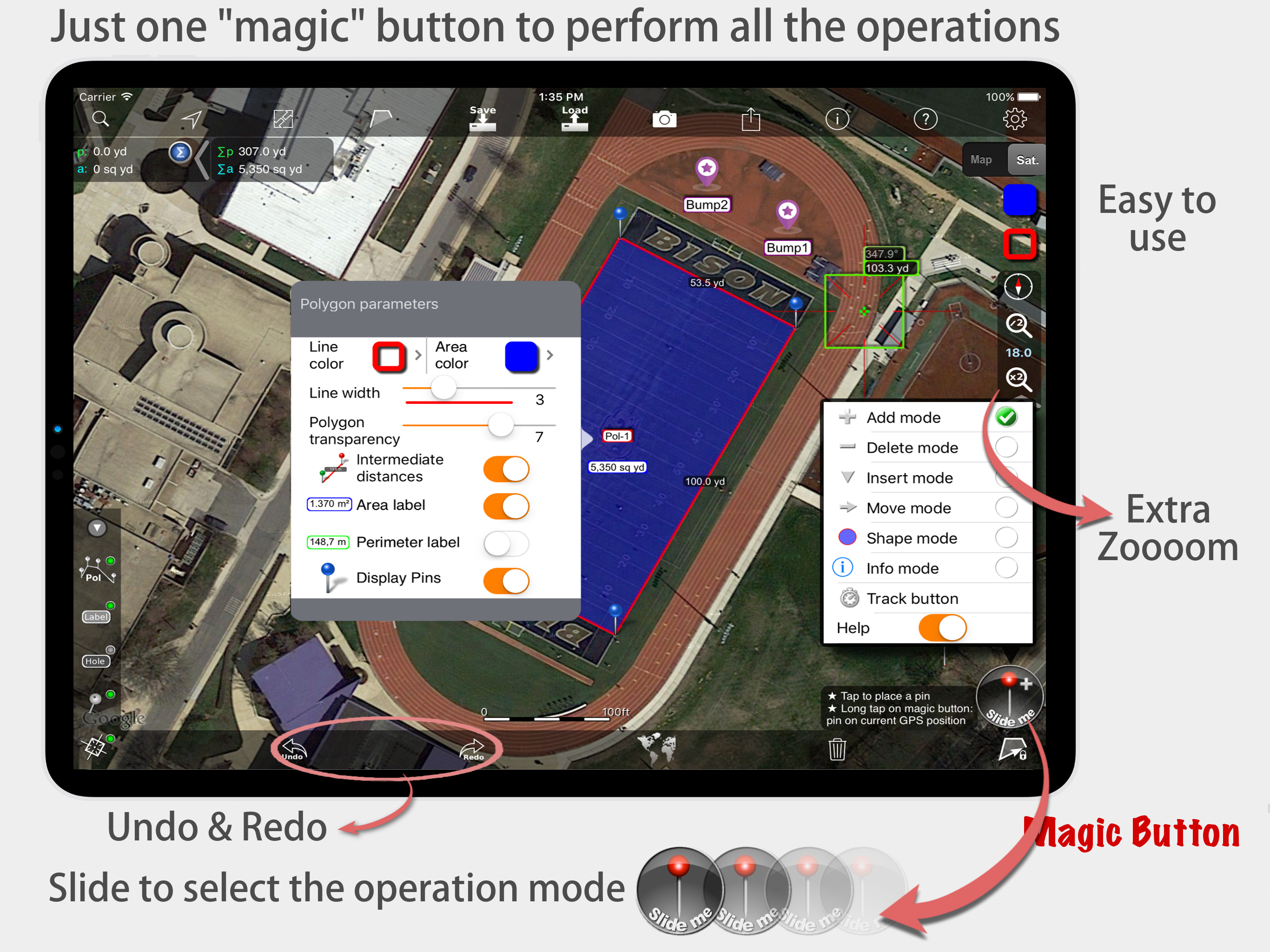
I am in the asphalt business, and have been using MeasureMap for nearly 10 years at this point. At first, I didn’t trust the measurements and would go verify everything by hand. The margin of error was negligible …even less so now with all the experience i have drawing site maps up on MeasureMap. The multiple sources of satellite images reduce the amount of times i find myself without a good satellite image, with some being taken in the winter which helps with parking lots surrounded by trees. Anyone talking bad in their review clearly doesn’t know what they are talking about. The ONLY gripe i have about this app is the lack of the ability to group my drawn shapes into layers, so i can have the subtotals of different types of work totaled for me instead of having to manually go thru and separate anything i want in a separate group. Other than that this app is incredibly accurate and useful. I don’t write reviews, but i was checking the app store to see if there was an update for the app and i saw the reviews and thought “these guys have no idea what they are talking about”
I bought to Measure Map Pro Pro level to measure the acreage of riparian buffers. The remote location had very poor cellular broadband reception, but the app worked well offline. I liked the fact that it caches the high resolution satellite imagery locally on the iPhone which enables working in offline mode. To cache, you need to be connected to WiFi, then use the app to zoom in on the remote areas where you plan to work and it will save the image tiles on your phone. The app also supports streaming GPS input (you can set a time or distance traveled interval for how often to record a GPS coordinate. I used a Bluetooth-paired Bad Elf Pro GPS with this app. The one problem I ran into was that even though I attempted to close and name each polygon at each job site location, the app continued to connect all the job sites together as a continuous polygon which is not what I wanted and threw off my area measurements. I’m not sure why it did this and will need to keep experimenting. Perhaps it was related to my use of GPS to record polygon boundaries. Better user instructions on how to close and save each named polygon with its own area measurements as separate projects while using a paired GPS would be helpful.
I bought the 5 dollar version because I only need the app to find square feet of an asphalt paving operation. It worked great for two days. Now, every time I go to set a pin, the app tries to upsell me to the 20 dollar version,, which I dont need. When I click “no” on the pop up and then try to place a pin, the app shuts down. Is this a marketing thing? If so, its terrible. I was recommending this to others now I have to tell them not to download it before they spend their money! UPDATE As it turns out there was an update missing that did not link an older version to the consolidated one. I got help from the CEO and Senior Developer of Global DPI, Victor Alonso. The app works great now. I have changed my rating to reflect my satisfaction with the Measure Map Pro app. I used it last night to map out several large areas of the airport where I work. It was dead on. If you dont have a GPS rover stick in your truck, you need this.
Measure Map Pro lets you quickly and easily measure multiple distances, perimeters and areas with laser sharp precision!. Use it for small areas or la...
| Name | Price | Type |
|---|---|---|
| Boost !!! to Regular version | $4.99 | One-time |
| Extra Maps Package | $28.99 | One-time |
| Boost !!! to Pro version | $30.99 | One-time |