Screenshots




How Much Does LiquidText Make?
Platform Performance
Rating Distribution
Top Countries
Reviews (3)▼
To start this off: I absolutely adore this app. I don’t think I can sing its praises enough. The fact that I’m successful in my classes is because this can double as a note-taking tool for online textbooks. It is such an amazing app for school work because it’s incredibly easy to organize notes into specific sections and even if you don’t pay the subscription to make your own bookmarks, the app will automatically sort out chapters for you so that you can easily jump to the right section. And as someone who doesn’t use it on multiple devices, I didn’t have to pay an annual subscription fee for the basics, just paid once and got exactly what I needed. My main problem, which can hardly be considered as a turn-off, are the fact that if you leave a project or the app for even a moment, the highlighter size resets to the middle option. This is literally the only problem. I totally understand that it may be to ensure that some things don’t carry over to projects that might cause problems, but if I leave project A for a second and then return to it (still project A), I feel like my highlighter size should remain the same. I have the same opinion for switching workspaces on a project but not documents: if I’m using the same document and just changing the workspace, the highlighter shouldn’t change. Finally, there should be an option for the ability to set defaults like workspace style or color. This also isn’t something that would make me leave the app, it’s just something I think would make the app easier for users. Once again, absolutely in love with this app.
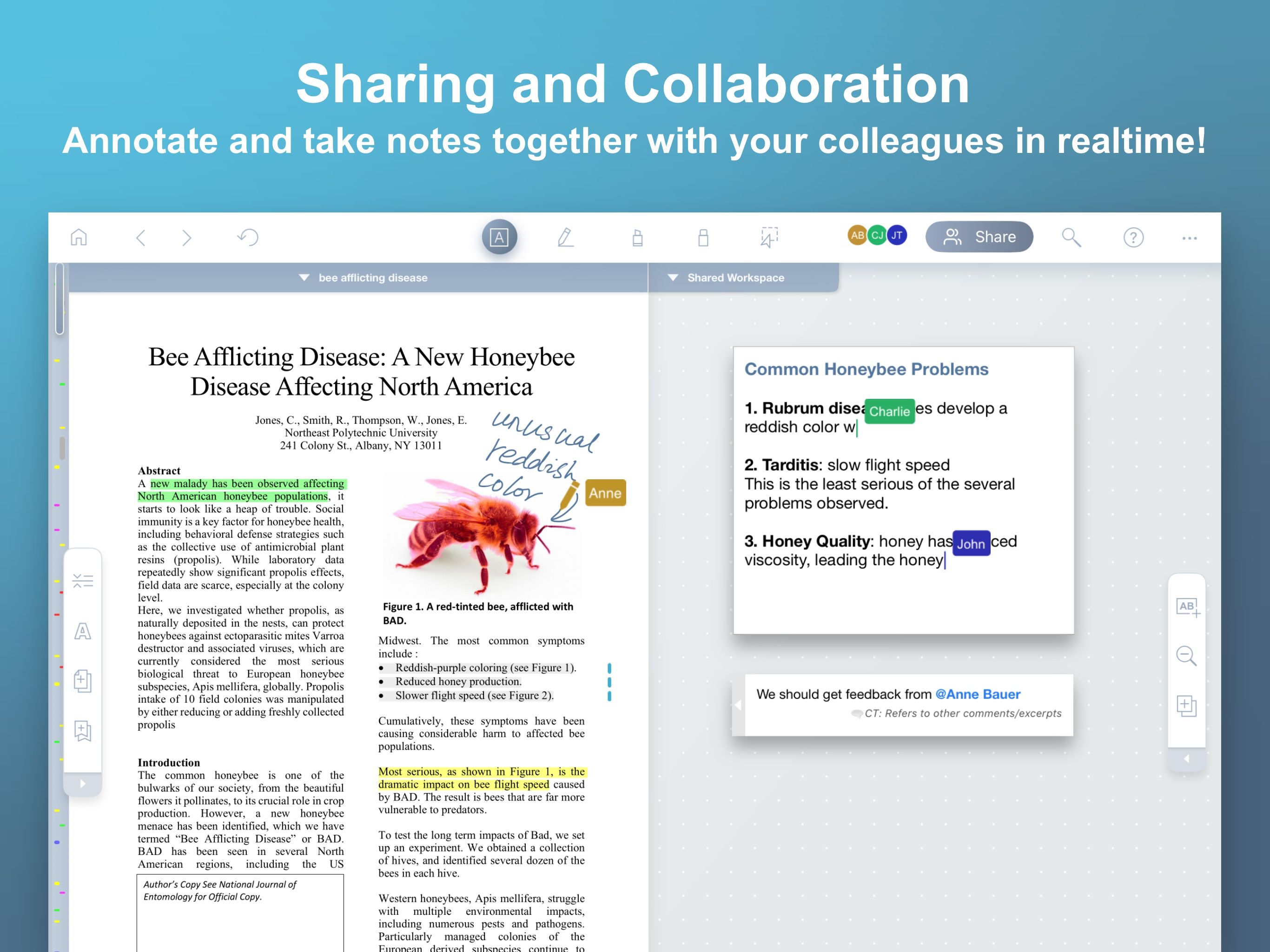
There is nothing else that’s like this app on any of my other devices. There is no app to my knowledge that does what this app does for my reading habit. I’m a person who needs to organize my takeaway in real time as I read along. The app allows me to pull out the highlights (in the case of a pdf with recognized texts) or cutouts (image kind of pdf), place them on the side workspace, and move them as I see fit. The little arrow in front of every “takeaway” takes you to the original. You can even free-hand draw on the workspace - make arrows, connections, mind maps, concept maps, etc. This is tremendous!! Honestly, I’m still learning the capabilities of this app, but the said features already made me very happy. And unhappy, too - when I use the Kindle or other reading apps, which all seem too inadequate now. I find myself trying to convert all my books and import them into LiquidText. It’s hard to go back to the old reading style. Whenever I have a question, I just hit the button with a question mark in the app. Within hours (sometimes just minutes) someone answers my question. Now that’s really classy. How many other apps do that? I don’t care if it’s a robot or real person (which I believe it is - if it’s a robot, it’s a very good one!) I feel the company cares. That’s really really good.
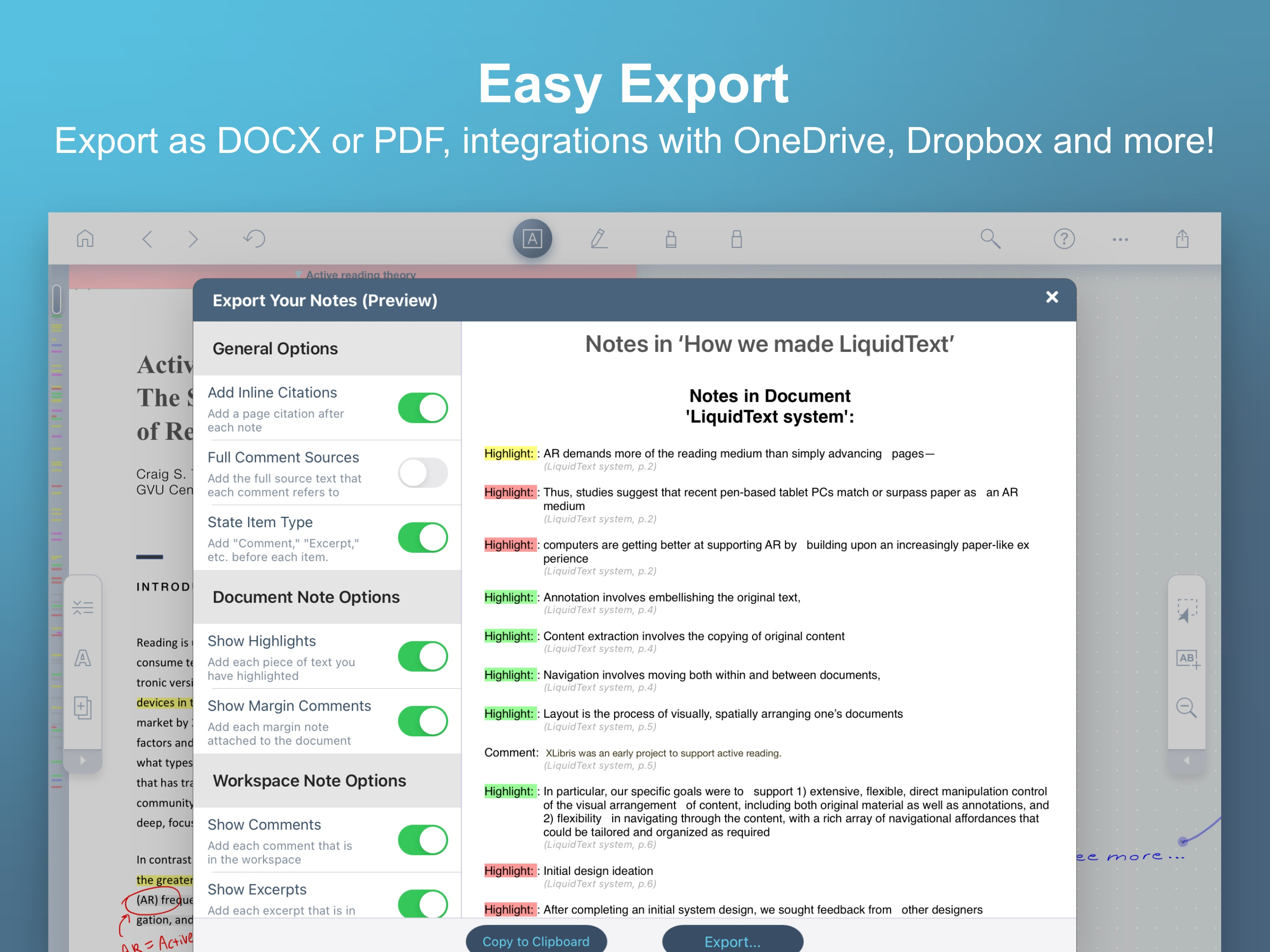
I use the multi-document for every text-heavy course session I have taken over the past year and a half. Best of all, the developer has addressed nearly every concern I have ever had. The PDF export is now extremely stable so I can preserve all my hard annotation work in a standard format which looks great in macOS Preview, even when it runs to thousands of pages for a class session. It merges web pages, PDF converted books, articles, slides and images into one memorable, skim-able, and searchable PDF package. Free hand annotations closed the gap between this and Notability’s PDF support. The two suggestions remain: one low hanging and one which might be the developer’s next app: The experience of the app isn’t the same when documents don’t have searchable text paths. Partner with or recommend an app to provide Optical Character Recognition — I now use a Docker-based Tesseract tool called OCRmyPDF to wipe out spotty OCR (from e.g. old JSTOR) and rescan from the command line but I’d love some form of recommendation or integration. Second, iOS “speak” can be great for reading hands free and taking notes but since LiquidText doesn’t use standard dialogs when you turn it on in Settings, the feature doesn’t appear. Further, to support its experience well, you need a start/pause/speed control like in GoodReader but its a bit annoying to export back and forth. I may try to use iOS 11 dual-app panel mode to highlight in the mean time.
Version History (183)▼
Available In (115 Countries)▼
Supported Languages (1)▼
App Details▼
*** Named “Most Innovative iPad App of the Year” by Apple App Store *** LiquidText offers a fast, natural way to review, gather, and organize informa...
In-App Purchases (10)
| Name | Price | Type |
|---|---|---|
| LiquidText Live, Monthly, Stu | $4.99 | Monthly |
| LiquidText Live, Monthly, StPr | $4.99 | Monthly |
| LiquidText Unlimited, Mo, Stu (Monthly) | $9.99 | Monthly |
| LiquidText Live, Monthly | $9.99 | Monthly |
| LiquidText Live, Monthly, Upg | $9.99 | Monthly |
| LiquidText Unlimited, Yr, Stu (Monthly) | $17.99 | Monthly |
| LiquidText Live, Yearly, Stu | $47.99 | Yearly |
| LiquidText Live, Yearly, Upg | $95.99 | Yearly |
| LiquidText Live, Yearly | $95.99 | Yearly |
| LiquidText Unlimited, Yr (Annual) | $174.99 | Yearly |
Similar Apps