
Check the acquisition promise
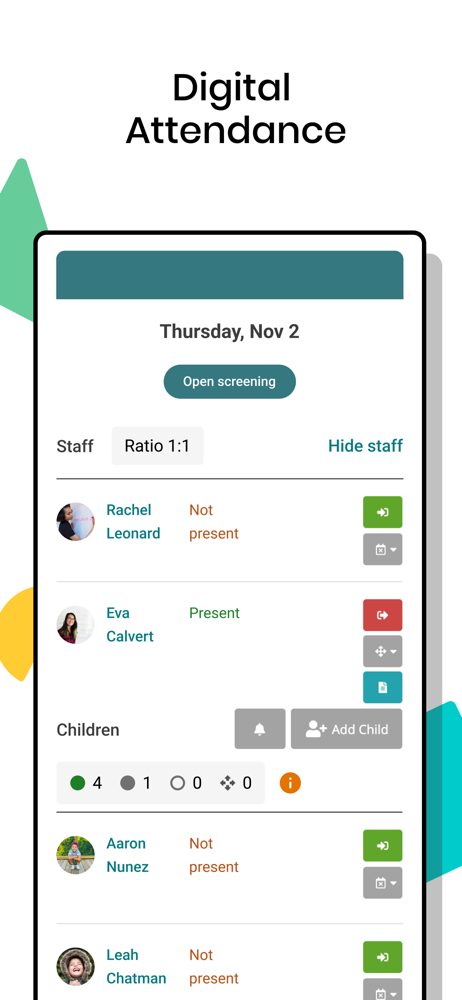
Read the store headline, screenshots and description. What problem is the app promising to solve?
Study the storefront ↗
Hi Mama Inc. · iOS
Explore the ad evidence, study the storefront, and build your next acquisition hypothesis.
01 / Creative research
Read the store headline, screenshots and description. What problem is the app promising to solve?
Study the storefront ↗Explore apps with direct store-link matches. Compare their hooks and formats without assuming the same approach works here.
Browse observed advertisers ↗Store rankings and revenue estimates describe market context. They do not establish ad spend, conversions or ROAS.
Review the market context ↗02 / Storefront & product
Study the product story and store experience behind the acquisition funnel.




03 / Market context
Keep revenue, downloads and store rankings separate from advertising performance.
We were introduced to this app when our daughter started daycare for the first time. It’s not just how frequently our center uses it that makes it a relief, it’s also how easy it is to use. Before you download the map, HiMama sends you email updates, the same way you would receive notifications from the app. This is helpful to the slower mom’s like me that didn’t realize an app was needed. After downloading we were completely in love with the set up. I know some of my friends have used similar apps with their children but THIS ONE is detailed. It has been a relief as she has transitioned into daycare. I am so happy we were introduced to it.
I absolutely love that I can see what my boys are doing during their day at pre-school. By visualizing their lesson plan for the day, it gives me an opportunity to ask them specific questions about what they are learning. Their teacher posts the book they read that day or the projects they worked on. Previously, when I would ask them about what they did at school that day (at the prior day care), they would typically answer with “nothing 🤷🏻♀️". Even though I knew that wasn't true lol. Now I can ask them about their sunflower seed project or the butterfly painting that they did that day. The app also allows for the teachers to send messages to me and my husband directly (items we might need to bring in, upcoming events, etc). I was able to see pictures of them smiling and running around on the playground with new friends, which helped me to feel more comfortable when my boys (ages 2 1/2 & 5) switched schools. Overall I am very happy with this app!
I have communicated this to the developers: The 4-5 other care apps I have used have a sleep timer feature. One button to hit when a child falls asleep and hit it again when they wake. No need to edit in a sleep start time. In group care it’s unlikely you will remember exactly when each infant or toddler fell asleep. Naps also coincide with staff breaks at centers, the person in the room isn’t always the same person for the duration of a child’s nap and wouldn’t know what to edit the start time to. Or when a nap ended, if, just before the next staff came in. With the other apps, different staff can start the timer and end the timer when they woke, tracking it wouldn’t be tied to the original observer knowing when a child fell asleep. It’s time consuming to have to write this stuff down just to communicate with each other about it. The whole point of the app is to not have to write down care notes, and naps are a big part of the infant and toddler care routines. Also, you can’t seem to open any pdf attachments from smartphones.
Get all the building blocks for early education with the #1-rated childcare app! Center management features let you complete daily reports, schedules,...
| Name | Price | Type |
|---|---|---|
| Photos Plus (Monthly) | $2.99 | Monthly |


