Check the acquisition promise
Read the store headline, screenshots and description. What problem is the app promising to solve?
Study the storefront ↗
John A Ehlke · iOS
Explore the ad evidence, study the storefront, and build your next acquisition hypothesis.
01 / Creative research
Read the store headline, screenshots and description. What problem is the app promising to solve?
Study the storefront ↗Explore apps with direct store-link matches. Compare their hooks and formats without assuming the same approach works here.
Browse observed advertisers ↗Store rankings and revenue estimates describe market context. They do not establish ad spend, conversions or ROAS.
Review the market context ↗02 / Storefront & product
Study the product story and store experience behind the acquisition funnel.




03 / Market context
Keep revenue, downloads and store rankings separate from advertising performance.
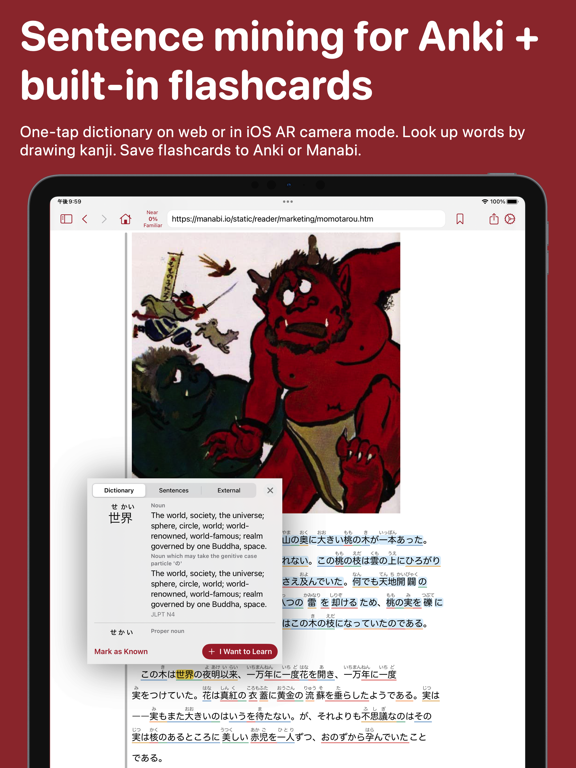
Anki integration is a huge game changer and is what brought me over from the reader app I had been using previously. I just tested adding an Anki card and everything worked smoothly and intuitively— it’s a really big deal that I can finally one-tap add cards to Anki from my smartphone, since no other reader app on the iOS store does this to my knowledge. I’m glad the price is so reasonable, too— will definitely be recommending to friends! My one request to the developer: Is it possible to add a “hiragana only” option for adding to a field in Anki? For example, say I want to add the phrase 仮眠をとる to my anki deck. The only options right now are expression (仮眠をとる) and expression with reading (仮か眠みんをとる). It’d be nice to have an option for かみんをとる because of the odd way my Anki card template is set up. Just a little nitpick. Congrats and many thanks for getting 3.0 released!
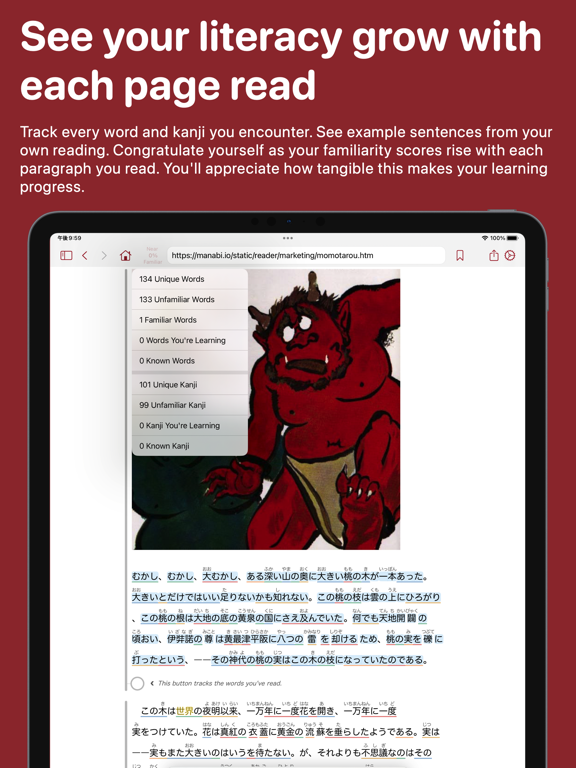
I’ve been using this app to practice my reading skills and it’s simple yet has done wonders for me. I find the kanji tracking feature very convenient as it helps me to see where I stand in terms of literacy. The subscription price is more than fair, other reading apps have such ridiculous prices for so little features, so I appreciate you keeping this one reasonable. What I would like is more distinction between known and unknown words, it gets tiring having to click every word to make sure I marked them as known. Keeping them highlighted could work. A vertical text option would be fun to add too and if it’s possible, could you perhaps add sign-in from Apple and/or Google?
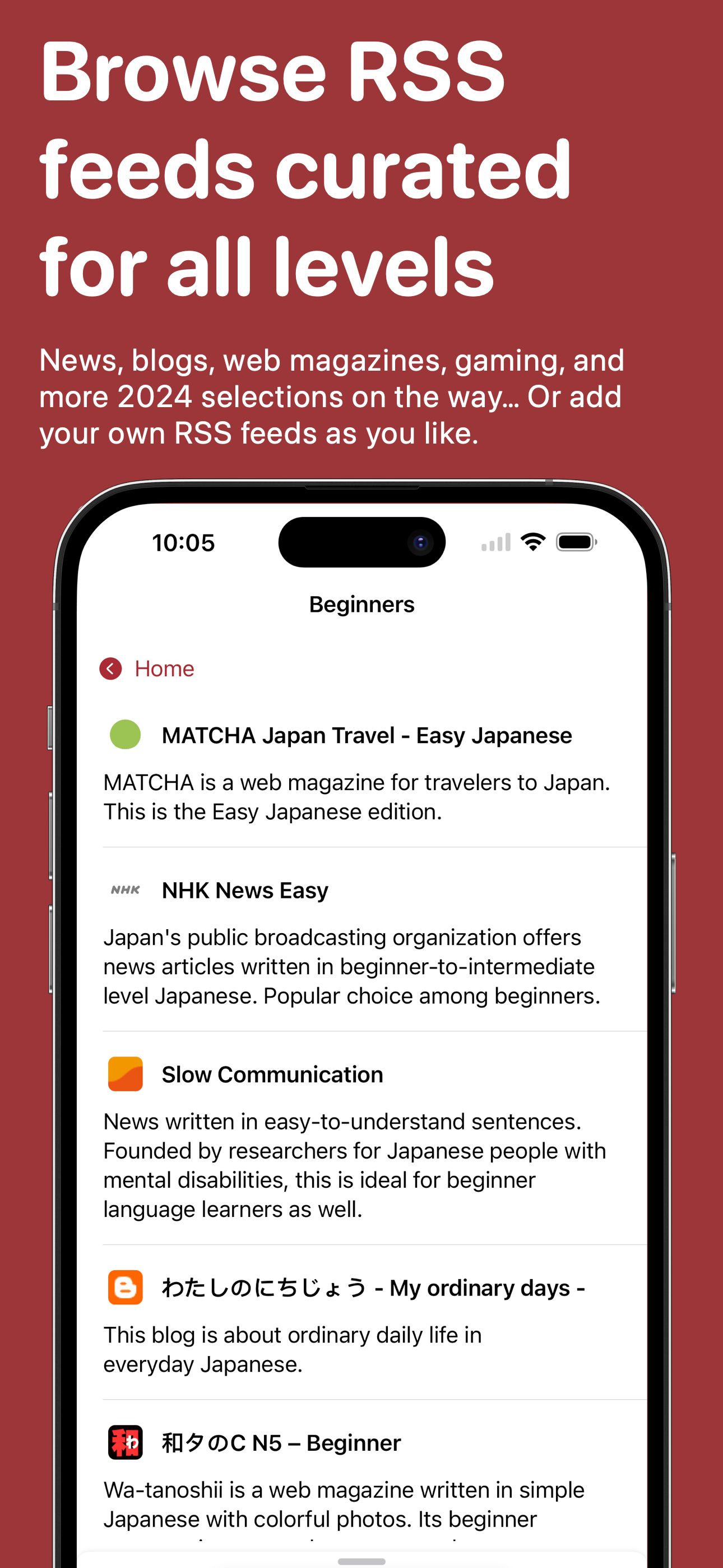
This is a rating for Manabi, which is actually a combination of two different apps, one is a reader for people practicing reading in Japanese, and the other is a flash card application to help you learn the new words you read in the first app. In my opinion, the first app is excellent! It has a wide variety of easy to read articles, and all you have to do is tap on any word in the app in order to see its meaning in English, as well as its pronunciation, and some sample sentences. If you run across a word that you don’t understand, you simply select “make flash card” as an option, and you can create a separate flash card automatically in the second app The second app, on the other hand could be a lot easier to use, and more helpful. You don’t have the ability to control which cards you’re practicing, you don’t have the ability to make sets, and you don’t even have the ability to change the “flip” direction of the cards (as far as I’m aware). There are a number of different Japanese flash card apps that are much better, and unfortunately the Manabi apps don’t have the ability to transfer your sets from there to those other flash card apps. So I think there’s a lot of work to be done on the second app, but the reader is quite enjoyable and I use it almost daily.
Expand your Japanese vocabulary and kanji comprehension by getting in the habit of reading short, native content daily. Manabi Reader makes it easy to...
| Name | Price | Type |
|---|---|---|
| Monthly Subscription (Student) | $4.99 | Monthly |
| Monthly | $7.99 | Monthly |
| Annual Subscription (Student) | $9.99 | Yearly |
| Annual Subscription | $39.99 | Yearly |