
Check the acquisition promise
Read the store headline, screenshots and description. What problem is the app promising to solve?
Study the storefront ↗
GL Technologies (HK) Limited · iOS
Explore the ad evidence, study the storefront, and build your next acquisition hypothesis.
01 / Creative research
Read the store headline, screenshots and description. What problem is the app promising to solve?
Study the storefront ↗Explore apps with direct store-link matches. Compare their hooks and formats without assuming the same approach works here.
Browse observed advertisers ↗Store rankings and revenue estimates describe market context. They do not establish ad spend, conversions or ROAS.
Review the market context ↗02 / Storefront & product
Study the product story and store experience behind the acquisition funnel.


03 / Market context
Keep revenue, downloads and store rankings separate from advertising performance.
The app works. No problem connecting to devices. I hope there will be firmware updates.
The presence sensor is working great for me so far. Detects people quick and stays active the whole time people are in the room.
I’m sorry to say that the presence sensor is a failure. I connected it to my Apple HomeKit with no problems. It shows up in this app very easily. What makes this useless is that it ALWAYS shows a presence in the room, despite no one being there. As an aside, I have over 40 HomeKit devices, including Hue, Aqara and of course Apple. Cameras, locks, sensors and lights. So, not a small setup. I went through all of the different settings. I removed the device from Apple and Lanfaer 3 times. I even did a full factory reset. Absolutely nothing changed. I’m hanging onto it in the hopes that a firmware update will fix it. At this time, I don’t recommend the occupancy sensor.
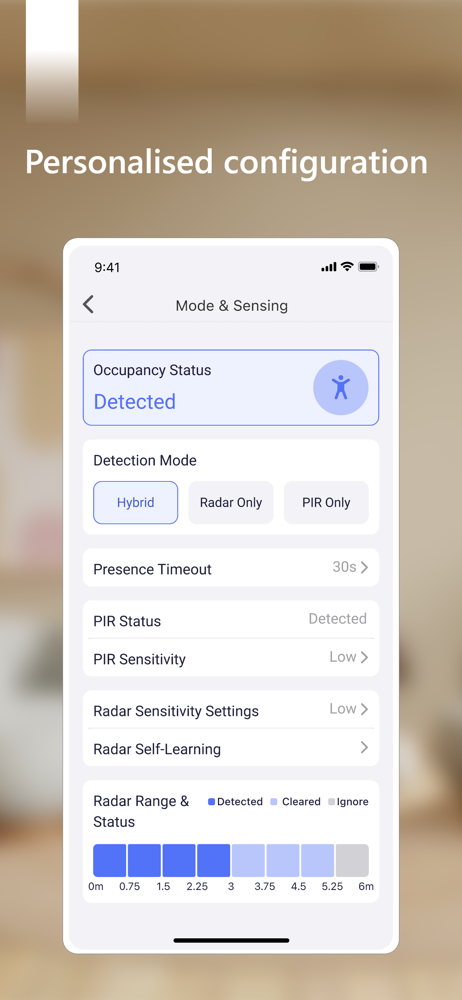
Personalised configuration Automatic adaptation to the surroundings Advanced sensitivity tuning Adjustment of the sensor distance Control of LED l...


