Check the acquisition promise
Read the store headline, screenshots and description. What problem is the app promising to solve?
Study the storefront ↗
Pixdeo LTD · iOS
Explore the ad evidence, study the storefront, and build your next acquisition hypothesis.
01 / Creative research
Read the store headline, screenshots and description. What problem is the app promising to solve?
Study the storefront ↗Explore apps with direct store-link matches. Compare their hooks and formats without assuming the same approach works here.
Browse observed advertisers ↗Store rankings and revenue estimates describe market context. They do not establish ad spend, conversions or ROAS.
Review the market context ↗02 / Storefront & product
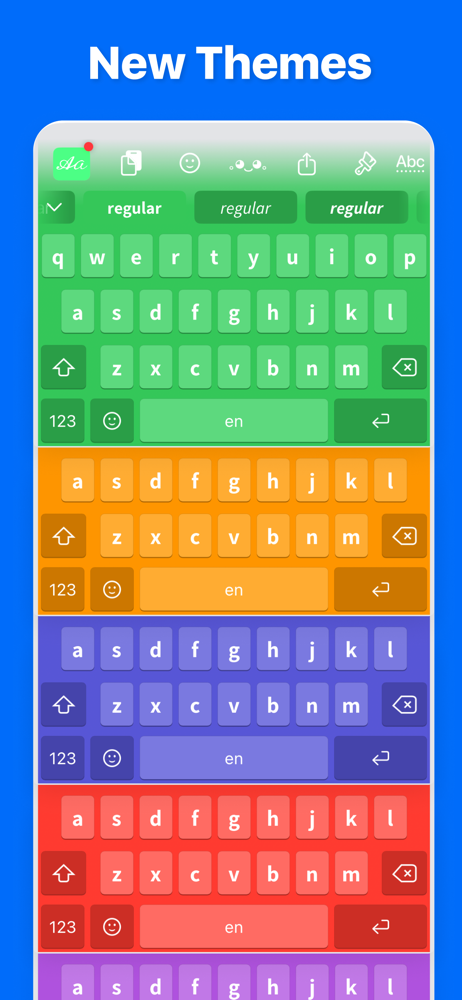
Study the product story and store experience behind the acquisition funnel.




03 / Market context
Keep revenue, downloads and store rankings separate from advertising performance.
Fonts Pro is a great app that I use all of the time!! It’s f҉u҉n҉ to dress up a text or use a variety of “looks” to place emphasis to a word or phrase, however there’s one major suggestion I have. It would be 5+ ★★★★★....IF it had spell check, auto correct and/or word suggestions as found in the basic texting format. It would definitely improve the app overall, to provide the ability to move the cursor throughout a text/document A̳N̳D̳ drop the cursor inside of a word to make single letter or number adjustments. Overall this is a great app, but with a few s͜͡i͜͡m͜͡p͜͡l͜͡e͜͡ tweaks and additions as explained above, it could be described as f̳a̳r̳ a̳b̳o̳v̳e̳ the basic, run of the mill keyboard font changer.
This is honestly the first and only font changer that hasn’t begged for money or drowned me in ads after typing 3 words, so kudos on that. But now, I can’t figure out if what I’m experiencing is just a bug or something worse. While I was using the new fonts I was about 7 words into a sentence and all of a sudden (with key clicks on btw) my phone began to sound like a Geiger counter at Chernobyl. For whatever reason, the backspace key got stuck down and even though I switched keyboards, it still liked a nuclear winter. Oddly enough, all of my keyboards worked just fine after switching away from the new one and even when I switched back to the troubled board, it too worked although I had to kill the key click noise. So, I’ll submit this and the screen recording thru the Feedback app so they’ll get the diagnostics and let’s see where this goes from here.
Free is always nice and these developers have provided a “nice” little package that offers a small bit of usefulness and a little fun. Installs with ease—the way all additional keyboards & emojis were added a few years back…through keyboard settings. The fonts are mostly limited in actual usefulness rather than being particularly elegant or clean. Some are fun and cool for special, if not limited use. Many are too cluttered for running text. The Typewriter & Cursive are quite readable for running text, but the rotated letters on Comic relegate it to phrases at most. Gothic is a display typeface (font) and does best for special effects and not running text. Some might find the collection of symbols (4 keyboards worth) fun, but how many times do Egyptian symbols or black line-art animals really improve on the system-installed emojis? Still, to gain a couple useful fonts for free is nice. My only real gripe about the app functionality itself is what happens when to visit settings or make changes within the keyboard. Upon closing down the settings screen—it remains in view under the keyboard; cluttering up and confusing the view. This is simply a programming error and should have been fixed long ago. As I write this, the last most recent app update/ fix was 10 months ago. I suspect we may have an orphan app here.
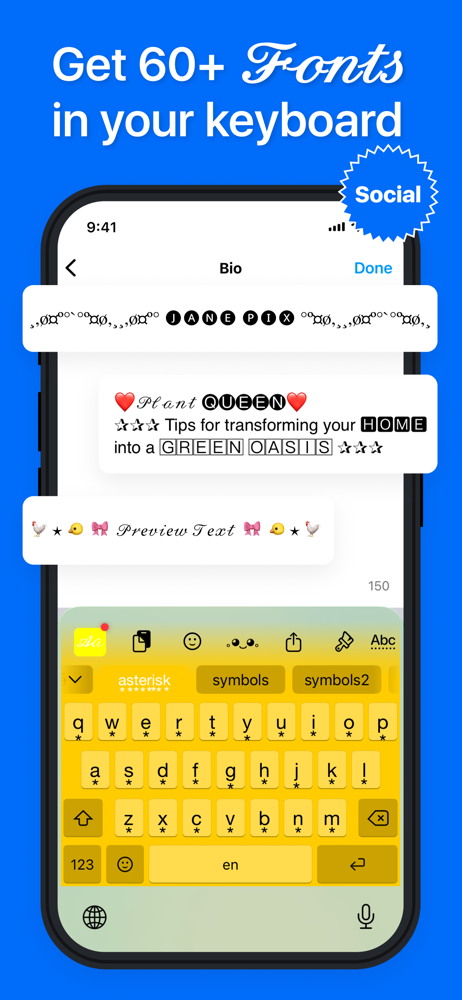
Our keyboard offers over 60 unique fonts, is easy to use, and stands out from other keyboards by focusing solely on what matters - an easy and persona...
| Name | Price | Type |
|---|---|---|
| Unlock all the Fonts | $0.00 | One-time |
| Fonts Pro Max (Weekly) | $5.99 | Weekly |
| Fonts Pro Max (Annual) | $24.99 | Yearly |