Check the acquisition promise
Read the store headline, screenshots and description. What problem is the app promising to solve?
Study the storefront ↗
Chinese Writing Systems, Inc. · iOS
Explore the ad evidence, study the storefront, and build your next acquisition hypothesis.
01 / Creative research
Read the store headline, screenshots and description. What problem is the app promising to solve?
Study the storefront ↗Explore apps with direct store-link matches. Compare their hooks and formats without assuming the same approach works here.
Browse observed advertisers ↗Store rankings and revenue estimates describe market context. They do not establish ad spend, conversions or ROAS.
Review the market context ↗02 / Storefront & product
Study the product story and store experience behind the acquisition funnel.

03 / Market context
Keep revenue, downloads and store rankings separate from advertising performance.
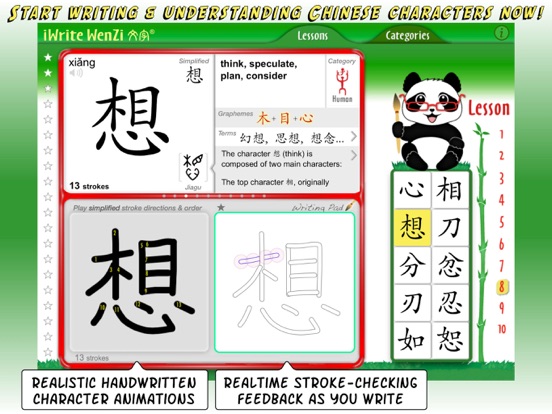
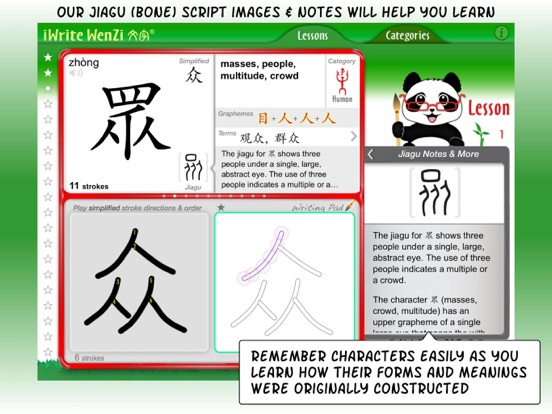
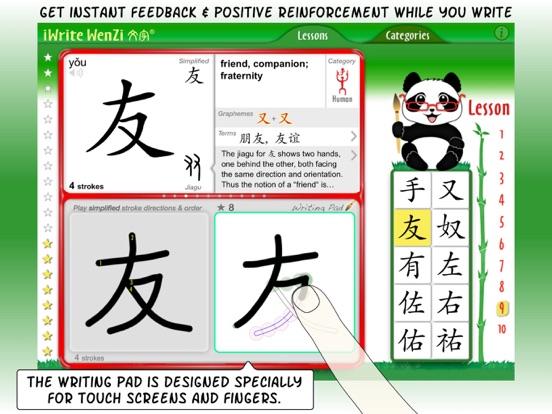
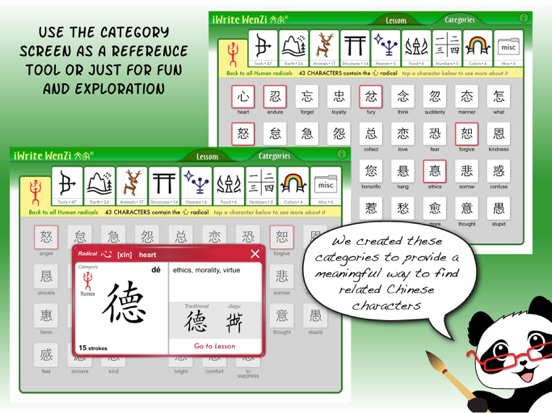
I love the categories view but I can't see how to view a word in categories and then open it in the study panel. I think there should be a link from the word to the study panel and vice verse: clicking the category while I am studying should take me to the category view so I can see related words. Let me know if I am mistaken but I see no such links in this version. I would like to see integration with Pleco like Skritter uses or else just a copy to clipboard option. For studying the terms and jiagu, I would like to have the screen rearrange itself so these can be full screen with no need to scroll. For example, the writing panel isn't needed while studying the etymology. For finding a word in the category view, I would like to see a way to sort the words or a way to search for a word. It might be nice to just quickly click 10 words from the category view and create a custom study deck. I would like to have the word pronounced each time I draw it so that I am reminded to pronounce it myself and I think the success should fade away quickly or not be shown at all since the character knows if I touched all the points it is already very clear that I am successful or not. Furthermore, it takes time to click to make it disappear and I just want to drill the character into my head. From the categories view I would like to be able to choose what to show on the cards depending on what I want to study. Currently it shows Chinese characters, but I might want to have it show English or German or maybe just audio in Chinese so that I can test my ability to recognize the character before I see it.
I bought iWrite Wenzi to broaden my understanding of the Chinese language. This is a beautiful language with such depth of history and culture. I am planing on traveling to China and figured it would be most helpful in getting around more comfortably. This app will be most helpful for Baby Boomer travelers, and anyone for that matter! I would very much like to see this app as a core curriculum in our school systems. I love Professor Panda! I checked out others and found I Write Wenzi the easiest to use. I know students of all ages will as well.
This is an amazing app to teach the appropriate skills to write Chinese. It patiently gives you stroke-by-stroke order and the proper stroke direction to write Chinese characters correctly. I'm learning how to write Chinese and it is so much fun! The app is so addicting and it's hard to put down as I'm stacking Chinese characters to make different words. It is the perfect app to learn how to write Chinese!
iWrite Wenzi, the iPad App for Chinese Writing Get ready to learn writing Chinese like never before! This professor-developed method for learning to...