
Check the acquisition promise
Read the store headline, screenshots and description. What problem is the app promising to solve?
Study the storefront ↗
Digital-Dirtbag · iOS
Explore the ad evidence, study the storefront, and build your next acquisition hypothesis.
01 / Creative research
Read the store headline, screenshots and description. What problem is the app promising to solve?
Study the storefront ↗Explore apps with direct store-link matches. Compare their hooks and formats without assuming the same approach works here.
Browse observed advertisers ↗Store rankings and revenue estimates describe market context. They do not establish ad spend, conversions or ROAS.
Review the market context ↗02 / Storefront & product
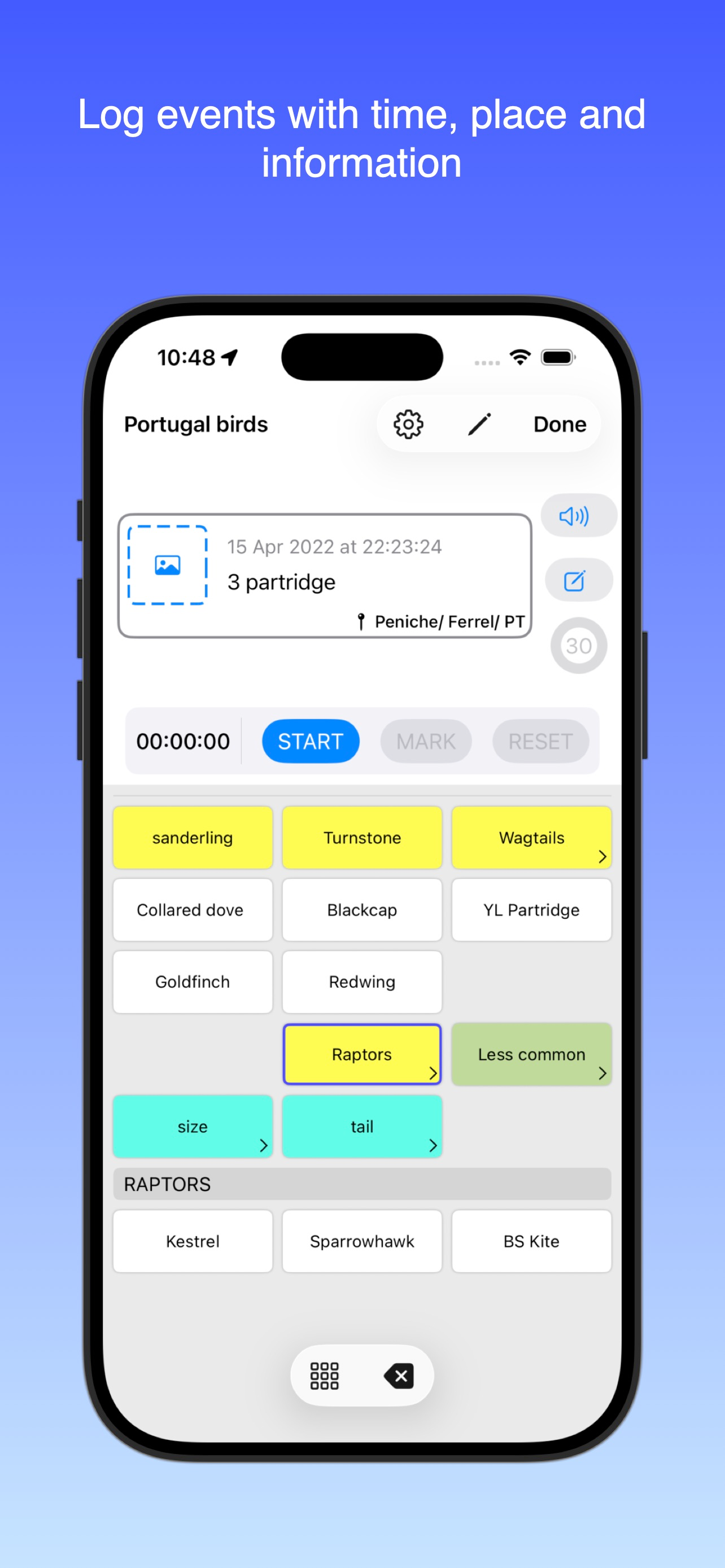
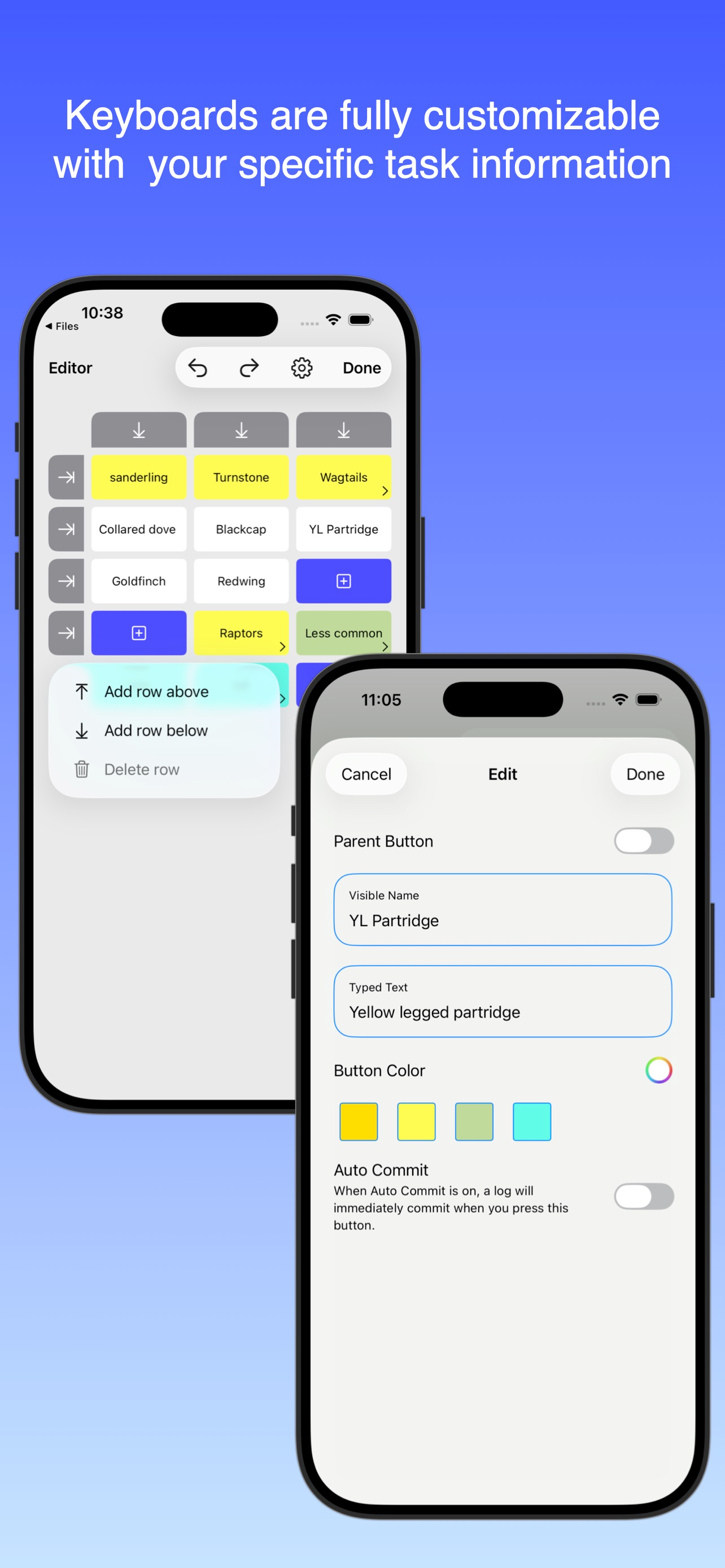
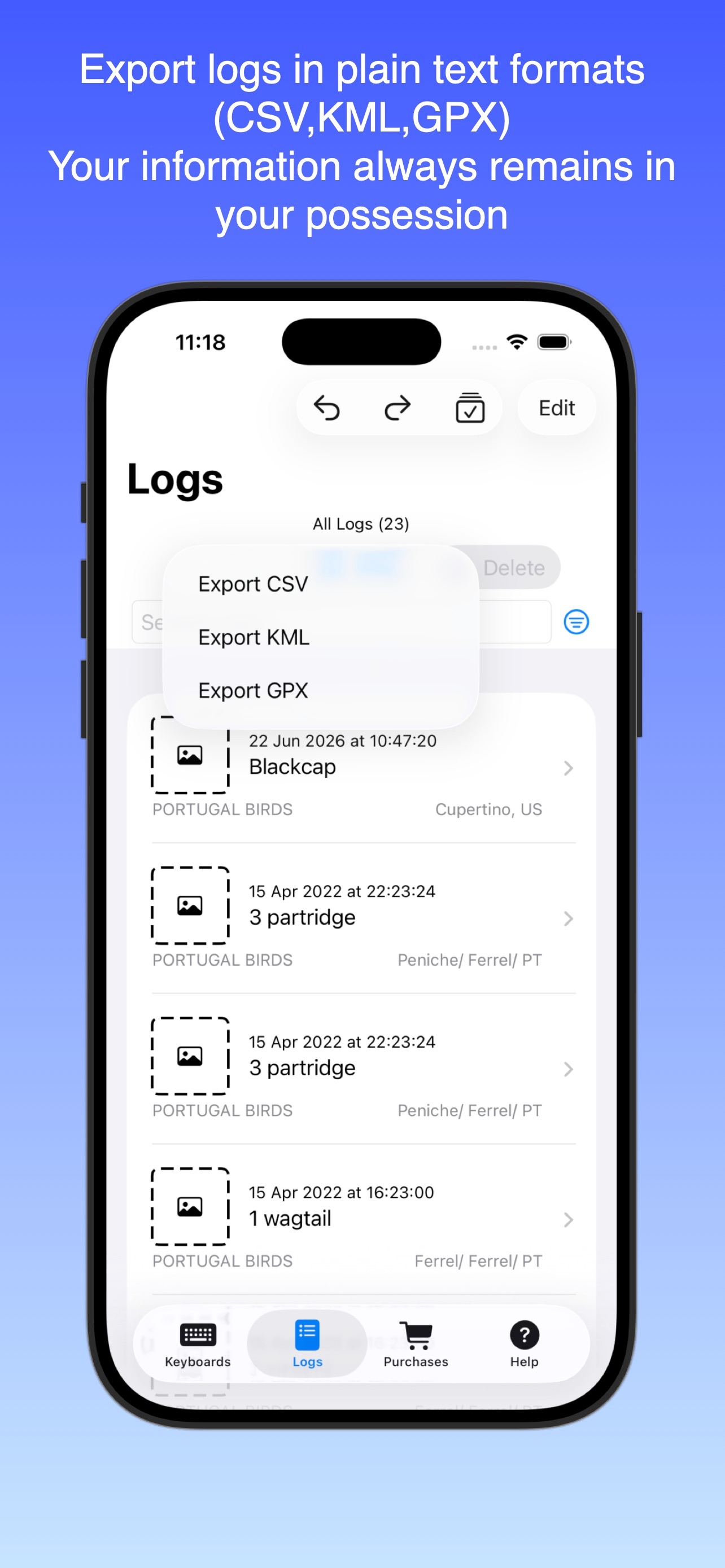
Study the product story and store experience behind the acquisition funnel.




03 / Market context
Keep revenue, downloads and store rankings separate from advertising performance.
I used this to track my times while working EMS. it worked great on my watch and made it super easy to track times. But it stopped working on the watch. I would give it 5 stars if the watch app worked again.
This app is beautiful in its simplicity and its ability to be customized for whatever purpose you have. Our older dog is having issues with incontinence and regularity, and I needed a reliable way to track her eliminations. I can help her by making sure she gets outside before too much time passes. After a long search, I was about to give up, but then I stumbled across this app, and it’s perfect! I can launch it from my Apple Watch, and with just a tap or two, I have created a log entry that includes what she did, what time, and exactly where we were. I can even pull everything up on a map. It’s everything I wanted, and more. I’m already trying to think up other keyboards I can create!
Use it to log elimination and feeding of our puppy. Tried several apps for this purpose, including some that cost $10. None was as simple, beautiful and frictionless as this. It integrates in the iPhone's "Today" screen - so I can log events without unlocking my iPhone. It's super fast: Take iPhone out of pocket. Press button to activate screen. Swipe down. And tap the button corresponding to the event I want to log. DONE! It's such a breeze to use that it's actually fun. Which means that you'll use it consistently. Perfect for logging events, moods, encounters or if you want to track habits to make them stick (or get rid of them). No other app comes even close! All events are even geo tagged. Which, in my case, means I can see on a map all the spots where our pup has peed since the time I found this app. Cool, right? ;-)
Buttons is an app for creating and using custom single-purpose macro keyboards for the purpose of event logging. Typical uses include field notes, re...
| Name | Price | Type |
|---|---|---|
| 30 day free trial | $0.00 | One-time |
| Unlock all features (6 Month) | $1.99 | Semi-Annual |
| Unlimited logs and keyboards | $2.99 | One-time |


