Check the acquisition promise
Read the store headline, screenshots and description. What problem is the app promising to solve?
Study the storefront ↗
AVAST Software s.r.o · iOS
Explore the ad evidence, study the storefront, and build your next acquisition hypothesis.
01 / Creative research
Read the store headline, screenshots and description. What problem is the app promising to solve?
Study the storefront ↗Explore apps with direct store-link matches. Compare their hooks and formats without assuming the same approach works here.
Browse observed advertisers ↗Store rankings and revenue estimates describe market context. They do not establish ad spend, conversions or ROAS.
Review the market context ↗02 / Storefront & product
Study the product story and store experience behind the acquisition funnel.




03 / Market context
Keep revenue, downloads and store rankings separate from advertising performance.
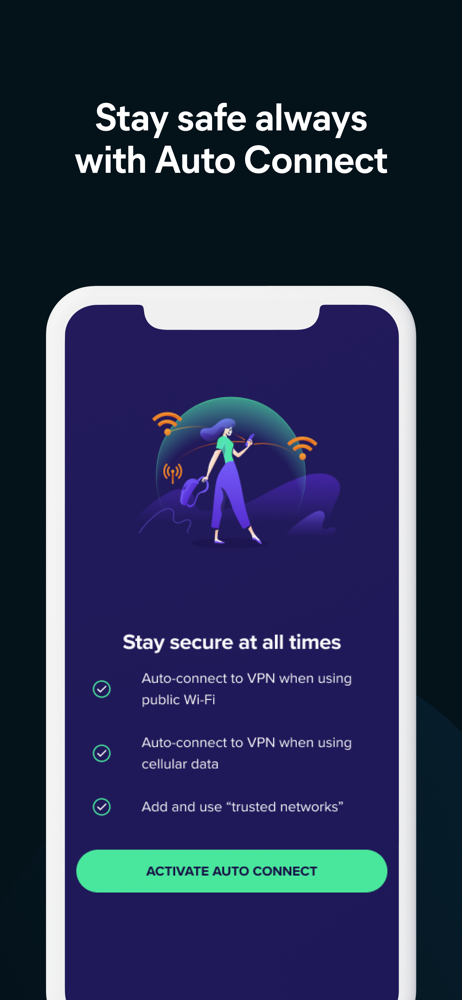
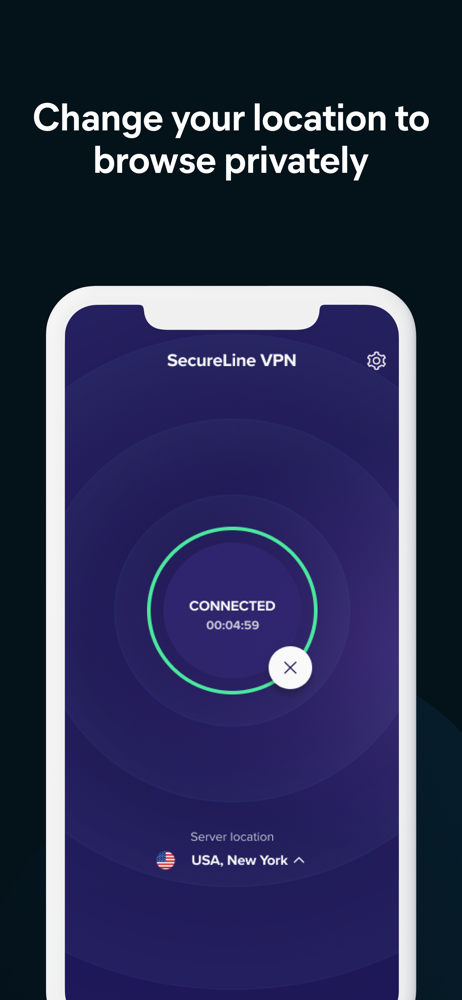
The latest release includes improvements that would make this a 5 star app if they worked consistently. Unfortunately I’m still experiencing connection issues when I first unlock my phone, along with other random issues. After unlocking my phone about 50% of the time it will show me connected to vpn (via icon next to WiFi icon) but I have no connectivity. When I open the SecureLine app it will say I have no connection and only option is “retry” button. I have to go into settings to physically turn off vpn to get access to my lte or WiFi. Then I can reconnect SecureLine. Another problem is with turning off vpn for short term like 15 minutes. It will not automatically reconnect after 15 min(or an hour), and when I go to settings auto connect IS turned on but it says I’m not connected to SecureLine because I’m on a trusted network— even though I have no trusted networks and it is listing zero. I have to try to disconnect to get reconnected to SecureLine. I actually suggested this feature over a year ago and hope they are able to shake out the bugs so it works as expected. Other random times the vpn icon will show I’m connected but nothing will load until I change vpn location. Things still seem very buggy and not reliable. I’m looking forward to the day I can unlock my phone and open an app/website without my SecureLine vpn locking things up.
this happens also for avast vpn for the mac mojave..there’s apps that no longer connect with rhis vpn, soo..why would i want a vpn if a can’t no longer use the programs that connect to the 2020 “internet” don’t get me wrong am no “hater” i LOVE AVAST been using it for a year or more for mac mojave and sierra and it has saved ma sorry self LOTZ o times! so we as family decided to pay them n maybe get them apps...but they won’t be worth paying for em...so maybe a won’t wipe this apo from the phone, as i could use it for web pages...but if the rest of the apps, including appstore, no longer connect to the net, being that those apps ONLY purpose is to CONNECT to tha freackyng net won’t be useable with THIS VPN a pretty much just won’t use vpn at all...so just hold on 2 THAT AVAST ..you rock it with antiviruses, but u aint doin well on the “pay” apps...
I have ATT internet but am switching to Spectrum. No problem using VPN app while I was an ATT subscriber. Instead of an ATT modem-router combo, I bought my own router to go with the Spectrum modem to avoid rental fees. That is where my troubles began. I could not get the Netgear app to work on my iPad and one suggestion was that VPN could interfere. I ended up switching to a Linksys router. I was able to connect the Linksys app after setting up my account on my laptop, but my internet connection became a problem. I kept getting disconnected. So, I deleted the Avast VPN app on one iPad. No problem connecting on that one. Since I still have ATT, I connected to the internet on my other iPad using ATT and went into the Avast app. I disconnected the “connect automatically when not on a trusted network” feature and was able to connect to the internet again. Then I decided to add the Linksys router to my trusted networks. So far it is working. I went into copious detail so maybe people with more technical knowledge can figure this out. I am not sure if the problem is with Spectrum’s internet settings, the change to a separate router and modem, the app or what. BTW, initially the Spectrum connection worked, then it stopped working later in the day. I may end up manually connecting the VPN if my solution does not continue to work, something I can live with.
Avast Secureline VPN Proxy is fast and simple VPN for iPhone to stay safer and more private when accessing your favorite apps and websites, wherever y...
| Name | Price | Type |
|---|---|---|
| Avast SecureLine VPN (Monthly) | $2.99 | Monthly |
| 1 Month | $2.99 | One-time |
| Monthly Mobile-Only Plan | $4.99 | Monthly |
| Monthly Multi-Device Plan | $7.99 | Monthly |
| Secureline VPN 1M Multi-Device (Monthly) | $7.99 | Monthly |
| Avast SecureLine VPN (Annual) | $19.99 | Yearly |
| Yearly Mobile-Only Plan | $29.99 | Yearly |
| Yearly Multi-Device Plan | $59.99 | Yearly |
| Secureline VPN 1Y Multi-Device (Annual) | $59.99 | Yearly |
| Secureline VPN 12M MultiDevice (Annual) | $59.99 | Yearly |