
Check the acquisition promise
Read the store headline, screenshots and description. What problem is the app promising to solve?
Study the storefront ↗
George Yameen · iOS
Explore the ad evidence, study the storefront, and build your next acquisition hypothesis.
01 / Creative research
Read the store headline, screenshots and description. What problem is the app promising to solve?
Study the storefront ↗Explore apps with direct store-link matches. Compare their hooks and formats without assuming the same approach works here.
Browse observed advertisers ↗Store rankings and revenue estimates describe market context. They do not establish ad spend, conversions or ROAS.
Review the market context ↗02 / Storefront & product
Study the product story and store experience behind the acquisition funnel.





03 / Market context
Keep revenue, downloads and store rankings separate from advertising performance.
This app is a game changer. I started using Picklewatch two weeks ago and I’m completely hooked. I’ve already recorded a dozen games and the insights are incredible. The app tracks my swings, analyzes swing quality and speed. It also breaks down my swing count by type. It even confirmed something I hadn’t fully realized before – as a lefty, I rely heavily on backhand volleys and dinks. With that insight, I’ve started focusing much more on backhand drills. Picklewatch also provides smart session insights, like “Best swings in the first 15, then quality drops,” which clearly shows when fatigue kicks in. Based on the app’s suggestions, I’ve also become more intentional about slowing down my swings. I used to rely on the Workout app on my watch, but that only tracks calories, duration and heart rate. Picklewatch delivers far more meaningful, actionable data. Did I mention I’m hooked?
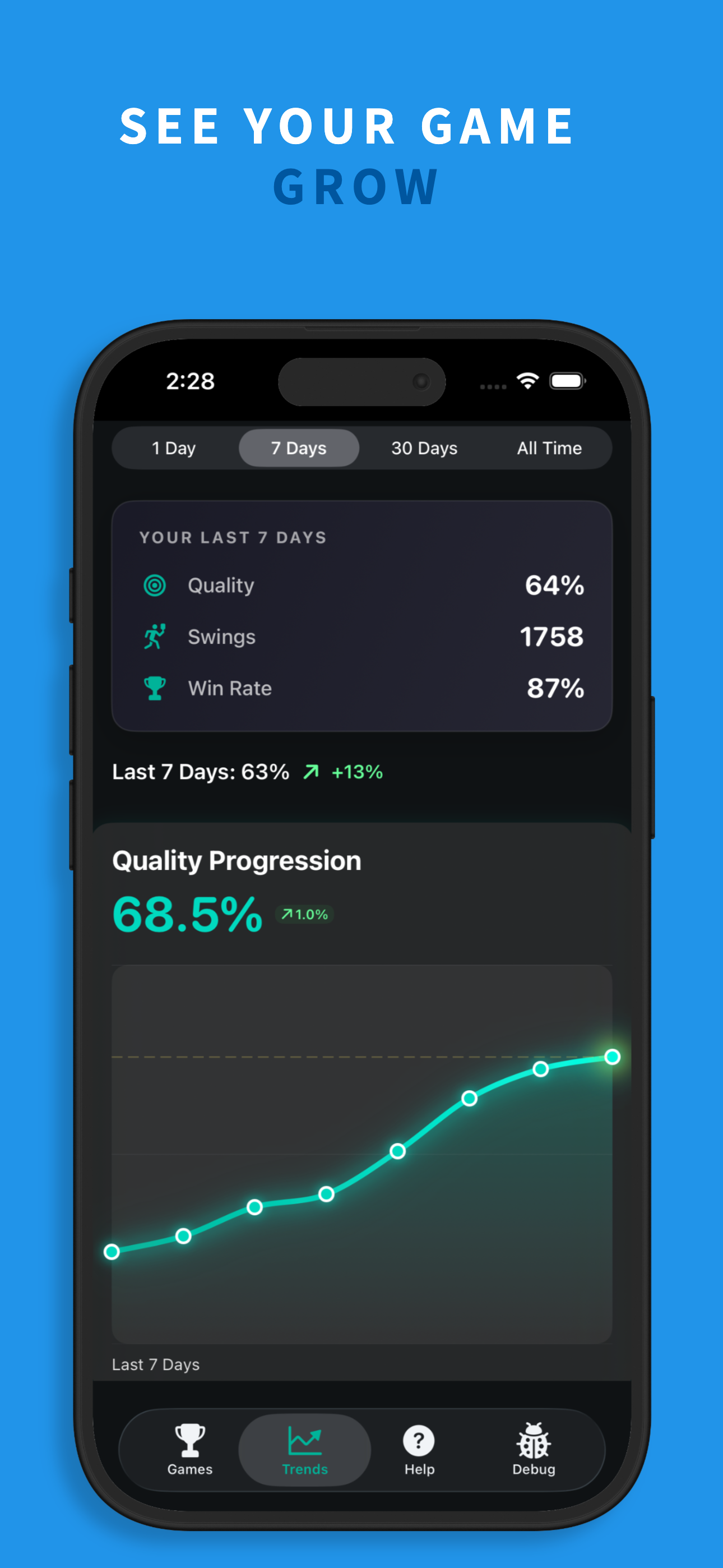
This app has helped me ID how to improve my game and the developer is deeply committed and accessible - he’s listening to the community and ambitious for constant improvement. I used the free version for a month and found the data baseline helpful. Because of PickleWatch, was able to see I was hitting way too high of a % BH. With this info, was able to focus on moving to hit more FH and saw an immediate improvement on points/performance. That simple insight meant I had better options and shot selection. I then upgraded to the Pro version and wish I’d done so earlier. Instantly, I saw my shot quality was dropping after 15-18 shots. I hadn’t realized I was getting fatigued. This helped me tune my mindset to focus on each shot instead of the game tone and score. This also prompted me to add strength and cardio to my routine. It’s easy to think about pickleball as a casual or rec sport and I’ve got to give PW some credit for showing me the connection between stamina and my game skill which is motivating me to get into better shape! Love the 7 day, 30 day, and all time trends as well. Builds confidence and motivates!
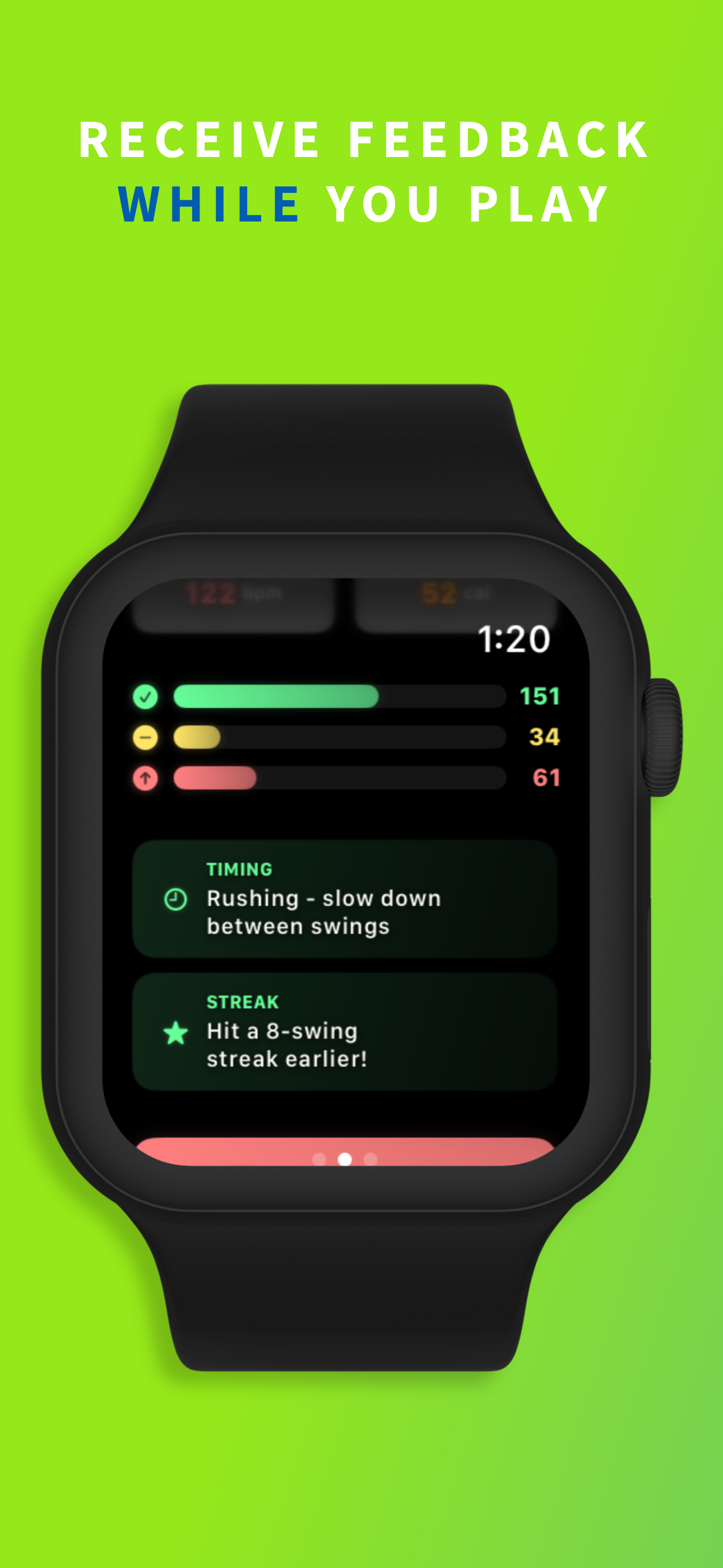
Honestly got this on a whim, but it’s way cooler than I expected. I’m still figuring out how to play pickleball, and this app actually makes it easier. It tells me if my swing is solid or needs work—green, yellow, red—super simple. I just wear my Apple Watch and it tracks everything while I play. No setup, no hassle. I’ve been using it after a few games with friends and already feel like I’m getting better. If you’re new and just want to have fun while improving, this app’s a win.
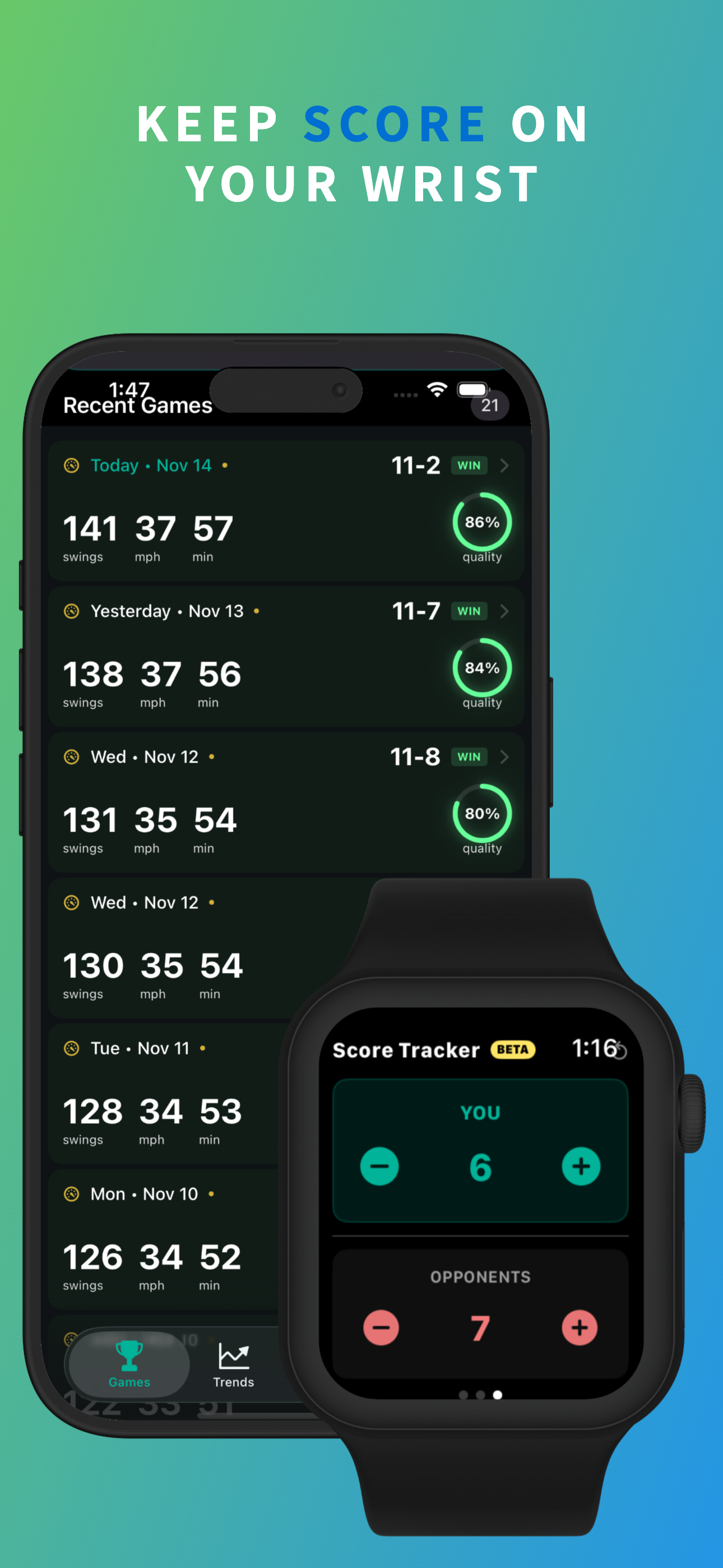
PickleWatch turns your Apple Watch into an automatic pickleball tracker that detects and grades every swing — serve, drive, volley, dink, and smash —...
| Name | Price | Type |
|---|---|---|
| Pro Tier Weekly | $2.99 | Weekly |
| PickleWatch Pro – Monthly | $9.99 | Monthly |
| PickleWatch Pro – yearly | $49.99 | Yearly |
| Pro_Lifetime_PickleWatch | $79.99 | One-time |


