Check the acquisition promise
Read the store headline, screenshots and description. What problem is the app promising to solve?
Study the storefront ↗
Bumbayaya GmbH · iOS
Explore the ad evidence, study the storefront, and build your next acquisition hypothesis.
01 / Creative research
Read the store headline, screenshots and description. What problem is the app promising to solve?
Study the storefront ↗Explore apps with direct store-link matches. Compare their hooks and formats without assuming the same approach works here.
Browse observed advertisers ↗Store rankings and revenue estimates describe market context. They do not establish ad spend, conversions or ROAS.
Review the market context ↗02 / Storefront & product
Study the product story and store experience behind the acquisition funnel.



03 / Market context
Keep revenue, downloads and store rankings separate from advertising performance.
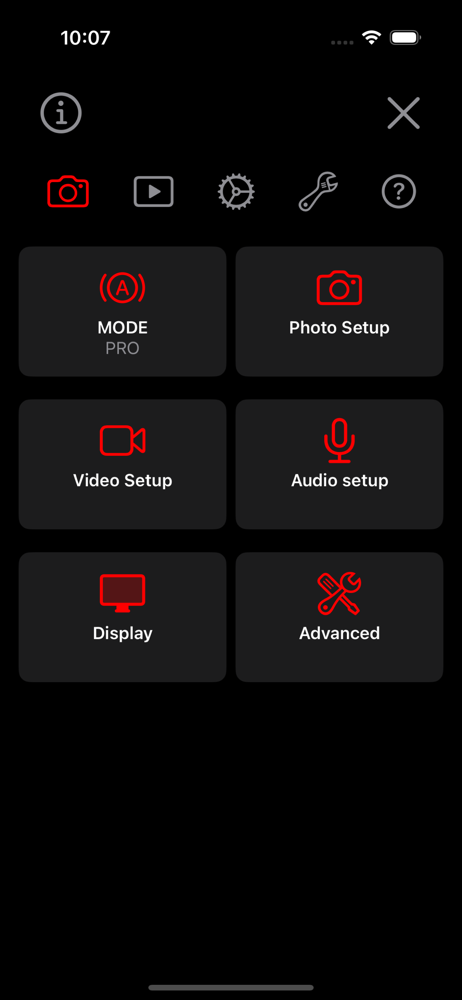
I’ve only just tried this app one one dive with my new divevolk housing, and for the sake of limiting new things all at once, I left it in simple mode. Already, that was a great experience - this app is designed for underwater touch screen operation, and it’s fantastic at that. The experience was so much more comfortable and fun than diving with a GoPro. Back on the surface playing around a little more, I realized there are a few things I’d like to do differently, or maybe control underwater. Sure enough, I turned off simple mode and the app supports all of them and more. The price is pretty steep, but for how well this works and how much it enhances my dive video experience, I’ll happily be subscribing before each dive! I might even have to go back and reprocess previous GoPro video.
I do a lot spur of the moment picture taking and underwater photography and videography. I have been using the trial version and find this app allows you access to both photos and videos from one app. No more need for multiple apps to capture the moment. This app has lots of features for every level of photographer beginner to professional. One feature for scuba divers using their smartphone is the ability to see a compass on the screen. I can tell that this app was designed by both land and sea photographers. So far I haven’t come across any glitches. I recommend this app for everyone to replace your phone’s camera. Update: I have used this app for a couple of years now. This app is how all apps should be developed and maintained. I enjoy the features and especially the app information section. This app is for those who take a lot of land and underwater pictures and videos. If you are looking for something a little better than the iPhone camera then this isn’t for you. As long as the developers continue to put out this app at the level they have I’m fine with the pricing.
I have been using the Divevolk housing for several years now (mostly for video), and the new UWACAM app so far looks like the best camera app for underwater use. Like my previous favorite from BlackMagic, it has powerful manual controls and allows you to combine the H.265 codec with the Apple Log color space, which I think is the best balance between image quality and file size. All other camera apps that I am aware of, including the native iPhone app, only make Log available when using the ProRes codec, which is impractical for underwater videography. On the other hand, the BlackMagic app makes extensive use of control sliders, which are difficult to operate through the Divevolk membrane, whereas the UWACAM app relies entirely on buttons. The UWACAM app also works for both photos and video, whereas BlackMagic is video only. And the UWACAM app has a feature that as far as I know is unique, which is the ability to tap to sleep and tap to wake, which allows you to turn off the screen to conserve the battery without locking the phone. This is a big deal to me. All the other apps, including the native camera app, require a bunch of setting changes to be useable in the Divevolk housing, when you cannot access the external buttons on the phone, and entering a passcode is inconvenient. For example, you need to turn on Raise to Wake, and turn off the Passcode. To turn off the Passcode, you have to first turn off Stolen Device Protection or else there will be a one hour delay. And when you turn off the Passcode, the iPhone automatically removes all credit cards from the Apple Wallet. All this rigamarole has to be undone when you're back on land. Regarding the subscription model, I understand the aversion when a big company like Adobe switches from one-time payment to subscription. But UWACAM is a specialized app for a niche market, and I don't see how the developers could finance the development of this app any other way, and I want that development to continue. If they sold a thousand annual subscriptions, the total revenue would be $50,000. I don't think anyone is gouging or getting rich from this app. And, finally, I can attest to the outstanding customer service from the development team. I emailed them about a bug I found in the tap-to-focus feature, and Andi responded four hours later, from Switzerland on a Sunday evening, to say they had reproduced my issue, and would issue a fix within three days. Which they did. Let’s support these folks and the continued development of the app!
UWACAM is the leading professional app for underwater photo and video, now available in Version 2.6. Designed for DIVEVOLK Seatouch cases and develop...
| Name | Price | Type |
|---|---|---|
| Weekly | $9.99 | Weekly |
| Monthly | $29.99 | Monthly |
| Yearly | $49.99 | Yearly |